machok
Well-known member
Please, let me know if it works in your game.
hmm
 the fake weapon just disappears after player picks it up

Please, let me know if it works in your game.
the fake weapon just disappears after player picks it up
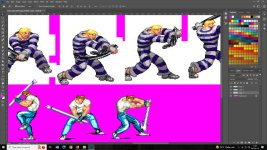
Did the player model changed to a weapon model? Don't forget to use the correct names inside the didhit script.hmm

It is a trope on the genre, but on technos games it didn’t happen. In fact when you get stuck with the awful Bat in DD1, the only way to get rid of it is by hurting yourself by falling from a tall heightbut that is kinda a stone in beat em up games: you need to learn to walk over items without getting them

I need to think about this seriously, just look at this scene
 but those are throwable weapons so it turns to be fun to just throw all the knifes. Different is when you keep picking up pipes while el gado keeps attacking you from far away
You'd need scripted weapon system for that.
Double Dragon Reloaded and see how it was done
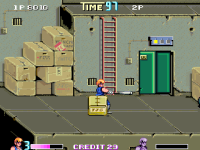
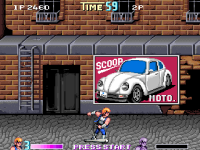


I check Shadows_of_Death game, apparently weapons can't disappear?
the problem can be easily solved, the same button that allows you to drop the weapon (night slashers X taunt/use button)
can also work for picking up the new weapon from the floor, without having to drop the other one, thus instead of 2 actions/animations , you can choose to do just one as long as you are in the right place.
in this fashion, you won't pick up the weapon by accident using the attack button.
Can't disappear? oh that. There's no weapon count coded in yet so player could take and retake weapons over n over.
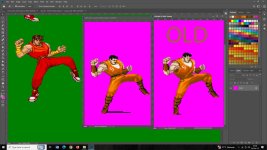
you can keep Attack button as pick up button for the normal model,FInal fight gameplay is quite fast so i need the pickup and attack are same button
Thanks I'll try for the swap weaponyou can keep Attack button as pick up button for the normal model,
for for the rest of the models you can use taunt to throw, (axe) -
lay down (machine gun, grenade, shotgun, chainsaw) the weapon,
or swap the weapon on the floor (that would be a new thing, which you would need to figure out)


Thanks yeah it looks bettergot rid of the shadow, raised the leg a little, made the foot less flat so it looks like its in the air, before it looked like it was on the ground.


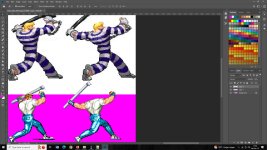

In Final Fight his posture is more upright with a big chest and he has more freedom of movement so from an animation standpoint try to keep this in mind.
I don't like making new move, all I want is imitate from the original
Do you have force direction in the attack animation, or maybe it's jumpframe on enemies fall, if it is jumpframe don't forget the enemy is falling backwards so you'll need to use a negative value like jumpframe 0 2 -3

Do you have force direction in the attack animation, or maybe it's jumpframe on enemies fall, if it is jumpframe don't forget the enemy is falling backwards so you'll need to use a negative value like jumpframe 0 2 -3
changeplayerproperty(P1, "disablekeys", openborconstant("FLAG_ATTACK")+openborconstant("FLAG_JUMP"));