You are using an out of date browser. It may not display this or other websites correctly.
You should upgrade or use an alternative browser.
You should upgrade or use an alternative browser.

Complete LOTDD - Now: Ultimate Double Dragon 3.0 (Final)
No permission to download
- Thread starter Mr.Q!
- Start date
-
- Tags
- double dragon
Project is completed.

Mr.Q!
Well-known member
Damon Caskey said:Mr.Q!, pretty sure I know why the boss isn't killing everyone. I'm going to do a quick experiment when I get to my office and will let you know for sure.
DC
Ok man thanks, although you know what would be neat? if I kill the boss and there're still enemies, they retreat instead of getting killed, like, they crouch, then jump away from the screen and that's it

Bloodbane
Well-known member
Mr.Q I think I figured out why you think antiwall isn't working during Jimmy's buggy backthrow. The reason is because antiwall was set improperly in his throw animation
antiwall was set to detect wall 83 pixels behind Jimmy. I believe the pillar in the video during buggy throw is less than 83 pixels wide causing the function not to detect any wall and thus allowing Jimmy to throw Baker inside the pillar.
The solution is to set proper detection range like this:
I'm also using antiwall instead of antiwall2 to show that you can use the former to detect walls behind entity
Hmmm... that's doable however
1. I'd need to modify scripted clear enemies after boss death system to do that
2. All enemies must have retreat animation
3. They must retreat in good spot
#3 can be ignored if you don't mind enemies retreating through walls
Code:
#throw
anim grabbackward
	 loop       0
	 delay      1
	 offset     80 129
	 bbox       0 0 0 0
@cmd slamstart
@cmd antiwall2 83 -3 0
@cmd position 3 22 5 0 0
         frame      data/chars/1jimmy/th01.gif
@cmd antiwall2 83 -5 0
@cmd position 3 22 5 0 0
	 delay      11
         frame      data/chars/1jimmy/th01.gif
	 delay      7
	 move       -2
@cmd antiwall2 83 -7 0
@cmd position 14 8 7 0 1
         frame      data/chars/1jimmy/th02.gif
@cmd antiwall2 83 -9 0
@cmd position 28 -5 18 0 0
         frame      data/chars/1jimmy/th03.gif
	 delay      1
@cmd antiwall2 83 -12 0
@cmd position 28 -13 26 0 0
         frame      data/chars/1jimmy/th03.gif
	 sound      data/sounds/dragonv.wav
	 delay      27
@cmd depost 0
@cmd finish 10 3 -1 2.5 0 0
         frame      data/chars/1jimmy/th04.gif
	 attack10   0 0 0 0
	 delay      20
         frame      data/chars/1jimmy/th05.gif
antiwall was set to detect wall 83 pixels behind Jimmy. I believe the pillar in the video during buggy throw is less than 83 pixels wide causing the function not to detect any wall and thus allowing Jimmy to throw Baker inside the pillar.
The solution is to set proper detection range like this:
Code:
#throw
anim grabbackward
	 loop       0
	 delay      1
	 offset     80 129
	 bbox       0 0 0 0
@cmd slamstart
@cmd position 3 22 5 0 0
         frame      data/chars/1jimmy/th01.gif
@cmd position 3 22 5 0 0
	 delay      11
         frame      data/chars/1jimmy/th01.gif
	 delay      7
	 move       -2
@cmd antiwall -15 5 0
@cmd position 14 8 7 0 1
         frame      data/chars/1jimmy/th02.gif
@cmd antiwall -15 5 0
@cmd position 28 -5 18 0 0
         frame      data/chars/1jimmy/th03.gif
	 delay      1
@cmd antiwall -15 5 0
@cmd position 28 -13 26 0 0
         frame      data/chars/1jimmy/th03.gif
	 sound      data/sounds/dragonv.wav
	 delay      27
@cmd depost 0
@cmd finish 10 3 -1 2.5 0 0
         frame      data/chars/1jimmy/th04.gif
	 attack10   0 0 0 0
	 delay      20
         frame      data/chars/1jimmy/th05.gif
I'm also using antiwall instead of antiwall2 to show that you can use the former to detect walls behind entity
Mr.Q! said:you know what would be neat? if I kill the boss and there're still enemies, they retreat instead of getting killed, like, they crouch, then jump away from the screen
Hmmm... that's doable however
1. I'd need to modify scripted clear enemies after boss death system to do that
2. All enemies must have retreat animation
3. They must retreat in good spot
#3 can be ignored if you don't mind enemies retreating through walls
Mr.Q!
Well-known member
Damon Caskey said:Mr.Q!, pretty sure I know why the boss isn't killing everyone. I'm going to do a quick experiment when I get to my office and will let you know for sure.
DC
Damon Caskey what would that be?
Bloodbane Will check all this info asap thanks man

Mr.Q! - Sorry, I walked into a bunch of problems when I arrived and didn't get a chance to dig in and see for sure.
What I think (again, can't say for certain untill I check out your text and any scripting) is it's due to enemies not falling down when dead. I noticed you have the old Double Dragon setup of enemies only dying when they are knocked down, not just out of HP.
So my guess is however you're doing that interferes with enemies being auto killed when the boss dies. It's mostly likely no big deal to fix.
DC
What I think (again, can't say for certain untill I check out your text and any scripting) is it's due to enemies not falling down when dead. I noticed you have the old Double Dragon setup of enemies only dying when they are knocked down, not just out of HP.
So my guess is however you're doing that interferes with enemies being auto killed when the boss dies. It's mostly likely no big deal to fix.
DC
Bloodbane
Well-known member
So my guess is however you're doing that interferes with enemies being auto killed when the boss dies. It's mostly likely no big deal to fix.
Ah that makes sense. I need to know to solution so I can fix the script too

Bloodbane said:So my guess is however you're doing that interferes with enemies being auto killed when the boss dies. It's mostly likely no big deal to fix.
Ah that makes sense. I need to know to solution so I can fix the script too
Ahh, I did find the problem, and yes it is in your script Bloodbane. You account for pit damage, but not the other special damage types.
Code:
if(Type != openborconstant("ATK_PIT"))
    { // Not falling into a hole?

    if(HP <= Damage && HP <= 1 && Knock == 0){
      changeentityproperty(self, "health", 1);
      }
    }
}
Fortunately it's easy to check for. I gave individual types to all of the engine's auto damage (before that they just used the default attack type). You just need to account for some of them in your script. They're pretty self explanatory:
ATK_BOSS_DEATH
ATK_ITEM
ATK_LIFESPAN
ATK_LOSE
ATK_TIMEOVER
ATK_PIT
Just FYI, there's no associated fall and death animations for ATK_BOSS_DEATH, so you'll need to catch the damage and manually switch to another animation to add a run or jump away effect.
DC
Bloodbane
Well-known member
Bloodbane
Well-known member
As I mentioned in other thread, instead of using boss 1 command, you could use other way to kill remaining enemies with this entity:
Use it in level like this:
When the boss is defeated, he'll drop the bosser which kills remaining enemies
That should be enough, but to ensure stability, add a line in your endlevel.c into this:
HTH
Code:
name    	Bosser
type		none


anim	idle
@script
    if(frame==1){
      void vEntity;                                     //Target entity placeholder.
      int  iEntity;                                     //Entity enumeration holder.
      int  iType;                                       //Entity type.
      int  iHP;                                         //Entity HP
      int  iMax = openborvariant("count_entities");     //Entity count.

       //Enumerate and loop through entity collection.
      for(iEntity=0; iEntity<iMax; iEntity++){
        vEntity = getentity(iEntity);                 //Get target entity from current loop.
        iType   = getentityproperty(vEntity, "type"); //Get target type.
        iHP   = getentityproperty(vEntity, "health"); //Get target health

        //Enemy type?
        if(iType == openborconstant("TYPE_ENEMY") && iHP > 0){
          damageentity(vEntity, vEntity, 2000, 1, openborconstant("ATK_NORMAL"));
        }
      }
      changeopenborvariant("slowmotion", 1);
    }
    if(frame==2){
      void self = getlocalvar("self");
      changeopenborvariant("slowmotion", 0);
      killentity(self);
    }
@end_script
	loop	1
	delay	1
	offset	1 1
	frame	data/chars/misc/empty.gif
	delay	300
	frame	data/chars/misc/empty.gif
	frame	data/chars/misc/empty.gif

anim	spawn
	delay	1
	offset	1 1
	frame	data/chars/misc/empty.gif
Use it in level like this:
Code:
spawn	Boss
item	bosser
coords	80 210
at	0
When the boss is defeated, he'll drop the bosser which kills remaining enemies
That should be enough, but to ensure stability, add a line in your endlevel.c into this:
Code:
void main()
{
   changeopenborvariant("slowmotion", 0);
   setglobalvar("zoomentity", NULL());
   setglobalvar("Atap", NULL());
}
HTH

darknior
Active member
I finally take time to try your last 0.4d demo version and it is really excellent <3
I love the graphics, the level design, the sound and the musics
The game is really fun to play We have many moves to fight ennemies ...
I really wish to play a final version one day
- I see some layer z-index errors when we finish a level, the texts or animations are behind the level background
- On some level like the airport one, maybe you can add some little background animation with lights to make it more alive
Thanks a lot
I love the graphics, the level design, the sound and the musics
The game is really fun to play
We have many moves to fight ennemies ...I really wish to play a final version one day
- I see some layer z-index errors when we finish a level, the texts or animations are behind the level background
- On some level like the airport one, maybe you can add some little background animation with lights to make it more alive
Thanks a lot
Mr.Q!
Well-known member
darknior thanks for your words. I was trying to replicate the SNES game as it is, for now, so you can expect the stages to be like that, but like I said, for now. If you're getting some layer problems I dunno if it's about an older Openbor versiono r just maybe you're trying this in some other device other than PC, because I'm on the latest port and they all appear to be OK, but, when I try the same version in the Raspberry pi3 Retropie port, I get that layer thing.
darknior
Active member
You are right, i have try the game with the OpenBOR_6315 build.Mr.Q! said:If you're getting some layer problems I dunno if it's about an older Openbor versiono r just maybe you're trying this in some other device other than PC, because I'm on the latest port and they all appear to be OK, but, when I try the same version in the Raspberry pi3 Retropie port, I get that layer thing.
I will try to compile the last one. Thanks
darknior
Active member
Thanks a lot for your new 0.5 demo
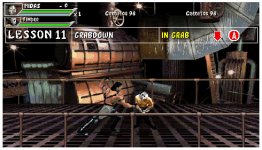
Please can you add a real training mod in your final game, like on your video ?
https://www.youtube.com/watch?time_continue=14&v=QEgYrURQwVo
A level like this one, where you explain each move and ask us to release it.
Because i really don't understand how to do all your game moves.
Thanks
Please can you add a real training mod in your final game, like on your video ?
https://www.youtube.com/watch?time_continue=14&v=QEgYrURQwVo
A level like this one, where you explain each move and ask us to release it.
Because i really don't understand how to do all your game moves.
Thanks
Mr.Q!
Well-known member
darknior said:Thanks a lot for your new 0.5 demo
Please can you add a real training mod in your final game, like on your video ?
https://www.youtube.com/watch?time_continue=14&v=QEgYrURQwVo
A level like this one, where you explain each move and ask us to release it.
Because i really don't understand how to do all your game moves.
Thanks
Will see what I can do.
Check this video for your problem
What Version You Suggest?Mr.Q! said:darknior thanks for your words. I was trying to replicate the SNES game as it is, for now, so you can expect the stages to be like that, but like I said, for now. If you're getting some layer problems I dunno if it's about an older Openbor versiono r just maybe you're trying this in some other device other than PC, because I'm on the latest port and they all appear to be OK, but, when I try the same version in the Raspberry pi3 Retropie port, I get that layer thing.
Mr.Q!
Well-known member
zanac the latest port by now 65xx or sth like that.
Bloodbane is there any way to have an endlevel item but not having to touch it as a mandatory thing to end the level? like I have this endlevel door somewhere at the end of a stage, but not jumping to its branch if I finish the stage normally by defeating everyone? I ask this because normally you have to make a choice between 2 endlevel items, but I want it like, if I get the item, ok I jump to the respective branch, but if I don't, I keep playing normally....Instead, Openbor waits for me to take the endlevel item.
Bloodbane is there any way to have an endlevel item but not having to touch it as a mandatory thing to end the level? like I have this endlevel door somewhere at the end of a stage, but not jumping to its branch if I finish the stage normally by defeating everyone? I ask this because normally you have to make a choice between 2 endlevel items, but I want it like, if I get the item, ok I jump to the respective branch, but if I don't, I keep playing normally....Instead, Openbor waits for me to take the endlevel item.

darknior
Active member
Mr.Q! said:Will see what I can do.
Check this video for your problem
Thanks a lot i will try with your video
And if you can do it, if it's not so many work, i think about : Mortal Kombat - The Chosen One
http://www.chronocrash.com/forum/index.php?topic=1871.0
I love his training mode, who show moves and let us trying many times to release them
And like in your game there are so many moves possible, it can be a good idea to help users to release them fine and without learning on PC with a video before playing.