Chronocrash Modders Tools

ChronoCrash Modders Tools 0.7.9.10.1

No permission to download
More importantly, I'll need the file in question, or at least an excerpt. As it might be related to an encoding issue preventing the empty line to be properly recognized ;)
I recorded a test, it happens even if I press CTRL+S with no changes. Today it happened once at the end of the file but yesterday it happened after the first animation too.

Here's the entity:
C:
name            Bottle #GROUND
type            item
subtype            weapon
nolife            1
typeshot         0
weapnum            6
shootnum         1
counter            2
gfxshadow        1 1
didhitscript    data/scripts/didhit/weapons.c
ondrawscript    data/scripts/ondraw/items.c
onspawnscript    data/scripts/onspawn/items.c
animationscript    data/scripts/animation/default.c
script            data/scripts/updateentity/items.c

anim idle
    loop    1
    delay    160
    offset    25 27
    bbox    18 21 15 6
    nodrawmethod
    frame    data/chars/weapons/bottle08.png
        delay    8
    drawmethod tintmode 1
    drawmethod tintcolor 150_150_150
    frame    data/chars/weapons/bottle08.png

anim follow2
    landframe 9
    loop    1 1 9
    delay    4
    offset    25 27
    @cmd sound "data/sounds/sor3_hit13.wav"
    frame    data/chars/weapons/bottle07.png
    @cmd sound "data/sounds/sorx_attack4.wav"
    frame    data/chars/weapons/bottle00.png
    frame    data/chars/weapons/bottle01.png
    frame    data/chars/weapons/bottle02.png
    frame    data/chars/weapons/bottle03.png
    frame    data/chars/weapons/bottle04.png
    frame    data/chars/weapons/bottle05.png
    frame    data/chars/weapons/bottle06.png
    frame    data/chars/weapons/bottle07.png
    @cmd aniChange 1 openborconstant("ANI_IDLE")
    frame    data/chars/weapons/bottle08.png
 
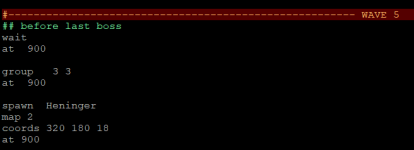
It would be possible to add a secondary comment, like ## ? So we could use two different colors to better organizing stuff
Yeah but it's a bit more complicated

First below the line that I mentioned in my previous post, add this line :
Code:
<itemData name="Comment 2"  color="#6EEE9B"    defStyleNum="dsComment"/>

Then, go at the top of the file. Find this line in <contexts> :
Code:
<DetectChar attribute="Comment" char="#" context="Hash comment"/>

And above it, add this line :
Code:
<StringDetect attribute="Comment 2" context="Hash comment 2" String="## " insensitive="true" />

Finally locate this group of text :
Code:
 <context name="Hash comment" attribute="Comment" lineEndContext="#pop">
        <LineContinue attribute="Comment" context="#stay"/>
        <IncludeRules context="##Alerts" />
      </context>

And below it, add this group of text :

Code:
 <context name="Hash comment 2" attribute="Comment 2" lineEndContext="#pop">
        <LineContinue attribute="Comment 2" context="#stay"/>
      </context>

Tadah, now # and ## have their own colors ;)
 
I recorded a test, it happens even if I press CTRL+S with no changes. Today it happened once at the end of the file but yesterday it happened after the first animation too.

Here's the entity:
C:
name            Bottle #GROUND
type            item
subtype            weapon
nolife            1
typeshot         0
weapnum            6
shootnum         1
counter            2
gfxshadow        1 1
didhitscript    data/scripts/didhit/weapons.c
ondrawscript    data/scripts/ondraw/items.c
onspawnscript    data/scripts/onspawn/items.c
animationscript    data/scripts/animation/default.c
script            data/scripts/updateentity/items.c

anim idle
    loop    1
    delay    160
    offset    25 27
    bbox    18 21 15 6
    nodrawmethod
    frame    data/chars/weapons/bottle08.png
        delay    8
    drawmethod tintmode 1
    drawmethod tintcolor 150_150_150
    frame    data/chars/weapons/bottle08.png

anim follow2
    landframe 9
    loop    1 1 9
    delay    4
    offset    25 27
    @cmd sound "data/sounds/sor3_hit13.wav"
    frame    data/chars/weapons/bottle07.png
    @cmd sound "data/sounds/sorx_attack4.wav"
    frame    data/chars/weapons/bottle00.png
    frame    data/chars/weapons/bottle01.png
    frame    data/chars/weapons/bottle02.png
    frame    data/chars/weapons/bottle03.png
    frame    data/chars/weapons/bottle04.png
    frame    data/chars/weapons/bottle05.png
    frame    data/chars/weapons/bottle06.png
    frame    data/chars/weapons/bottle07.png
    @cmd aniChange 1 openborconstant("ANI_IDLE")
    frame    data/chars/weapons/bottle08.png
Ok it adds a line at the end but it's expected. Doesn't add lines in between though, and that would be unexpected. Until I can reproduce this issue I'll just add an option to disable this new feature. This feature is useful if you miss lines between animations, but if you don't you can disable it safely (as it was before when it wasn't even there) ;)
 
Piccolo updated Chronocrash Modders Tools with a new update entry:

Changelog 0.5.2

Recently I added a feature to force empty lines between animations. In this revision I changed three things related to this feature :

- Sometimes it added two empty lines instead of one, now it will always add only one.

- It added empty line at the end of file, even if it was not necessary as there was no animation after that. Now it doesn't do that.

- Also if you still have issues with this feature, you can disable it altogether by unchecking "Options" -> "Force empty lines between...

Read the rest of this update entry...
 
@Piccolo I had the issue of mixing files AGAIN :(
It saved one level file over other one. Both have the same path, but different names.

Basically, when you close the tool and it ask to save any unsaved content...you can't use it, or something bad will happen.

I will try to disable the autobackup (I never use it and with the recent updates I forgot to turn it off)
 
I will try to disable the autobackup (I never use it and with the recent updates I forgot to turn it off)
I'm fairly certain it has nothing to do with autobackup. Though autobackup will help you recover files you lost when this happens. So don't disable it unless you have your own backup system ;)

The dialog that asks you if you want to save unsaved content when closing the app was here long before the backup system. But I'll look into this one, it's good that you noticed that it was related to this, so I can investigate this issue from this angle.

What do you mean exactly by same path ?

Something like this :
C:/game1/data/levels/a/a.txt
C:/game2/data/levels/a/a.txt

?

EDIT : I looked into the code of unsaved dialog, and couldn't find any issue, nor could I reproduce this bug. Until I can reproduce this bug on my end, it's unlikely it'll get resolved. So again next time it happens, report as much information as you can. Such as how you loaded files (from library, from using the "open file" option, from drag'n'drop), what parts of CMT did you use most that time (text editor, entity editor, level editor...)

EDIT2 : Also do you remember if you used close file ? Right click close on a file, or keyboard shortcut Ctrl + W ? I finally succeeded in triggering a similar bug using close file. But if you don't use close file it's probably not this.
 
Last edited:
Piccolo updated Chronocrash Modders Tools with a new update entry:

Changelog 0.5.3

While testing the app on Windows to see if the bug Ilu mentioned is specific to Windows, I noticed some icons were missing. Especially the icon that indicates a file is unsaved. So now those icons will be properly displayed in Windows.

Also as Windows uses both '/' and '\' as path separator (...), sometimes the same file could be opened twice in CMT if one separator was different in the path used. Now CMT will load libraries entities and levels using '/' only.

Read the rest of this update entry...
 
  • Like
Reactions: NED
Piccolo updated Chronocrash Modders Tools with a new update entry:

Changelog 0.5.4

Fixed a severe bug : while in level editor or entity editor, and closing current file (Ctrl + W or right click close in file browser), all the data of the closed entity/level was kept in memory and transferred to the new current file (the next opened file in stack) on the next update event. It didn't save the file on the disk, just changed it's current unsaved content in editor. But if you saved the file, then yeah it would overwrite it with the wrong content.

Now every time you close the...

Read the rest of this update entry...
 
  • Like
Reactions: NED
Hey Picco do You think its possible to dispay all animation names in text editor? its a bit of PITA to look for the right anim, id like to click animation name on the list on left side and move to it fast, would make text editor more enjoyable to work with than typical text editor.
+ incompatible with frame NONE, which to be honest guys, should be just transparent image built into the engine and not a ghost replacement. that causes issues from time to time imo.
 
Last edited:
Hey Picco do You think its possible to dispay all animation names in text editor? its a bit of PITA to look for the right anim, id like to click animation name on the list on left side and move to it fast, would make text editor more enjoyable to work with than typical text editor.
Could make an option, but also if you don't know Ctrl + F works pretty well for finding animations in text model.

You press Ctrl + F, then enters the string to look for, it will automatically scroll to the first occurrence. And if you want to scroll on next occurrence, you just have to press enter.
 
  • Like
Reactions: ABK
What do you mean exactly by same path ?

Something like this :
C:/game1/data/levels/a/a.txt
C:/game2/data/levels/a/a.txt

Depends of the case. In the first case, they were TOTALLY different path and file name:

FILE A
know Giant pdc/data/chars/basic/Arcade_Nexus/giant/giant.txt

FILE B
load Megazord mmpr/data/chars/megazord/megazord.txt

The tool saved the FILE B over the FILE A.
(and yeah, I remember closing a folder using the right click)

---

In the recent case, the path is the same (Jhfer like to make folders for each chapter and put all the files together) but not the file names:

STAGE A
file data/levels/4-G-Axe/GAXE-stg2.txt

STAGE B
file data/levels/4-G-Axe/GAXE-stg4.txt

The tool got the content from STAGE A and saved over STAGE B.
Note: I haven't modified any of those files.

Since I work directly on my Dropbox, I can track the time of the changes - and I can revert any changes made in months.

I've just opened the STAGE B on the editor (without changing anything, I was just checking if that was the stage I wanted to edit) at Dec 12 10:17PM. Then the log says there was a save at Dec 13 02:09 AM (when I stopped working). STAGE A were last saved Dec 12 9 PM, with no change after that.

If I were working on it, there won't be 4 hours between the two saves, so this proves I wasn't working on it by mistake.
As far as I remember, I closed the tool using the close button but, yeah, I remember closing one of the recent folders with the right click. So maybe this is related with the update 0.5.4.

I will try to test the new version asap. I just want to backup my .xml so I keep my two colored comments :)

-----------------------------------

incompatible with frame NONE, which to be honest guys, should be just transparent image built into the engine and not a ghost replacement. that causes issues from time to time imo.
To tell the truth, fame NONE is a bad idea. When you use frame none, the engine reverts the gfxshadow to the common shadow for that frame.
I do prefer to use an empty frame located under my sprites folder.

About the file, maybe it could be included on the game engine for sure. so it would search for a "empty.png" under sprites folder, as the engine looks for a title.gif
 
  • Like
Reactions: ABK
I will try to test the new version asap. I just want to backup my .xml so I keep my two colored comments :)
Yep I forgot to mention that, good that you thought of it.

And yes the "close bug" affected open files even if you didn't modify them. Basically there is a stack of open files, where the first element of the stack is the current file you are working on. And when you close the current file (or one of it's parent directory), the second element of the stack becomes the first element (the file that you are working on). The bug affected this second file in the stack during the closing of the first, when closing happened while in entity or level editor. After the closing, there was a discrepancy where the entity/level editor retained the data of the first file even if it was just closed and no longer the current working file. So the app assumed that this entity/level content was the content of the current open file, which is now the second of the original stack.

So from what you are describing, it seems that it checks out and it was indeed that bug (that is now gone) that caused those files to be overwritten. Glad that one is solved as I was really wondering where it came from 😌
 
@Piccolo please keep the github page in sync with your updates.
I will from time to time (will do a push in the hour) but obviously as long as I'm the only one contributing to the code I won't sync every update I publish here, it would just make the updating process needlessly more tedious, adding something to manage that is not necessary.

If you only want the code to run a Linux or Mac version, then I can easily include it to the packages I upload here, without having to bother with github stuff ;)
 
I personally think all updates and releases should be on github but if that is too much bother for you please do add the source code to all uploads here please.
 
I personally think all updates and releases should be on github but if that is too much bother for you please do add the source code to all uploads here please.
Yes for every latest updates, it's either here or github, I won't do both, takes too much time. And I think most people would prefer the updates to be here rather than github, as they come here for OpenBOR stuff.

I'll include the code in the uploads made here, no problem
 
Back
Top Bottom