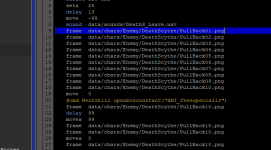
Another report: I get this error here after pressing Ctrl + S to save a particular character file. However, it works for other entities and levels.
Code:
Traceback (most recent call last):
  File "\\VBoxSvr\Partage\CMT\cmt.py", line 405, in saveFile
  File "gui\main\__init__.py", line 398, in save
  File "gui\main\fileselector.py", line 307, in save
KeyError: 'standard'
I tried adding a new animation by clicking on the green plus button, but somehow, I got an error for that. Now I have to add new animations only on the Text tab instead of animations.
I see there's an alternative for adding new models like model A and/or model B which you gave an explanation, but I'm unaccustomed to that system. LOL Guess I'll have to learn it?
EDIT:
Because I cannot save in CMT, I have to use NotePad to do it. I tried closing and reopening CMT for this, but I cannot. Do you want me to send you the data which has a problem with saving one particular entity?
EDIT 2: Sorry. I was wrong. I saved it in CMT, and it works fine, but only the CMT window about the save system keeps popping up every time I do. I went to open that particular entity's txt file with NotePad and I found out that I actually saved it. There's no problem with that, so that's a relief.