Solved Changing Remap to Default Palette?

Question that is answered or resolved.

FlunkyDave

New member
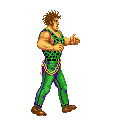
I want to change a remap(.gif) to a default palette for an enemy. How can I do this? I can spawn it using the "map 1" command in the .txt file of the level, but I want that palette to be the default one.

The mod is also in 32bit colourdepth.
 
Not really sure what you mean by that. Default is default. Are you saying you want to use a different color set as a model's base for the whole module (in which case that's no problem to do)? Please explain the whole concept and we can help you.

DC
 
Damon Caskey said:
Not really sure what you mean by that. Default is default. Are you saying you want to use a different color set as a model's base for the whole module (in which case that's no problem to do)? Please explain the whole concept and we can help you.

DC

Alright, let me try to explain this a bit more in-depth.


What I'm trying to say is that I wanted to use the "palette" code for one of the enemies. I've read somewhere that this is used to make a remap into the base palette(as in the color overwrites all the sprites), but so far I haven't been able to get this to work. Does this work with .gif files, or do I have to separately recolor every single sprite(and if so, what program do I use for this)?
 
Well to start with you should really use .png for some unrelated reasons, but .gif is supported with full functionality so that's not your problem.

Yes, the palette command acts as default palette as you are asking for. Not only is it unnecessary to recolor all sprites to match whatever default you want - it's a really bad idea. In fact, many authors go even father and create smart palette designs where they separate every portion of the character into it's own set of colors. It allows more creative color choices by making the base images look like a pack of skittles (gloves might be blue shades, boots pink, hair green, pants orange, etc.). Obviously you have to have the ability to define a default palette that makes sense.

Point being, yes, the palette command is what you think it is. So the issue must be somewhere else. What is it doing exactly? Also, a sample of your sprites and the text file would help diagnose.

DC
 
Damon Caskey said:
Well to start with you should really use .png for some unrelated reasons, but .gif is supported with full functionality so that's not your problem.

Yes, the palette command acts as default palette as you are asking for. Not only is it unnecessary to recolor all sprites to match whatever default you want - it's a really bad idea. In fact, many authors go even father and create smart palette designs where they separate every portion of the character into it's own set of colors. It allows more creative color choices by making the base images look like a pack of skittles (gloves might be blue shades, boots pink, hair green, pants orange, etc.). Obviously you have to have the ability to define a default palette that makes sense.

Point being, yes, the palette command is what you think it is. So the issue must be somewhere else. What is it doing exactly? Also, a sample of your sprites and the text file would help diagnose.

DC
Well, I have the palette code in the character's file above the remaps, but even if I have that, nothing changes. I tried palette none too, which also didn't change anything.
As for the samples, how can I add them? I've barely posted on this site so I have no idea how to do that yet.
 
Copy and paste your model text file to a post here, but make sure to enclose it in code tags (see the # button). As for images, just upload them somewhere and include a link. Doesn't have to be every last one. Just a few samples and the the one you are using for Palette command.

DC
 
Here are 3 sprites:
https://drive.google.com/open?id=1T1n6qfmlrukZYZwylCJP8MfO8pMJcmhB
https://drive.google.com/open?id=1FDlnejKnazn1-2aQXhvZYzT9ok-fnZa7
https://drive.google.com/open?id=1TplVzpb6PbzpcXsY8OVZDAvUj6pWJuME
And this is the remap I wanted to use to turn it into the default palette:
https://drive.google.com/open?id=1pPEdyRqIO7mdYYuLRp_l4gjfXUVfzpFL
As I said previously, it works as a remap and works if I use the spawn command, but as a Palette it won't work.

Code:
name	Andore
health	95
speed	8.4
type	enemy
aimove normal
gfxshadow 1
candamage player obstacle 
hostile player
score 4000 20
aggression 250
dust dust
noquake 1
grabdistance 38
icon	data/chars/andore/icon.gif
icondie data/chars/andore/icon.gif
diesound data/sounds/die2.wav

palette	data/chars/andore/blue.gif


remap	data/chars/andore/wk01.gif data/chars/andore/andore.jr.gif
remap	data/chars/andore/wk01.gif data/chars/andore/u.andore.gif
remap	data/chars/andore/wk01.gif data/chars/andore/f.andore.gif
remap	data/chars/andore/wk01.gif data/chars/andore/b.andore.gif


animationscript data/scripts/grabscript.c
 
OK, first thing - your sprites have a serious issue. You shouldn't use white as the background color. It does not make a technical difference, but when working with sprites, you'll find the background should be something easily distinguished and rarely used in the sprite. (255, 0, 255) is what most authors here use. White is a very poor choice because nearly every sprite set you'll ever come across uses it somewhere in the sprite.

Now on to your main issue. You're trying to use the old technique of pixel remapping. Forget all about that. Both it and the remap command itself are only for backward compatibility with ancient modules. Never, ever use them.

To make a new color set, all you need to do is open one of the sprites in your favorite editor. Then find the appropriate color table entries and set them to your liking. You don't have to edit the pixels, match images, or any of that silliness. All that matters is the color table. In fact, you don't even have to use images at all - OpenBOR supports .act files.

I made you two samples (see attached) and recorded the process. It's easy as can be.


To add them to your model, use palette (the default color set) and alternatepal (alternate color sets) to implement them.

Code:
name	Andore
health	95
speed	8.4
type	enemy
aimove normal
gfxshadow 1
candamage player obstacle
hostile player
score 4000 20
aggression 250
dust dust
noquake 1
grabdistance 38
icon	data/chars/andore/icon.gif
icondie data/chars/andore/icon.gif
diesound data/sounds/die2.wav

palette	data/chars/andore/pal_0.png

alternatepal data/chars/andore/pal_1.png
#alternatepal <path to alternate .act, .png, or .gif>
 

Attachments

  • pal_0.png
    pal_0.png
    2.9 KB · Views: 59
  • pal_1.png
    pal_1.png
    2.9 KB · Views: 56
Damon Caskey said:
OK, first thing - your sprites have a serious issue. You shouldn't use white as the background color. It does not make a technical difference, but when working with sprites, you'll find the background should be something easily distinguished and rarely used in the sprite. (255, 0, 255) is what most authors here use. White is a very poor choice because nearly every sprite set you'll ever come across uses it somewhere in the sprite.

Now on to your main issue. You're trying to use the old technique of pixel remapping. Forget all about that. Both it and the remap command itself are only for backward compatibility with ancient modules. Never, ever use them.

To make a new color set, all you need to do is open one of the sprites in your favorite editor. Then find the appropriate color table entries and set them to your liking. You don't have to edit the pixels, match images, or any of that silliness. All that matters is the color table. In fact, you don't even have to use images at all - OpenBOR supports .act files.

I made you two samples (see attached) and recorded the process. It's easy as can be.


To add them to your model, use palette (the default color set) and alternatepal (alternate color sets) to implement them.

Code:
name	Andore
health	95
speed	8.4
type	enemy
aimove normal
gfxshadow 1
candamage player obstacle
hostile player
score 4000 20
aggression 250
dust dust
noquake 1
grabdistance 38
icon	data/chars/andore/icon.gif
icondie data/chars/andore/icon.gif
diesound data/sounds/die2.wav

palette	data/chars/andore/pal_0.png

alternatepal data/chars/andore/pal_1.png
#alternatepal <path to alternate .act, .png, or .gif>

Alright. Thanks a bunch, DC. I'll go test it right now. I haven't made these sprites myself as I'm mostly trying to learn stuff in OpenBOR by editing existing mods, and since I had a lot of trouble with it, I thought I'd ask someone for help. Thanks. :)


Also, this might be another dumb question but what program are you using for this?
 
I use the latest Photoshop CC, but any editor that can access color tables will do. GIMP is a popular choice. Incidentally, if you've never made a sprite set before, you do have to learn how to line up color tables. None of the above works - remaps, palettes, etc. if a set of sprites has does not have its color tables aligned first. I'm not going to get into  that here because we have at least a dozen tutorials laying around for it.

I will say this is where Photoshop really shines above the others IMO, because it can almost fully automate the process.


DC
 
Damon Caskey said:
I use the latest Photoshop CC, but any editor that can access color tables will do. GIMP is a popular choice. Incidentally, if you've never made a sprite set before, you do have to learn how to line up color tables. None of the above works - remaps, palettes, etc. if a set of sprites has does not have its color tables aligned first. I'm not going to get into  that here because we have at least a dozen tutorials laying around for it.

I will say this is where Photoshop really shines above the others IMO, because it can almost fully automate the process.


DC
Got it. Once again, thank you for the help. I saw that Photoshop might not be free, but Gimp is so I'll have to toy around with Gimp sometime.
 
Back
Top Bottom