

DC Command
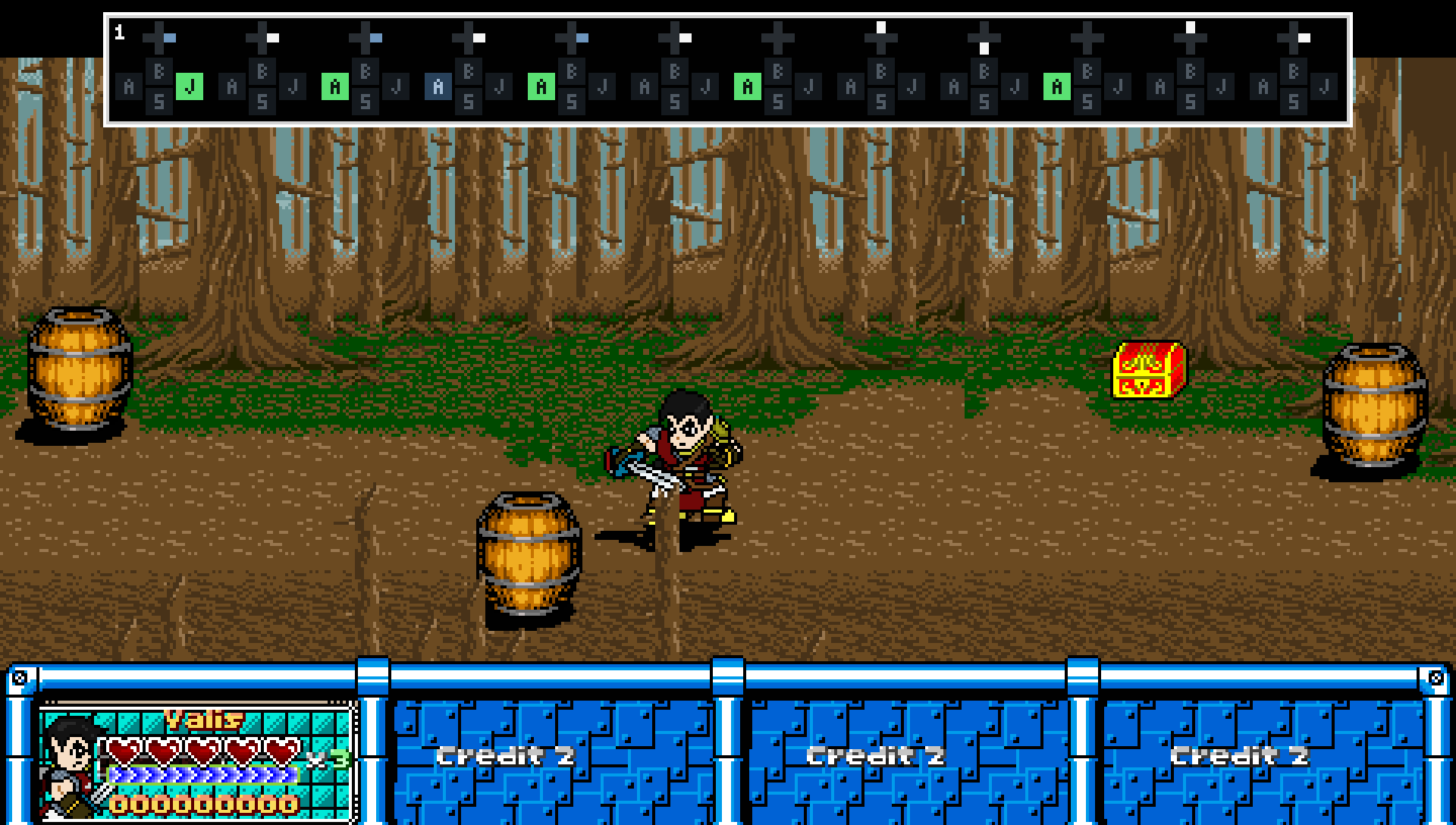
The DC Command library is a self-contained command and behavior system for OpenBOR 3.0 v6391 that emulates many of the new native command features in OpenBOR 4+, and adds a few more.
Build responsive combos, complex special moves, charged attacks, and automatic character behavior through one shared system of inputs, conditions, and actions. Commands can start animations, jump to specific frames, adjust resources, or change variables that your own scripts respond to.
What can it do?
I've used every practical trick I know to keep the library's memory use and CPU overhead low, with particular attention to minimizing memory churn. Its optimizations include:
Where to begin
Start with Installation, then follow recipe 1 for a special move or recipe 2 for an animation cancel. The remaining numbered recipes cover input patterns, conditions, resource handling, actions, and testing. The optional appendix explains the design and optimizations without being required for ordinary use.
Installation
Copy the complete data/scripts/dc_command folder into your module. The included README provides the full technical reference.
If a hook already exists, add the include and function calls to its existing script. Keep your existing code. If it does not exist, create it using the examples below.
Global hooks
data/scripts/loading.c
Place the startup calls before other initialization, and the shutdown call before other cleanup.
data/scripts/keyall.c
data/scripts/updated.c
Use the filename updated.c, including the final d.
Character hooks
Each character using commands needs these hooks. For missing hooks, create the script files and add the corresponding declarations to the model header. Replace your_character with your character's folder. If a hook is already declared, use its existing script.
Include the library in each script:
Place these calls inside the corresponding script's main():
event_animation.c needs a conditional return:
Keep this check before existing frame logic. Dynamic condition subjects needed by that check must be refreshed before the sentinel, as shown in the finisher example below. Put the sentinel directly in the script named by animationscript.
Leave the model settings nonestedscript and nocmdcompatible unset or set to 0.
Creating commands and cancels
DC Command uses the same building blocks for special moves, animation cancels, and automatic behavior:
The number passed to
Closing marks the rule READY and makes it eligible; it does not execute it. Later ordinary opens reuse the completed definition, and preparation calls stop at their READY gate. Keep each open/close block together. Opening another definition before closing the first, or calling a builder without an open definition, is an error. Use
Model-level commands have their own separate scope and can work across animations. Animation commands belong to the animation where you define them.
Definition capacity and numbering
Each animation has 1024 definition slots, numbered 0-1023. Model-level commands have a separate set of 1024 slots on the same entity. The capacity counts complete definitions, not individual conditions. Each slot holds one complete command with its inputs, conditions, resource rules, and actions.
For example, a cancel that requires:
Each definition has its own 32 condition slots and a separate 32-step input capacity. The default animation-frame condition occupies one condition slot; every resource role and configured chance occupies one too. Rule 0 in ATTACK1, rule 0 in ATTACK2, and model-level rule 0 are entirely separate definitions.
Internally, the library divides each scope into 32 banks of 32 definitions. You still supply one ordinary index to
Unused capacity does not create unused commands. The library allocates a bank only when setup first needs it, and creates each definition only when you define it. Most setups fit within one bank.
Use animation cancels first for animation-specific behavior. They keep those definitions attached to the animation where they belong. Model-level commands remain useful for behavior that should work across animations, with animation conditions available when you want restrictions.
Both scopes share the entity's 32-slot execution pool for unfinished actions. Stored definitions do not occupy those execution slots.
The examples below are separate recipes. Choose unused indices when combining them, and replace example animations with your own.
1. Create a special-move command
This command starts FOLLOW1 when the player enters Down, Forward, Attack while the character is in IDLE.
Put the definition in your existing spawn hook, after
The scope switch controls where you create definitions. Switching back to 0 does not disable the model-level commands you already created.
Model-level commands have no automatic animation or frame restriction. Change or remove the IDLE condition to suit the states where your move should work.
Tip: As with native commands, don't try to be overly precise and require diagonal chords like Down, Down+Forward, Forward, Attack. Typical side-scrolling inputs feel more responsive when the sequence follows the major direction changes.
Overlapping commands
Suppose FOLLOW1 is your fireball and FOLLOW2 is your super fireball. Keep the previous command, then define this second model-level command:
The shorter command is contained in the end of the longer one. When both are eligible and match the completed input, the longer command wins.
Priority favors more input steps, then more required keys. Equal complexity favors a non-random rule, then animation scope before model scope, then the lower definition index. Eligible equal-complexity random animation rules share one uniform choice. The longer command does not need a lower index to win.
2. Create an animation cancel
Animation definitions use the same functions through
This example accepts Attack during frames 1-5 of ATTACK1, then starts FOLLOW2 on frame 5. Put this block before ATTACK1's first frame:
Frame numbers start at 0. Both ends of the acceptance window are included.
Remove the
To require at least one registered hit, add this inside the definition:
This checks the command owner's current animation hit count. Blocked contacts can count too.
Buffer lifetime
Releasing the button does not withdraw accepted input. Leaving the source animation discards its pending buffer.
You can also limit how long the input waits:
This gives the accepted input a 100-tick lifetime. Without an expiry, it can remain pending until execution or source-animation exit.
Ordinary conditions are accepted with the input. Resources are checked again when the buffered action executes, using each resource condition's latest subject and current value. Stored pointers do not repeat their original searches automatically. If you use
Checking a definition on its setup frame
The animation hook runs before that frame's
Later frame checks happen automatically. The buffered example above targets later frames, so it does not need an explicit execute.
Without explicit frame bounds, a new animation definition applies to the frame where it was first created. To extend its window through the rest of the animation:
3. Choose the input
The following script snippets belong inside an open definition. They also work as
Press, hold, and release
These are three separate examples. Each ordinary input call starts another chronological step.
Use
Hold Forward and press Attack
Join requirements belonging to the same step with
Forward can already be held. Pressing Attack completes the step.
Attack + Jump
Combine key flags with
Either button may be pressed first. Their presses must fit within six ticks, and both must still be held when the chord completes.
If another DC Command rule handles Attack alone, give that simpler rule a conflict window:
This lets the simpler command wait briefly for an eligible competing chord. Chord grace alone does not delay the simpler command.
Charge and release
Hold Attack for at least 100 ticks, then release it:
To add a maximum permitted hold duration, place this after the HOLD requirement too:
Both duration limits are inclusive.
Charge and fire automatically
This attempts the command when Attack has been held for 100 ticks:
The player does not need to release the button. Failed conditions spend that hold's attempt; releasing and pressing again starts another.
Use
Reject unwanted buttons
This prevents completion while Up or Jump is held:
Sequence timing
Set the maximum gap between successive steps:
The default is 50 ticks. This setting applies to the whole sequence.
At normal speed, the engine uses 200 elapsed-time ticks per second:
These values are elapsed-time ticks, not animation frames or model
Commands support up to 32 input steps. Chords count as one step; timing settings and SAME_STEP additions do not consume another step.
4. Add conditions
Configured ordinary conditions must all pass. Resource alternates participate only when their parent needs them. Use several rules for alternative ways to reach the same action. Entity-dependent preparation functions take their entity first;
Here, the owner must be player-controlled, while
Use the complete function name, such as
Slots, matching, and returned handles
Each definition owns at most 32 condition slots, separate from its command index, input-step sequence, and execution pool. The library assigns slots during setup. Repeating the same condition for the same entity updates its record; a different entity receives a separate slot. Entity variables also match by name, so
Builders return the numeric slot while a definition is being constructed. Slot 0 is valid. READY definitions immediately return
Handles belong to one definition and remain valid only for that definition's lifetime. Reset and cleanup invalidate them. Removing a condition can free its slot; do not retain its old handle for unrelated later use. Use the per-condition entity accessor and mutator described below when a completed condition must follow a different entity. Repeating a cached preparation call does not retarget it.
The default frame restriction on a new animation definition occupies one slot. Global definitions have no implicit frame condition. Resource roles and configured chance also occupy condition slots. Ordered input steps remain in their own 32-step sequence and do not consume these slots. Scheduling and execution settings, such as buffers, delays, and actions, remain definition-level settings.
Condition allocation
Creators can set a different growth chunk on the command owner:
Valid chunks are integers 1..32. The owner preference applies to future allocation and growth across its definitions, including conditions aimed at other entities. Changing it does not shrink, rebuild, or eagerly resize existing arrays. Definition resets preserve the owner preference. Choosing a chunk of 32 reserves the full slot capacity on first use; a chunk of 1 reserves only each requested position. The default of 4 keeps ordinary one- or two-condition definitions small while reducing repeated growth during first-time setup.
Player and CPU control
The following are separate examples:
Definition settings
Time delays throttle attempts, including failures. Frame-state delay can prevent new input from reopening a decision on the same frame; avoid adding it to an input buffer that should accept a later press during that frame.
Input requirements use only the player controlling the command owner. Selecting a player as another condition's subject does not transfer that player's input to the owner. Commands, including rejection-only commands, require a controlled owner. For rules without input, index order selects the first passing immediate rule ahead of random selection. Prepared input commands retain complexity priority.
Target range conditions
Both target conditions use the pinned engine's
The first argument supplies the entity whose targeting rules and range are used. The second is an animation constant, or NULL to use that subject's current animation at evaluation time. Animation ID zero is valid. Missing subjects and undefined animations fail either condition before the native range search.
Target selection retains the engine's hostility, existence/death, detection/stealth, and animation-range rules. It does not bind or store the returned target. Found and not-found conditions can coexist with different animations; all configured conditions must pass.
Ordinary checks traverse occupied condition slots. Resources run after ordinary eligibility and chance. Failure normally exits immediately;
Find the nearest entity in animation range
Use this pointer-returning helper when another script or a resource condition needs the physically closest eligible entity:
The helper scans the entity list once. Candidates must exist, differ from the actor, match its hostile type mask, remain non-dead, pass its detection threshold, and satisfy native
Among those candidates, the smallest squared X/Y/Z distance wins. Script
The query does not change the actor, any command definition, or random state. Pass its returned pointer to an entity-first condition during setup, or use
5. Require, spend, or restore resources
Resource conditions can require a balance, change it, or do both. This requires 20 MP from self and spends 20 when the command executes:
Requirements and adjustments are independent. Requiring 20 does not spend 20. Spending 20 without a minimum does not automatically reject an underfunded rule. The default adjustment floor is 1; supply 0 when a resource may be emptied.
Define resource conditions between
Each function returns its condition slot during construction. Repeating a matching resource type, entity, and parent updates the same role. Different entities or parents occupy separate slots. Resource roles share the definition's 32-condition capacity with ordinary checks; every alternate also occupies one slot. READY preparation returns NULL before matching or modifying records.
For HP, MP, guard points, hits, and quantitative variables, requirements and caps must be non-negative integers; adjustment is signed. Invalid values and inverted ranges fail loudly during setup. Velocity uses its separate signed-number rules. No resource helper changes command ownership: the owner supplies input, scheduling, workspace, execution records, and animation actions even when resources belong to another entity.
Condition entities
Every entity-dependent condition retains its own subject. This permits owner MP, target HP, and a third entity's variable in one definition without changing any other condition's subject.
The accessor and mutator address a specific condition slot:
Omitted or NULL
The setter changes only the named condition. READY definitions permit this update without rebuilding their requirements, changing attempt identity, or granting a new attempt. Retargeting resource conditions refreshes the balance mapping so roles that now refer to one physical store share it, and roles that diverge use separate balances. Already charged attempts retain their result and cannot charge another entity merely because a binding changed.
Open and close preserve explicit bindings on READY definitions. Other definitions cannot redirect them. An entity parameter is a retained pointer, not a search to rerun automatically. Refresh or clear pointers before evaluation when their targets change. Missing or expired subjects fail dependent checks before resource access; storing a pointer does not extend its native entity lifetime or identify a particular spawn after storage reuse.
Global and local variable conditions do not use entity subjects. Their explicit scope remains independent of entity bindings. The entity setter rejects those conditions and chance conditions instead of ignoring the requested subject. Resources are read and changed only through their own condition's subject and scope.
Shared balances and alternate chains
Resource identity has two levels. The condition identifies a role using its resource type, subject, variable name/scope when applicable, and parent. The working balance identifies the physical store and excludes the parent. Standalone HP and HP serving as an MP alternate therefore occupy separate condition slots while sharing one HP balance on the same entity.
Standalone roots run in ascending condition-slot order. Each chain finishes before the next root. Parent and child links are condition IDs, never resource-type IDs or balance references. New named builders normally define a parent first and pass its returned handle to the child:
With 50 MP and 30 HP, this leaves 0 MP and 20 HP. With 50 MP and 9 HP, the requirement fails and neither value changes. The HP alternate's own adjustment is zero, so it applies only the remainder received from MP.
Each parent has at most one alternate. Missing parents, self-links, cycles, or branching chains are definition errors. Repeating a matching child role updates that role instead of creating a duplicate. Different resource roles may share a balance without merging their requirements, caps, or positions in a chain.
An alternate runs only when its parent has an unmet minimum requirement or an unapplied adjustment. It then checks its own range and combines its adjustment with the incoming signed remainder. Unused alternates perform no checks, reads, or adjustments, even though their condition slots are occupied. Minimum shortfalls may be supplied downstream; maximum requirements apply to each participating role's current physical balance. Repeated appearances of one store cannot count that balance twice toward a chain's minimum.
Without an explicit requirement, insufficient funds do not reject the cancel. The adjustment clamps, passes its remainder downstream, and discards any remainder left at the end. Requirements and caps are independent: a required minimum of 60 can pass with a combined 60 even if a floor prevents spending the last point.
Each physical store is loaded lazily on its first participating role. Later roles see the proposed balance. Commit writes each changed store once, including an unset variable that needs adjustment seeding. The owner reuses a shared workspace across its definitions; condition records never share ownership of that workspace.
The owner's resource workspace grows in groups of eight balances and is reused by its definitions. Dormant alternates do not activate balances. The 32-condition limit also bounds resource roles to 32, including repeated roles. Reset releases a definition's conditions while retaining the owner's reusable workspace.
For an independent low-health requirement that restores 5 HP:
HP and MP also respect native model capacity. Positive overflow can reach an alternate. Zero adjustment does not normalize a balance; nonzero adjustments follow the configured caps. Combined adjustments must fit the VM integer range; overflow fails before any resource write.
Guard points use
Guard-point roles support parents and alternates just like HP and MP.
Animation hit count
Omitting the maximum gives a minimum check;
Normal animation entry clears
Signed velocity resources
Each axis has an entity-first preparation function:
These are world-axis values, independent of facing. Integers and decimals are accepted, including negative values and zero. Values must fit finite native float storage.
The order is check live value, optional set, adjust, then clamp. Caps alone do not normalize velocity when no change is requested. Inverted ranges are errors. Changing one axis preserves the other two.
Use
Velocity roles are standalone and cannot be parents or alternates in spillover chains. Their signed values do not contribute units to a pooled cost. They can coexist with ordinary resource chains in the same transaction and retain the same probe, failure, and attempt policies. Default failure prevents all resource writes; ALWAYS_ADJUST permits the staged velocity change on a failed attempt once that attempt reaches resource processing.
Changes commit before animation/frame actions and do not set movement-state flags. Destination scripts and subsequent physics can change velocity again. Evaluation creates no temporary velocity arrays.
Named variables
Named variable conditions use the same integer requirements, adjustments, caps, parent links, and commit policies as native resource pools:
Names must be nonempty strings. Matching includes name and scope, plus entity for entity variables and parent for resource roles. Reusing
Local scope means the executing script's table, not a function-local identifier or the script that originally defined the cancel. Key, animation, think, and update hooks can therefore see different local values. Entity and global scopes provide shared state across those callbacks.
Unset NULL supplies zero without creating a variable. When a participating role requests a nonzero adjustment, commit seeds the missing variable and stores the result, including an adjustment capped back to zero. No adjustment and no incoming remainder leave an unset variable untouched. Probes and ordinary failed attempts never seed it; ALWAYS_ADJUST follows the usual failed-attempt policy.
Stored values must be non-negative integers. Numeric strings, decimals, and pointers cause a hard error before resource writes. Variables have no model maximum, so the ceiling is the maximum signed integer. Adjustment is signed; its default floor remains 1, so supply 0 when depletion is allowed.
Variable conditions can also be parents. Repeated roles for the same physical variable share one working balance even when their parents differ. Retargeting an entity-variable condition updates that relationship without altering global or local conditions.
Automatic finisher using the nearest entity's HP
At entry to each of ATTACK1's frames 3-5, this recipe selects the nearest eligible entity inside FOLLOW5's range. The owner must be player-controlled, and the selected entity must have fewer than 50 HP. Success starts FOLLOW5 without button input. The definition permits at most one attempt during each observed frame occurrence.
Use an unused definition index. This example uses 4. Put this line before ATTACK1's first frame:
In the character's animation script, define the helper and refresh its retained condition before the animation sentinel. Merge this with your existing script; keep other animation-hook logic after the sentinel.
The definition is created on ATTACK1's opening frame, ahead of its 3-5 window. The read-only lookup retrieves it without creating another definition. The initialization guard accommodates callbacks before the character's spawn setup. Pointer guards stay separate because this engine evaluates all operands in a compound condition.
Refresh before the evaluation that should use the selection. Existing READY definitions can run in the animation sentinel before that frame's generated
The search selects an eligible entity first, then HP checks that entity. If the nearest enemy has 50 HP or more, this finisher fails even when a farther enemy is below the threshold. No result stores NULL and fails the HP check. This recipe checks HP without spending it. The owner performs FOLLOW5; selecting a subject does not bind that animation's later collision or attack logic to one victim.
The once-per-frame setting prevents later key events from retrying this rule during the same observed frame, including after a failed HP check. Other accepted input or unfinished work can defer its first consideration until later in that frame; it still uses that frame's selection. If you remove that restriction, add inputs or buffering, or use model-level polling, refresh before each applicable key, update, think, or explicit evaluation too. Buffered resources use the latest subject and live values; ordinary buffered conditions retain their accepted result.
Rebuilding the definition replaces the saved slot when the builder returns a new handle. Discard saved handles when removing a definition. Entity cleanup destroys the definition and its bindings.
Failed attempts and deferred actions
Resources run after ordinary eligibility and chance. Default behavior exits on an earlier failure and commits resource changes only when the selected action is prepared. Losing candidates and conflict probes do not spend resources. Buffered input reserves no balance; execution rechecks current resources and discards the action if those checks fail.
Two independent definition-level flags use
With only ALWAYS_ADJUST, a failed ordinary condition still exits without charging. With both flags, that failure can reach resources and charge while rejecting the move. Input qualification and frame/time admission remain outside these flags. Unused alternates stay dormant.
ALWAYS_ADJUST commits at the resource-check stage, including admitted attempts that later lose selection, buffer, or get discarded. Later candidates see the resulting live balances. Attempt identity prevents another charge at buffer maturity, conflict resolution, action preparation, or nested continuation. Conflict probes never commit. Retargeting an already charged condition does not charge its new entity for the same attempt; each newly admitted attempt may charge normally.
Normal commits precede animation callbacks. Changes are not refunded if a later native transition fails or interrupts the action. Native animation costs remain independent; avoid defining the same cost in both systems unless both are intended. Dumps show condition IDs and subjects, resource roles and links, shared balances, requirements, adjustments, and caps. Cleanup releases condition payloads and the owner's workspace through their respective ownership paths.
6. Choose what happens
Start an animation
FOLLOW animations are just examples. You can use any valid animation through the attack action.
To enter an animation through the engine's idle action:
Jump to a frame
Jump to frame 4 of the current animation:
Combine animation and frame actions to enter FOLLOW2 and jump to frame 4:
For this combined action, put
Frames skipped by the jump do not run their setup commands. Define anything needed by the destination before the jump.
Change character flags
For example:
Supported flag actions are:
These assign the flags directly. Setting a jumping flag does not supply jump velocity, for example.
Set a variable
Commands can request behavior from your own scripts without changing animation.
This model-level command sets an entity variable when Special is pressed:
Your own script can read
Variable actions accept an explicit entity pointer, local scope, or global scope. With
SET can assign integers, strings, decimals, pointers, or NULL().
Adjust a variable
Add one to an entity's combo counter, keeping it between 0 and 10:
The current value must be an integer or NULL(). Unset values start from zero. Unlike variable resources, this action supports negative values and negative caps.
Each definition supports one variable action: SET or ADJUST. It can run alone or accompany animation, frame, flag, and resource changes.
Resources change first, then the variable action runs, then animation/frame actions follow. Destination animation scripts can therefore read the updated variable immediately.
7. Create automatic behavior
Leave out input steps to make a rule operate entirely from its conditions. This also works for NPCs.
This model-level rule waits for
Your gameplay script requests the action with:
Here, self must be the character owning the command. The request waits until its conditions pass.
Consuming the flag prevents the same request from repeating. For automatic rules generally, make success stop the conditions from passing or give the rule a suitable attempt delay.
8. Add chance or random choices
Give a command a fixed 50% chance:
Place the call inside its open/close block. Chance works for both animation and model-level definitions.
For an adjustable chance:
This starts at 50%, decreases by 20 after a passed roll, and increases by 10 after a failed roll, staying between 0% and 100%. Adjustments follow the chance roll itself, even if a later resource check prevents the action.
Chance runs after ordinary conditions and before resources. Failed ordinary checks and read-only conflict probes do not roll or adjust it. Repeated checks and buffered execution reuse the admitted attempt's result. Chance occupies one condition slot and has no entity subject.
Choose between animation commands
To choose equally between eligible animation rules, mark each with
Put the complete group before the frame where the choice should happen. Define all candidates before executing.
Each candidate can have its own conditions. Only eligible candidates participate. Candidates can occupy any of the animation's 32 banks, and bank boundaries do not change their priority or odds. If rules 2, 7, 40, and 1023 are the eligible candidates in one choice, each has a one-in-four chance.
Random-list selection belongs to animation definitions. Model-level definitions cannot enable
9. Change an existing definition
Completed definitions are retained. Passing over their ordinary setup again during animation playback does not rebuild them.
Each condition retains its own explicit subject through later opens and closes. Use
To deliberately replace one, open it with reset enabled:
The model-text equivalent is:
Use ordinary open calls for normal setup. Use reset when you intentionally replace or unlock behavior.
10. Show inputs while testing
Enable the command display for player 1:
Enable it for players 1 and 2:
Turn it off:
The constant names use zero-based player indices. The display helps you see the inputs received while you tune sequences, holds, and chords. The supplied
All four player panels default to the same position,
Four-color palettes
Each direction and each button slot has independent
Append
The supplied palettes retain the standard appearance: inactive controls are dark grey, pressed directions are white, pressed button backgrounds are green, and held controls are blue. Button glyph entry A uses the skip key; B, C, and D share the state's foreground color. Supplied glyphs select A for blank pixels and B for strokes. Custom patterns can select C and D too.
Transparency key
A selected color matching the key leaves the existing screen pixel untouched. No palette index is permanently transparent: all four can draw colors when none uses the key. Changing the key's RGB definition updates both the renderer's comparison and every definition using the shortcut. Button backgrounds and the direction center also honor the key.
Writing RGB zero is separate: unless zero is the configured key, the renderer writes it, and OpenBOR treats that zero screen pixel as transparent during compositing. Use the skip key to preserve what is already drawn.
Custom glyphs and direction patterns
A 3-by-5 glyph packs 15 two-bit pixels into one 30-bit integer. Each pair selects
This custom
Each direction has a
Uniform direction patterns
11. When something does not fire
For a deliberate diagnostic call:
These write definition state and input history to the engine log. Dumps include condition IDs and subjects, resource roles, links, and shared balances. Trigger them when needed rather than on every update.
Begin with one rule and one visible destination. Check both facing directions, accepted frame boundaries, key release, insufficient resources, target disappearance, and leaving a buffered source animation before combining more behavior.
You can use DC Command without reading this section. If you are curious about how it works, why certain limits exist, or what all those optimization terms mean, this is the tour.
The library runs inside OpenBOR's script engine. Function calls, property lookups, array access, and memory allocation all add work. Small costs matter when they repeat across characters, commands, input events, and animation frames.
The design moves preparation into setup where practical, keeps frequently used storage available, and gives runtime code quick ways to decide whether more work is needed.
Distributing these jobs across the engine's hooks puts work where it is needed. Hold timers still receive service while a button stays down, even though no new press arrives. Frame-dependent work remains tied to animation progress.
OpenBOR already identifies the current animation with a number. The library uses that same number as an array index. Conceptually, the lookup is:
There is no need to search a list for the animation's name or maintain another mapping between engine IDs and library IDs. If the engine reports animation 42, directory entry 42 leads to its command scope.
The flat definition index supplies the two remaining addresses:
For definition 40, this selects bank 1, slot 8. The bank stores a pointer to the existing definition.
That is the indexing we get "for free": the engine has already supplied the identifier. The directory itself still costs memory, and looking up an entry still takes work.
The 1024-slot capacity does not preallocate 1024 commands, or even all 32 banks. Defining the first rule in a scope creates its directory, the bank containing that index, and the rule itself. More banks and rules are created only when setup uses them. Defining only index 1023 creates bank 31; banks 0-30 remain unallocated. This trades some empty directory cells for a direct route to the relevant bank and definition.
The main storage areas have different owners:
The library stores these records consecutively in a flat array. Locating a field follows this pattern:
For example, each input event has seven fields. Within the event area, record 0 occupies positions 0-6, record 1 occupies 7-13, and record 2 occupies 14-20. The surrounding player record has its own header and hold timestamps before that event area.
One allocation can hold the whole group. Reading an event does not first require fetching a separate child array for that event. Its location is calculated directly.
The entire library is not one giant array. The master directory still leads to scope directories, banks, and definitions. Flattening is used inside storage areas where repeated, fixed-width records make it useful.
These sizes count script array fields, not bytes. Each field stores a script-engine value, with its associated type and storage overhead.
Once the definition is ready, passing over its ordinary setup again during animation playback reuses it. The script calls still occur, but their setup gates prevent rebuilding a completed definition unless you explicitly request a reset.
Condition subjects remain live state. READY opens preserve their explicit bindings. The per-condition setter can retarget one record without rebuilding the rule or granting a new attempt. Calling the nearest search still performs a search at that moment; it is not cached configuration. Refresh subjects before the events where their conditions need them.
The fixed definition object has 48 fields. Each reserved condition position adds three common fields: type, entity, and value or payload pointer. Simple conditions keep their value directly; paired conditions, resources, and chance retain only the payload they need.
Conditions reserve positions in configurable chunks, four by default, with at most 32 records. Setup scans occupied slots to update a matching identity or assign another slot. Runtime uses the assigned IDs and occupied-slot masks; it does not repeat that identity search. Increasing capacity preserves existing slots and handles. The per-owner setting changes future growth without resizing every completed definition.
Sequence construction uses one reusable cache per entity, allocated when that entity first defines input steps. The cache has room for all 32 steps. Only one definition can be open on that entity at a time, so the next definition can reuse the same workspace.
Completed sequences keep only their actual steps. The current layout has ten header fields and seven fields per step. Down, Forward, Attack therefore retains
Automatic timer storage is created only for definitions that use automatic holds. Resource calculations likewise share an entity workspace, growing in groups of eight balance slots when larger definitions need it.
This is selective preallocation. Frequently reused storage is retained; every optional feature does not receive its maximum storage in every definition. New definitions and explicit resets can still allocate memory.
Suppose execution slots 1, 3, and 5 are occupied. Their flags can be combined like this:
The result is 42. That number describes the combination of occupied slots; it does not mean there are 42 occupied slots.
The useful operations are small:
Different masks answer different questions. The condition mask identifies occupied condition slots, so unused reserved positions require no record reads. Each scope's allocated-bank mask identifies banks that exist, and each bank's occupied-slot mask identifies stored definitions. The execution mask identifies unfinished executions. The automatic-step mask identifies steps needing timer service. Separate random-candidate masks describe eligible animation rules for the current choice.
These flags describe where work exists; detailed values live in the corresponding records. Each condition-mask bit identifies one assigned condition slot, regardless of its type or subject.
Only constants documented as flags or masks should be combined with OR. Definition indices, condition IDs, and resource-type constants are numbers with different purposes.
These are separate capacities. They do not mean 32 commands across your game, 32 conditions in total, or 32 physical controller buttons. The condition capacity applies independently to each definition. Every resource role occupies a condition slot, even when multiple roles share one physical balance. Sharing a balance does not permit a 33rd condition.
Animation and model-level scopes both support 1024 complete definitions. Random-list selection remains animation-only, and percentage chance works in either scope. Both scopes share the entity's 32-slot execution pool.
Bank numbers and slots within a bank run from 0 through 31; public definition indices run from 0 through 1023. Bit 31 remains usable in both mask layers even though setting it makes a signed integer negative. The library checks whether masks are nonzero rather than assuming an active mask must be positive.
Arrays themselves can contain more than 32 fields. The bound applies where one bit represents one item, not to every array in the library.
Bounds are not limits.
These capacities are far beyond ordinary gameplay demands. Most animations need fewer than 32 complete definitions, yet each has room for 1024. Banks are allocated as needed, so a two-command animation does not allocate or examine a thousand unused rules. Even an especially outrageous creator who exhausts all 1024 animation slots has a separate model-level scope available, with animation conditions to restrict additional rules to their intended states.
The 32-slot execution pool is just as generous. It holds unfinished actions, not every stored command or every activation throughout play. Slots return to the pool as their work completes. Filling all 32 at once under normal gameplay is virtually impossible.
Thirty-two command steps are frankly absurd for a special move. The engine's native limit is already 23 - enough for five complete circuits around the controller's four cardinal directions, followed by three button presses. That is beyond even the worst excesses of old-school SNK-style motions. Chords count as one step, not one for every button: Attack + Jump uses one step, and those last three steps could each be entire chords.
Occupancy records storage ownership. An existing definition must still be ready and pass the applicable conditions before it becomes eligible.
Condition evaluation traverses its own occupied-slot mask. Reserved capacity and live conditions remain separate: allocating four positions for one check does not cause three empty records to be evaluated. Signed bit 31 remains valid here too.
Execution slots can become free in any order. If only slots 2 and 19 are occupied, opening all 32 records to ask whether each is active would waste array accesses.
The active mask answers that first. The library walks the relevant bits and reads record data for occupied slots. Finding a free slot uses the inverse mask. This still involves a bounded bit scan; it avoids inspecting every empty record's fields.
Slot release uses a guarded XOR to clear a bit known to be set. XOR toggles, so the guard matters: blindly applying it to an empty slot would mark that slot occupied. The pinned VM's problematic bitwise NOT operation is avoided by using XOR with -1 when all bits need to be inverted.
Resource evaluation uses the same general idea for a different purpose. Its workspace mask starts empty for each evaluation. The first visit to a balance loads its current value; further entries using that balance share the same working value. Unused alternatives need no balance read, and the next evaluation can start with an empty mask without clearing every old field first.
Resource preparation groups roles by their physical store, excluding their parent link. Multiple roles for the same entity and resource share accumulated accounting without merging their condition IDs. Retargeting a resource condition marks this grouping for refresh at the next resource evaluation; ordinary attempts reuse the prepared mapping.
Sequence steps do not need another occupancy mask. Their populated records form a consecutive ordered list: step 0, step 1, step 2, and so on. The stored step count already identifies that list. The automatic-step mask remains useful because only some of those steps need timers.
The selector draws one position across all eligible candidates, then traverses the saved masks to that definition. If the candidates are rules 2, 7, 40, and 1023, each has a one-in-four chance. Bank 0 contains two candidates, while banks 1 and 31 contain one each; the result is still uniform across the four rules.
The draw selects an eligible candidate, not a bank. Gaps and bank boundaries do not affect the odds. The winning rule's existing pointer is read from its bank. No candidate objects or temporary pointer list are allocated, and the selection walk does not rerun conditions or percentage-chance checks.
Each collection begins with an empty bank summary and zero count. Only candidate words named by that summary are read, so unused banks need no clearing pass. With one candidate, the selector can use it without a random draw. With none, there is no choice to make.
Changing animation can immediately enter another script callback before the original call returns. Entering an animation and then jumping to a frame may also require the destination's setup to finish between those actions.
The library therefore keeps a pool of 32 reusable execution records per entity. It secures a free slot before committing an execution, copies the needed actions into that record, and tracks the next stage and any wait. Once the work finishes or is discarded, the slot becomes available again. If every slot is occupied, the new execution is discarded and the capacity failure is logged.
This avoids allocating and freeing a fresh action record for every activation. One slot can hold several effects from the same command. Defined commands and accepted input waiting for a buffer frame do not each reserve an execution slot.
Each use of a slot also gets an identity. If a callback returns after that slot has been reused, the identity prevents it from treating the new occupant as its old execution. The stage advances before calls that can reenter script, preventing a completed stage from running twice.
The 32-slot bound counts unfinished executions. It does not represent 32 engine threads or limit how many times a command can activate over the course of play.
Physical presses and releases append events. Automatic hold thresholds can also create events. Simply continuing to hold a button does not record another physical press every frame.
The write cursor points to the next slot to fill. After slot 127 comes slot 0. Once the buffer is full, each new event replaces the oldest one. Existing records stay where they are; the library does not shift the whole history to make space.
The capacity leaves room for presses, releases, and other events around a 32-step sequence. Chords occupy one logical step but can contribute multiple history events. Busy input can still overwrite old history; there is no fixed conversion from steps to events.
Separately stored hold-start times let live charge timing survive after an old press event is overwritten. They do not recreate that missing event for sequence matching.
Why the wrap uses a mask
The buffer size is a power of two:
Advancing from 126 produces 127. Advancing from 127 produces 0. The actual code uses the named capacity mask,
This handles wrapping with one AND operation, without a separate branch at the end. It also handles crossing the beginning while reading backward: in this VM,
Notice the difference from an active mask. Here, seven bits form an address selecting one of 128 records. In the execution mask, 32 bits provide 32 separate occupancy flags. These are different uses of bits.
The wrapping formula requires a power-of-two capacity. Changing the buffer to 100 and using
If Attack matches, the reader works backward for Forward, then Down. The cursor points to the next write, so the newest event is one slot behind it:
Age 0 means the newest event, age 1 the preceding event, and so on. For example, if the next write slot is 2:
The physical indices wrap, but chronological order stays intact. Stored timestamps enforce timing limits; the distance between slots does not stand in for elapsed time. Directional steps use the facing recorded with their input, so turning later does not rewrite earlier Forward or Backward inputs.
Skipping is selective. Seeking a press can pass over a release-only event, but an intervening wrong press can break the sequence. The reader does not rummage through old history for any previously completed command whenever an unrelated input arrives. Chords can inspect multiple contributing presses within their permitted grace period.
Reading history also does not consume it. Competing definitions can examine the same events. Acceptance tracks consumed input separately, preventing that input from firing another live command while retaining the chronological records for other readers.
Packing reduces stored values and, where both parts are needed together, array or variable accesses. Masks and shifts recover the individual parts. Each part needs a defined range so its bits do not interfere with its neighbor.
The public setup functions handle these layouts for you.
The DC Command library is a self-contained command and behavior system for OpenBOR 3.0 v6391 that emulates many of the new native command features in OpenBOR 4+, and adds a few more.
Build responsive combos, complex special moves, charged attacks, and automatic character behavior through one shared system of inputs, conditions, and actions. Commands can start animations, jump to specific frames, adjust resources, or change variables that your own scripts respond to.
What can it do?
- Animation and model-level commands - Define up to 1024 complete commands per animation, plus another 1024 model-level commands per entity. Model-level commands work across animations unless you restrict them, making them useful for ordinary special moves, cancels, and automatic behavior.
- Complex inputs - Build sequences of up to 32 steps per command using presses, holds, releases, and button chords. Support directional motions, charge moves, release-triggered attacks, and moves that activate automatically after holding a button.
- Buffered commands - Accept input during a chosen window and execute the action at a later animation frame. Configurable timing and chord grace help commands feel responsive, while more complex matching commands take priority over simpler ones.
- Throttling - Set time limits between acceptance of commands to limit spam and mashing.
- Flexible conditions - Use up to 32 independent conditions per definition. Check animations, frames, previous animations, character states, player or CPU control, hit counts, velocities, and named variables. Each entity-dependent condition keeps its own subject, so one rule can check the owner, a target, and other entities together.
- Resource rules - Require, spend, or restore HP, MP, guard points, and custom variable-based resources. Check or adjust different entities in the same definition, including the nearest eligible entity inside an animation's range. Apply minimums, maximums, and linked costs such as consuming MP before drawing from HP.
- Flexible actions - Start any valid animation at a chosen frame, jump within the current animation, change supported character flags, adjust velocity, or set and modify variables.
- Automatic and randomized behavior - Commands can run entirely from conditions without player input. Add adjustable chance checks or randomly choose among eligible animation commands.
- Optional command display - Show input history for selected players. The display needs no sprites or fonts and can be used on its own without defining any commands.
I've used every practical trick I know to keep the library's memory use and CPU overhead low, with particular attention to minimizing memory churn. Its optimizations include:
- Distributed Workflow - Processing is distributed across OpenBOR's event hooks to reduce redundant work.
- Bit twiddling - Heavy use of bit masks and packed values keeps bookkeeping compact. Definition scans traverse masks for allocated banks and occupied slots. Condition scans likewise traverse occupied records, leaving reserved but unused positions unread.
- Flat arrays - Extensive array flattening reduces allocation overhead and unnecessary levels of indirection.
- Shared data - Common data and workspaces are shared where practical to reduce duplicated storage and repeated work. Each entity-dependent condition retains its own subject.
- Prepared definitions - Setup results are retained and reused, minimizing repeated interpretation during play.
- Minimal memory churn - Preallocation and reusable storage minimize repeated allocation and freeing.
- No-op gates - Early exits stop unnecessary processing when there is nothing relevant to do.
Where to begin
Start with Installation, then follow recipe 1 for a special move or recipe 2 for an animation cancel. The remaining numbered recipes cover input patterns, conditions, resource handling, actions, and testing. The optional appendix explains the design and optimizations without being required for ordinary use.
Installation
Copy the complete data/scripts/dc_command folder into your module. The included README provides the full technical reference.
If a hook already exists, add the include and function calls to its existing script. Keep your existing code. If it does not exist, create it using the examples below.
Global hooks
data/scripts/loading.c
C:
#include "data/scripts/dc_command/main.c"

void oncreate()
{
    dc_command_startup_sentinel();
}

void main()
{
    dc_command_startup_sentinel();
}

void ondestroy()
{
    dc_command_shutdown_sentinel();
}
Place the startup calls before other initialization, and the shutdown call before other cleanup.
data/scripts/keyall.c
C:
#include "data/scripts/dc_command/main.c"

void main()
{
    dc_command_key_sentinel();
}
data/scripts/updated.c
C:
#include "data/scripts/dc_command/main.c"

void main()
{
    dc_command_input_display_global();
}
Use the filename updated.c, including the final d.
Character hooks
Each character using commands needs these hooks. For missing hooks, create the script files and add the corresponding declarations to the model header. Replace your_character with your character's folder. If a hook is already declared, use its existing script.
Code:
onspawnscript data/chars/your_character/script/event_spawn.c
onkillscript data/chars/your_character/script/event_kill.c
thinkscript data/chars/your_character/script/event_think.c
script data/chars/your_character/script/event_update.c
animationscript data/chars/your_character/script/event_animation.c
Include the library in each script:
C:
#include "data/scripts/dc_command/main.c"Place these calls inside the corresponding script's main():
- event_spawn.c -
dc_command_initialize(getlocalvar("self")); - event_kill.c -
dc_command_cleanup(getlocalvar("self")); - event_think.c -
dc_command_think_sentinel(getlocalvar("self")); - event_update.c -
dc_command_update_sentinel(getlocalvar("self"));
C:
#include "data/scripts/dc_command/main.c"

void main()
{
    dc_command_initialize(getlocalvar("self"));

    // Model-level command definitions go here.
}
event_animation.c needs a conditional return:
C:
#include "data/scripts/dc_command/main.c"

void main()
{
    DC_COMMAND_ANIMATION_SENTINEL();
}
Keep this check before existing frame logic. Dynamic condition subjects needed by that check must be refreshed before the sentinel, as shown in the finisher example below. Put the sentinel directly in the script named by animationscript.
Leave the model settings nonestedscript and nocmdcompatible unset or set to 0.
Creating commands and cancels
DC Command uses the same building blocks for special moves, animation cancels, and automatic behavior:
- Inputs describe what the player must enter.
- Conditions decide whether the command is allowed.
- Actions describe what happens when it succeeds.
C:
dc_command_open(0);

// Define inputs, conditions, and actions here.

dc_command_close();
The number passed to
dc_command_open() identifies the complete definition. Use a different number for each definition in the same list.Closing marks the rule READY and makes it eligible; it does not execute it. Later ordinary opens reuse the completed definition, and preparation calls stop at their READY gate. Keep each open/close block together. Opening another definition before closing the first, or calling a builder without an open definition, is an error. Use
dc_command_open(index, 1) only when deliberately replacing the entire definition.Model-level commands have their own separate scope and can work across animations. Animation commands belong to the animation where you define them.
Definition capacity and numbering
Each animation has 1024 definition slots, numbered 0-1023. Model-level commands have a separate set of 1024 slots on the same entity. The capacity counts complete definitions, not individual conditions. Each slot holds one complete command with its inputs, conditions, resource rules, and actions.
For example, a cancel that requires:
- Pressing Attack.
- Frames 1-5.
- At least one registered hit.
- Target availability within a chosen range.
- At least 20 MP.
Each definition has its own 32 condition slots and a separate 32-step input capacity. The default animation-frame condition occupies one condition slot; every resource role and configured chance occupies one too. Rule 0 in ATTACK1, rule 0 in ATTACK2, and model-level rule 0 are entirely separate definitions.
Internally, the library divides each scope into 32 banks of 32 definitions. You still supply one ordinary index to
dc_command_open(). Indices 0-31 use the first bank, index 32 begins the second bank, and index 1023 is the last slot in the last bank. Banks do not create priority tiers or separate random groups. Indices outside 0-1023 are errors in either scope.Unused capacity does not create unused commands. The library allocates a bank only when setup first needs it, and creates each definition only when you define it. Most setups fit within one bank.
Use animation cancels first for animation-specific behavior. They keep those definitions attached to the animation where they belong. Model-level commands remain useful for behavior that should work across animations, with animation conditions available when you want restrictions.
Both scopes share the entity's 32-slot execution pool for unfinished actions. Stored definitions do not occupy those execution slots.
The examples below are separate recipes. Choose unused indices when combining them, and replace example animations with your own.
1. Create a special-move command
This command starts FOLLOW1 when the player enters Down, Forward, Attack while the character is in IDLE.
Put the definition in your existing spawn hook, after
dc_command_initialize():
C:
dc_command_set_global(1);

dc_command_open(0);
dc_command_condition_command_step(DC_COMMAND_KEY_PRESS, openborconstant("FLAG_MOVEDOWN"));
dc_command_condition_command_step(DC_COMMAND_KEY_PRESS, openborconstant("FLAG_FORWARD"));
dc_command_condition_command_step(DC_COMMAND_KEY_PRESS, openborconstant("FLAG_ATTACK"));
dc_command_condition_animation_current(DC_COMMAND_ENTITY_SELF, openborconstant("ANI_IDLE"));
dc_command_setup(DC_COMMAND_ACTION_ANIMATION_ATTACK_ID, openborconstant("ANI_FOLLOW1"));
dc_command_close();

dc_command_set_global(0);dc_command_set_global(1)selects model-level definitions.dc_command_open(0)opens definition 0.- The three input calls describe successive presses.
- The animation condition restricts the move to IDLE.
- The action starts FOLLOW1.
dc_command_close()finishes the definition.dc_command_set_global(0)returns subsequent definitions to animation scope.
The scope switch controls where you create definitions. Switching back to 0 does not disable the model-level commands you already created.
Model-level commands have no automatic animation or frame restriction. Change or remove the IDLE condition to suit the states where your move should work.
Tip: As with native commands, don't try to be overly precise and require diagonal chords like Down, Down+Forward, Forward, Attack. Typical side-scrolling inputs feel more responsive when the sequence follows the major direction changes.
Overlapping commands
Suppose FOLLOW1 is your fireball and FOLLOW2 is your super fireball. Keep the previous command, then define this second model-level command:
C:
dc_command_set_global(1);

dc_command_open(1);
dc_command_condition_command_step(DC_COMMAND_KEY_PRESS, openborconstant("FLAG_MOVEDOWN"));
dc_command_condition_command_step(DC_COMMAND_KEY_PRESS, openborconstant("FLAG_FORWARD"));
dc_command_condition_command_step(DC_COMMAND_KEY_PRESS, openborconstant("FLAG_MOVEDOWN"));
dc_command_condition_command_step(DC_COMMAND_KEY_PRESS, openborconstant("FLAG_FORWARD"));
dc_command_condition_command_step(DC_COMMAND_KEY_PRESS, openborconstant("FLAG_ATTACK"));
dc_command_condition_animation_current(DC_COMMAND_ENTITY_SELF, openborconstant("ANI_IDLE"));
dc_command_setup(DC_COMMAND_ACTION_ANIMATION_ATTACK_ID, openborconstant("ANI_FOLLOW2"));
dc_command_close();

dc_command_set_global(0);
The shorter command is contained in the end of the longer one. When both are eligible and match the completed input, the longer command wins.
Priority favors more input steps, then more required keys. Equal complexity favors a non-random rule, then animation scope before model scope, then the lower definition index. Eligible equal-complexity random animation rules share one uniform choice. The longer command does not need a lower index to win.
2. Create an animation cancel
Animation definitions use the same functions through
@cmd.This example accepts Attack during frames 1-5 of ATTACK1, then starts FOLLOW2 on frame 5. Put this block before ATTACK1's first frame:
Code:
@cmd dc_command_open 0
@cmd dc_command_condition_command_step DC_COMMAND_KEY_PRESS openborconstant("FLAG_ATTACK")
@cmd dc_command_condition_animation_frame DC_COMMAND_ENTITY_SELF 1 5
@cmd dc_command_setup DC_COMMAND_CONDITION_BUFFER_FRAME 5
@cmd dc_command_setup DC_COMMAND_ACTION_ANIMATION_ATTACK_ID openborconstant("ANI_FOLLOW2")
@cmd dc_command_close
Frame numbers start at 0. Both ends of the acceptance window are included.
- Press during frames 1-4: the input waits until frame 5.
- Press during frame 5: the action can execute immediately.
- Press outside frames 1-5: this cancel does not accept it.
Remove the
DC_COMMAND_CONDITION_BUFFER_FRAME line if the cancel should execute immediately anywhere in the acceptance window.To require at least one registered hit, add this inside the definition:
Code:
@cmd dc_command_condition_hits DC_COMMAND_ENTITY_SELF 1This checks the command owner's current animation hit count. Blocked contacts can count too.
Buffer lifetime
Releasing the button does not withdraw accepted input. Leaving the source animation discards its pending buffer.
You can also limit how long the input waits:
Code:
@cmd dc_command_setup DC_COMMAND_CONDITION_BUFFER_TIME 100This gives the accepted input a 100-tick lifetime. Without an expiry, it can remain pending until execution or source-animation exit.
Ordinary conditions are accepted with the input. Resources are checked again when the buffered action executes, using each resource condition's latest subject and current value. Stored pointers do not repeat their original searches automatically. If you use
DC_COMMAND_RESOURCE_ALWAYS_ADJUST, an already charged attempt keeps its recorded result and cannot charge a second entity merely because its subject changed.Checking a definition on its setup frame
The animation hook runs before that frame's
@cmd lines. If a newly defined rule needs to act immediately on the frame where you create it, put this after its dc_command_close:
Code:
@cmd dc_command_executeLater frame checks happen automatically. The buffered example above targets later frames, so it does not need an explicit execute.
Without explicit frame bounds, a new animation definition applies to the frame where it was first created. To extend its window through the rest of the animation:
Code:
@cmd dc_command_condition_animation_frame DC_COMMAND_ENTITY_SELF DC_COMMAND_VALUE_FRAME_CURRENT DC_COMMAND_VALUE_FRAME_LAST3. Choose the input
The following script snippets belong inside an open definition. They also work as
@cmd lines using the same argument order. dc_command_condition_command_step() appends ordered input requirements and configures their timing. These calls do not allocate ordinary condition slots.Press, hold, and release
C:
// New Attack press.
dc_command_condition_command_step(DC_COMMAND_KEY_PRESS, openborconstant("FLAG_ATTACK"));

// Attack currently held.
dc_command_condition_command_step(DC_COMMAND_KEY_HOLD, openborconstant("FLAG_ATTACK"));

// Attack released.
dc_command_condition_command_step(DC_COMMAND_KEY_RELEASE, openborconstant("FLAG_ATTACK"));
These are three separate examples. Each ordinary input call starts another chronological step.
Use
FLAG_FORWARD and FLAG_BACKWARD for directions relative to the character's facing. Use FLAG_MOVELEFT, FLAG_MOVERIGHT, FLAG_MOVEUP, and FLAG_MOVEDOWN for screen directions.Hold Forward and press Attack
Join requirements belonging to the same step with
DC_COMMAND_SAME_STEP:
C:
dc_command_condition_command_step(DC_COMMAND_KEY_HOLD, openborconstant("FLAG_FORWARD"));
dc_command_condition_command_step(DC_COMMAND_KEY_PRESS | DC_COMMAND_SAME_STEP, openborconstant("FLAG_ATTACK"));
Forward can already be held. Pressing Attack completes the step.
Attack + Jump
Combine key flags with
|:
C:
dc_command_condition_command_step(DC_COMMAND_KEY_PRESS, openborconstant("FLAG_ATTACK") | openborconstant("FLAG_JUMP"));
dc_command_condition_command_step(DC_COMMAND_CHORD_TIME, 6);
Either button may be pressed first. Their presses must fit within six ticks, and both must still be held when the chord completes.
If another DC Command rule handles Attack alone, give that simpler rule a conflict window:
C:
dc_command_condition_command_step(DC_COMMAND_CONFLICT_TIME, 6);This lets the simpler command wait briefly for an eligible competing chord. Chord grace alone does not delay the simpler command.
Charge and release
Hold Attack for at least 100 ticks, then release it:
C:
dc_command_condition_command_step(DC_COMMAND_KEY_HOLD, openborconstant("FLAG_ATTACK"));
dc_command_condition_command_step(DC_COMMAND_TIME_REQUIRED, 100);
dc_command_condition_command_step(DC_COMMAND_KEY_RELEASE | DC_COMMAND_SAME_STEP, openborconstant("FLAG_ATTACK"));
To add a maximum permitted hold duration, place this after the HOLD requirement too:
C:
dc_command_condition_command_step(DC_COMMAND_TIME_MAXIMUM, 200);Both duration limits are inclusive.
Charge and fire automatically
This attempts the command when Attack has been held for 100 ticks:
C:
dc_command_condition_command_step(DC_COMMAND_KEY_HOLD | DC_COMMAND_AUTO_TRIGGER, openborconstant("FLAG_ATTACK"));
dc_command_condition_command_step(DC_COMMAND_TIME_REQUIRED, 100);
The player does not need to release the button. Failed conditions spend that hold's attempt; releasing and pressing again starts another.
Use
DC_COMMAND_AUTO_TRIGGER_RETRY instead of DC_COMMAND_AUTO_TRIGGER if failure should restart the timer and try again while the button remains held. Success consumes the hold.Reject unwanted buttons
This prevents completion while Up or Jump is held:
C:
dc_command_condition_command_step(DC_COMMAND_KEY_REJECT, openborconstant("FLAG_MOVEUP") | openborconstant("FLAG_JUMP"));Sequence timing
Set the maximum gap between successive steps:
C:
dc_command_condition_command_step(DC_COMMAND_STEP_TIME, 50);The default is 50 ticks. This setting applies to the whole sequence.
At normal speed, the engine uses 200 elapsed-time ticks per second:
- 10 ticks = 0.05 seconds.
- 50 ticks = 0.25 seconds.
- 100 ticks = 0.5 seconds.
- 200 ticks = 1 second.
These values are elapsed-time ticks, not animation frames or model
delay values.Commands support up to 32 input steps. Chords count as one step; timing settings and SAME_STEP additions do not consume another step.
4. Add conditions
Configured ordinary conditions must all pass. Resource alternates participate only when their parent needs them. Use several rules for alternative ways to reach the same action. Entity-dependent preparation functions take their entity first;
DC_COMMAND_ENTITY_SELF expands to (getlocalvar("self")).
C:
dc_command_condition_player(DC_COMMAND_ENTITY_SELF, DC_COMMAND_CONTROL_PLAYERS);
dc_command_condition_hp(target, NULL(), 49);
dc_command_condition_custom_value_entity(target, "stagger", 80, NULL());
Here, the owner must be player-controlled, while
target must have fewer than 50 HP and at least 80 units in its stagger variable. The subject belongs to each condition. Configuring another condition never redirects an earlier condition.| Goal | Preparation call |
|---|---|
| Require a current animation | dc_command_condition_animation_current(entity, animation) |
| Require the previous observed animation | dc_command_condition_animation_previous(entity, animation) |
| Require an inclusive frame range | dc_command_condition_animation_frame(entity, min, max) |
| Require or exclude the last command destination | dc_command_condition_last_command_animation(entity, must, must_not) |
| Check a supported AI flag | dc_command_condition_ducking(entity, value), dc_command_condition_getting(entity, value), dc_command_condition_idle(entity, value), dc_command_condition_jumping(entity, value), or dc_command_condition_walk(entity, value). |
| Find a target in an animation's range | dc_command_condition_target_found(entity, animation) |
| Require no target in that range | dc_command_condition_target_not_found(entity, animation) |
| Check CPU or player control | dc_command_condition_player(entity, must, must_not) |
| Check HP, MP, guard points, hits, variables, or velocity | See resources. |
Use the complete function name, such as
dc_command_condition_jumping(entity, 0). Zero requires an actual zero value. NULL() disables an ordinary value condition; for paired conditions, both values must be NULL to disable the whole record. Target-search functions are the exception: their NULL animation selects the subject's current animation at evaluation time. NULL supplied as entity always means a missing subject, never an implicit request for self. Missing subjects fail entity conditions, including negative tests such as "must not be player 1."Slots, matching, and returned handles
Each definition owns at most 32 condition slots, separate from its command index, input-step sequence, and execution pool. The library assigns slots during setup. Repeating the same condition for the same entity updates its record; a different entity receives a separate slot. Entity variables also match by name, so
stagger and armor on one entity remain independent. Global and local variables match by their own scope and name. Resource roles additionally match their parent; see the resource section below.
C:
void owner_hp = dc_command_condition_hp(DC_COMMAND_ENTITY_SELF, 50, NULL());
void target_hp = dc_command_condition_hp(target, NULL(), 20);

// Updates target_hp; owner_hp remains unchanged.
dc_command_condition_hp(target, NULL(), 30);
Builders return the numeric slot while a definition is being constructed. Slot 0 is valid. READY definitions immediately return
NULL() without searching, validating, reallocating, or changing their records. Retain a handle only when its return is non-NULL:
C:
void slot = dc_command_condition_hp(target, NULL(), 49);

if(slot != NULL()) {
    setentityvar(DC_COMMAND_ENTITY_SELF, "finisher_hp_slot", slot);
}
Handles belong to one definition and remain valid only for that definition's lifetime. Reset and cleanup invalidate them. Removing a condition can free its slot; do not retain its old handle for unrelated later use. Use the per-condition entity accessor and mutator described below when a completed condition must follow a different entity. Repeating a cached preparation call does not retarget it.
The default frame restriction on a new animation definition occupies one slot. Global definitions have no implicit frame condition. Resource roles and configured chance also occupy condition slots. Ordered input steps remain in their own 32-step sequence and do not consume these slots. Scheduling and execution settings, such as buffers, delays, and actions, remain definition-level settings.
Condition allocation
DC_COMMAND_CONDITION_CHUNK_DEFAULT defaults to 4. The first condition reserves four record positions; another chunk is added only when a new slot needs it, up to 32. Occupancy is separate from reserved capacity, so unused positions are never consumed as conditions.Creators can set a different growth chunk on the command owner:
C:
dc_command_set_condition_chunk(DC_COMMAND_ENTITY_SELF, 8);

// Return to the configured default.
dc_command_set_condition_chunk(DC_COMMAND_ENTITY_SELF, NULL());
Valid chunks are integers 1..32. The owner preference applies to future allocation and growth across its definitions, including conditions aimed at other entities. Changing it does not shrink, rebuild, or eagerly resize existing arrays. Definition resets preserve the owner preference. Choosing a chunk of 32 reserves the full slot capacity on first use; a chunk of 1 reserves only each requested position. The default of 4 keeps ordinary one- or two-condition definitions small while reducing repeated growth during first-time setup.
Player and CPU control
dc_command_condition_player(entity, must, must_not) checks who controls its subject. Combine choices with bitwise OR:| Constant | Mask |
|---|---|
DC_COMMAND_CONTROL_CPU | 0x01 |
DC_COMMAND_CONTROL_PLAYER_1 | 0x02 |
DC_COMMAND_CONTROL_PLAYER_2 | 0x04 |
DC_COMMAND_CONTROL_PLAYER_3 | 0x08 |
DC_COMMAND_CONTROL_PLAYER_4 | 0x10 |
DC_COMMAND_CONTROL_PLAYERS | 0x1E |
DC_COMMAND_CONTROL_ALL | 0x1F |
must accepts any listed choice; must_not rejects any listed choice. Omitted or NULL must is unrestricted. Explicit must = 0 matches nothing. Omitted, NULL, or zero must_not excludes nothing. Both configured constraints apply together. Passing NULL for both masks removes the condition.The following are separate examples:
C:
// Any controlled player.
dc_command_condition_player(DC_COMMAND_ENTITY_SELF, DC_COMMAND_CONTROL_PLAYERS);

// CPU-controlled subject.
dc_command_condition_player(target, DC_COMMAND_CONTROL_CPU);

// Player 1 or player 2, except player 2.
dc_command_condition_player(target,
    DC_COMMAND_CONTROL_PLAYER_1 | DC_COMMAND_CONTROL_PLAYER_2,
    DC_COMMAND_CONTROL_PLAYER_2);
dc_command_entity_control(entity) exposes the same classification directly, returning one control bit, or zero for a missing subject. Control conditions check the association during evaluation. Carrying a player's index does not by itself make a helper, projectile, or preview entity player-controlled; the entity must also be associated with that control slot. CPU means a valid subject without that player-control association. It does not require an AI think function to be running. Missing or expired subjects fail both positive and negative checks.Definition settings
dc_command_setup(key, value) configures actions, buffers, delays, random-list membership, and failure policies. Animation, frame, state, and target checks use their named entity-first preparation functions. Use documented setup constants for definition settings; do not pass condition handles or internal storage positions.| Goal | Definition setting and value |
|---|---|
| Keep a choice fixed for a frame occurrence | DC_COMMAND_CONDITION_DELAY_FRAME_STATE, DC_COMMAND_VALUE_FRAME_STATE_UPDATED |
| Space fresh attempts by 100 ticks | DC_COMMAND_CONDITION_DELAY_TIME, 100 |
| Accept now and execute at a later frame | DC_COMMAND_CONDITION_BUFFER_FRAME, destination frame |
| Expire an accepted frame buffer | DC_COMMAND_CONDITION_BUFFER_TIME, tick duration |
Time delays throttle attempts, including failures. Frame-state delay can prevent new input from reopening a decision on the same frame; avoid adding it to an input buffer that should accept a later press during that frame.
DC_COMMAND_VALUE_FRAME_CURRENT captures the subject's setup frame; it does not follow later frames. Animation and frame bounds remain inclusive. dc_command_condition_animation_previous() reads the previous observed animation/frame snapshot, not persistent history of the last distinct animation. The subject needs the library's animation observations for that history; an unavailable previous snapshot fails the condition. Last-command conditions use the subject's retained command destination until another destination replaces it or cleanup clears it.Input requirements use only the player controlling the command owner. Selecting a player as another condition's subject does not transfer that player's input to the owner. Commands, including rejection-only commands, require a controlled owner. For rules without input, index order selects the first passing immediate rule ahead of random selection. Prepared input commands retain complexity priority.
Target range conditions
Both target conditions use the pinned engine's
findtarget(entity, animation):
C:
dc_command_condition_target_found(
    DC_COMMAND_ENTITY_SELF, openborconstant("ANI_FOLLOW5"));

// Require no target in the subject's current animation range.
dc_command_condition_target_not_found(DC_COMMAND_ENTITY_SELF, NULL());
The first argument supplies the entity whose targeting rules and range are used. The second is an animation constant, or NULL to use that subject's current animation at evaluation time. Animation ID zero is valid. Missing subjects and undefined animations fail either condition before the native range search.
Target selection retains the engine's hostility, existence/death, detection/stealth, and animation-range rules. It does not bind or store the returned target. Found and not-found conditions can coexist with different animations; all configured conditions must pass.
Ordinary checks traverse occupied condition slots. Resources run after ordinary eligibility and chance. Failure normally exits immediately;
DC_COMMAND_CONDITION_CONTINUE_ON_FAIL permits later checks and resource processing while retaining the failed result. Accepted buffered ordinary conditions remain latched under the existing buffering rules.Find the nearest entity in animation range
Use this pointer-returning helper when another script or a resource condition needs the physically closest eligible entity:
C:
dc_command_target_nearest(acting_entity, animation, detect_adjust);| Parameter | Meaning and default |
|---|---|
acting_entity | Live entity whose hostility, detection, position, and animation range define the query. Required. |
animation | Animation whose range is tested. Omitted, NULL(), or DC_COMMAND_TARGET_CURRENT uses the actor's current animation. |
detect_adjust | Integer adjustment to the actor's detection value. Omitted or NULL() means zero. |
The helper scans the entity list once. Candidates must exist, differ from the actor, match its hostile type mask, remain non-dead, pass its detection threshold, and satisfy native
checkrange() for the selected animation. Range is tested against that animation even when the actor is currently performing another one. Invalid arguments, an unavailable animation, or no matching entity return NULL().Among those candidates, the smallest squared X/Y/Z distance wins. Script
a supplies the vertical Y coordinate. This uses physical coordinates without integer rounding, square roots, a distance cutoff, or temporary candidate arrays. Zero-distance candidates qualify; exact ties retain the first eligible entity in the list. Vulnerability and invincibility do not change eligibility or ranking. The helper does not use the native AI's directional target preferences.The query does not change the actor, any command definition, or random state. Pass its returned pointer to an entity-first condition during setup, or use
dc_command_condition_entity_set() to update an existing condition. Target-presence conditions retain their native behavior and do not automatically bind other conditions.5. Require, spend, or restore resources
Resource conditions can require a balance, change it, or do both. This requires 20 MP from self and spends 20 when the command executes:
C:
dc_command_condition_mp(DC_COMMAND_ENTITY_SELF, 20, NULL(), -20, 0);Requirements and adjustments are independent. Requiring 20 does not spend 20. Spending 20 without a minimum does not automatically reject an underfunded rule. The default adjustment floor is 1; supply 0 when a resource may be emptied.
Define resource conditions between
dc_command_open() and dc_command_close():
C:
dc_command_condition_hp(entity, min, max, adjust, cap_min, cap_max, parent);
dc_command_condition_mp(entity, min, max, adjust, cap_min, cap_max, parent);
dc_command_condition_guardpoints(entity, min, max, adjust, cap_min, cap_max, parent);
dc_command_condition_hits(entity, min, max, adjust, cap_min, cap_max, parent);
Each function returns its condition slot during construction. Repeating a matching resource type, entity, and parent updates the same role. Different entities or parents occupy separate slots. Resource roles share the definition's 32-condition capacity with ordinary checks; every alternate also occupies one slot. READY preparation returns NULL before matching or modifying records.
| Parameter | Meaning and default |
|---|---|
entity | Subject whose resource is checked or changed. Use DC_COMMAND_ENTITY_SELF for self; explicit NULL means no subject. |
min | Optional inclusive minimum. NULL leaves the lower requirement unset. |
max | Inclusive upper requirement on this role's current balance. Default maximum signed integer. |
adjust | Signed change, default 0. Negative spends; positive restores. |
cap_min | Lowest adjustment result, default 1. Supply 0 to permit depletion. |
cap_max | Highest adjustment result, default maximum signed integer. Native resource maximums also apply. |
parent | Condition slot whose resource remainder this role receives. Omitted, NULL, or DC_COMMAND_RESOURCE_STANDALONE (-1) makes a root. |
For HP, MP, guard points, hits, and quantitative variables, requirements and caps must be non-negative integers; adjustment is signed. Invalid values and inverted ranges fail loudly during setup. Velocity uses its separate signed-number rules. No resource helper changes command ownership: the owner supplies input, scheduling, workspace, execution records, and animation actions even when resources belong to another entity.
Condition entities
Every entity-dependent condition retains its own subject. This permits owner MP, target HP, and a third entity's variable in one definition without changing any other condition's subject.
C:
void owner_mp = dc_command_condition_mp(DC_COMMAND_ENTITY_SELF, 20, NULL(), -20, 0);
void target_hp = dc_command_condition_hp(target, NULL(), 49);
The accessor and mutator address a specific condition slot:
C:
dc_command_condition_entity_get(slot, object);
dc_command_condition_entity_set(entity, slot, object);
Omitted or NULL
object selects the currently open definition. Passing an explicit live command-object handle permits access from another script after close, without changing the open-definition context. This argument is a definition object, not an entity pointer. Slot 0 is valid; test handles against NULL, not truthiness.The setter changes only the named condition. READY definitions permit this update without rebuilding their requirements, changing attempt identity, or granting a new attempt. Retargeting resource conditions refreshes the balance mapping so roles that now refer to one physical store share it, and roles that diverge use separate balances. Already charged attempts retain their result and cannot charge another entity merely because a binding changed.
Open and close preserve explicit bindings on READY definitions. Other definitions cannot redirect them. An entity parameter is a retained pointer, not a search to rerun automatically. Refresh or clear pointers before evaluation when their targets change. Missing or expired subjects fail dependent checks before resource access; storing a pointer does not extend its native entity lifetime or identify a particular spawn after storage reuse.
Global and local variable conditions do not use entity subjects. Their explicit scope remains independent of entity bindings. The entity setter rejects those conditions and chance conditions instead of ignoring the requested subject. Resources are read and changed only through their own condition's subject and scope.
Shared balances and alternate chains
Resource identity has two levels. The condition identifies a role using its resource type, subject, variable name/scope when applicable, and parent. The working balance identifies the physical store and excludes the parent. Standalone HP and HP serving as an MP alternate therefore occupy separate condition slots while sharing one HP balance on the same entity.
Standalone roots run in ascending condition-slot order. Each chain finishes before the next root. Parent and child links are condition IDs, never resource-type IDs or balance references. New named builders normally define a parent first and pass its returned handle to the child:
C:
dc_command_open(0);
void mp = dc_command_condition_mp(
    DC_COMMAND_ENTITY_SELF, 60, NULL(), -60, 0, NULL());
dc_command_condition_hp(
    DC_COMMAND_ENTITY_SELF, NULL(), NULL(), 0, 1, NULL(), mp);
dc_command_setup(DC_COMMAND_ACTION_ANIMATION_ATTACK_ID, openborconstant("ANI_FOLLOW5"));
dc_command_close();
With 50 MP and 30 HP, this leaves 0 MP and 20 HP. With 50 MP and 9 HP, the requirement fails and neither value changes. The HP alternate's own adjustment is zero, so it applies only the remainder received from MP.
Each parent has at most one alternate. Missing parents, self-links, cycles, or branching chains are definition errors. Repeating a matching child role updates that role instead of creating a duplicate. Different resource roles may share a balance without merging their requirements, caps, or positions in a chain.
An alternate runs only when its parent has an unmet minimum requirement or an unapplied adjustment. It then checks its own range and combines its adjustment with the incoming signed remainder. Unused alternates perform no checks, reads, or adjustments, even though their condition slots are occupied. Minimum shortfalls may be supplied downstream; maximum requirements apply to each participating role's current physical balance. Repeated appearances of one store cannot count that balance twice toward a chain's minimum.
Without an explicit requirement, insufficient funds do not reject the cancel. The adjustment clamps, passes its remainder downstream, and discards any remainder left at the end. Requirements and caps are independent: a required minimum of 60 can pass with a combined 60 even if a floor prevents spending the last point.
Each physical store is loaded lazily on its first participating role. Later roles see the proposed balance. Commit writes each changed store once, including an unset variable that needs adjustment seeding. The owner reuses a shared workspace across its definitions; condition records never share ownership of that workspace.
The owner's resource workspace grows in groups of eight balances and is reused by its definitions. Dormant alternates do not activate balances. The 32-condition limit also bounds resource roles to 32, including repeated roles. Reset releases a definition's conditions while retaining the owner's reusable workspace.
For an independent low-health requirement that restores 5 HP:
C:
dc_command_condition_hp(DC_COMMAND_ENTITY_SELF, NULL(), 20, 5, 1, NULL());HP and MP also respect native model capacity. Positive overflow can reach an alternate. Zero adjustment does not normalize a balance; nonzero adjustments follow the configured caps. Combined adjustments must fit the VM integer range; overflow fails before any resource write.
Guard points use
guardpoints and maxguardpoints. Negative native guard values supply zero available points without changing the entity. Native maximum zero supplies zero resource capacity, even though the engine treats it as disabled guard depletion. For 20 required guard points, spending 20 down to zero:
C:
dc_command_condition_guardpoints(DC_COMMAND_ENTITY_SELF, 20, NULL(), -20, 0);Guard-point roles support parents and alternates just like HP and MP.
Animation hit count
dc_command_condition_hits() reads and writes the subject's native animhits counter. Native cancels use this counter too. It follows native contact accounting, including blocked contacts counted by the engine; it is not a count of unique victims or the displayed combo counter.
C:
// Require one through three hits, without changing the counter.
dc_command_condition_hits(DC_COMMAND_ENTITY_SELF, 1, 3);

// Require at least two hits and spend two, allowing zero.
dc_command_condition_hits(DC_COMMAND_ENTITY_SELF, 2, NULL(), -2, 0);
Omitting the maximum gives a minimum check;
0, 0 requires no hits. The counter belongs to the subject's current animation at evaluation time. Its limit is DC_COMMAND_RESOURCE_INT_MAX, with no separate model capacity. Normal probes or failed checks do not change it; configured failure-adjustment policies still apply.Normal animation entry clears
animhits; a frame jump alone preserves it. Buffered execution rechecks the live count, so additional hits can take an accepted command above its maximum. Use a variable for a meter that must persist across animations. The included README explains native transition and didhit timing details.Signed velocity resources
Each axis has an entity-first preparation function:
C:
dc_command_condition_x_velocity(entity, min, max, set_value, adjust, cap_min, cap_max);
dc_command_condition_y_velocity(entity, min, max, set_value, adjust, cap_min, cap_max);
dc_command_condition_z_velocity(entity, min, max, set_value, adjust, cap_min, cap_max);| Axis | Native value | Meaning |
|---|---|---|
| X | xdir | Signed horizontal velocity. |
| Y | tossv | Signed vertical velocity. |
| Z | zdir | Signed depth velocity. |
These are world-axis values, independent of facing. Integers and decimals are accepted, including negative values and zero. Values must fit finite native float storage.
| Parameter | Meaning and default |
|---|---|
min, max | Inclusive live-velocity bounds. Each defaults to NULL, meaning unrestricted. |
set_value | Optional absolute assignment. NULL keeps the current value; zero stops the axis. |
adjust | Signed amount added after the optional set. Defaults to zero. |
cap_min, cap_max | Inclusive limits on a change. Each defaults to NULL, meaning unrestricted. |
The order is check live value, optional set, adjust, then clamp. Caps alone do not normalize velocity when no change is requested. Inverted ranges are errors. Changing one axis preserves the other two.
C:
// Require X in -3..0, then add 0.75 within -4..4.
dc_command_condition_x_velocity(
    DC_COMMAND_ENTITY_SELF, -3.0, 0.0, NULL(), 0.75, -4.0, 4.0);

// Set vertical velocity to 2.5 and stop depth movement.
dc_command_condition_y_velocity(DC_COMMAND_ENTITY_SELF, NULL(), NULL(), 2.5);
dc_command_condition_z_velocity(DC_COMMAND_ENTITY_SELF, NULL(), NULL(), 0);
Use
0, 0 for an exactly stopped axis. One supplied range bound is a minimum, not an equality shortcut. Repeating the same axis and entity updates that role; the same axis on another entity gets its own condition slot.Velocity roles are standalone and cannot be parents or alternates in spillover chains. Their signed values do not contribute units to a pooled cost. They can coexist with ordinary resource chains in the same transaction and retain the same probe, failure, and attempt policies. Default failure prevents all resource writes; ALWAYS_ADJUST permits the staged velocity change on a failed attempt once that attempt reaches resource processing.
Changes commit before animation/frame actions and do not set movement-state flags. Destination scripts and subsequent physics can change velocity again. Evaluation creates no temporary velocity arrays.
Named variables
Named variable conditions use the same integer requirements, adjustments, caps, parent links, and commit policies as native resource pools:
C:
dc_command_condition_custom_value_entity(entity, name, min, max,
    adjust, cap_min, cap_max, parent);
dc_command_condition_custom_global(name, min, max,
    adjust, cap_min, cap_max, parent);
dc_command_condition_custom_local(name, min, max,
adjust, cap_min, cap_max, parent);| Function | Storage |
|---|---|
custom_value_entity | Entity variables on its retained subject. |
custom_global | Global variables shared across scripts. |
custom_local | Local-variable table of the script currently evaluating the rule. |
Names must be nonempty strings. Matching includes name and scope, plus entity for entity variables and parent for resource roles. Reusing
charge on the same entity and parent updates its role. Another name or entity creates a separate role. Local, global, and entity variables with the same name remain distinct stores.Local scope means the executing script's table, not a function-local identifier or the script that originally defined the cancel. Key, animation, think, and update hooks can therefore see different local values. Entity and global scopes provide shared state across those callbacks.
Unset NULL supplies zero without creating a variable. When a participating role requests a nonzero adjustment, commit seeds the missing variable and stores the result, including an adjustment capped back to zero. No adjustment and no incoming remainder leave an unset variable untouched. Probes and ordinary failed attempts never seed it; ALWAYS_ADJUST follows the usual failed-attempt policy.
Stored values must be non-negative integers. Numeric strings, decimals, and pointers cause a hard error before resource writes. Variables have no model maximum, so the ceiling is the maximum signed integer. Adjustment is signed; its default floor remains 1, so supply 0 when depletion is allowed.
C:
// Require and spend ten units from self's charge variable.
dc_command_condition_custom_value_entity(
    DC_COMMAND_ENTITY_SELF, "charge", 10, NULL(), -10, 0);

// Require team_meter <= 80, then restore five up to 100.
dc_command_condition_custom_global("team_meter", NULL(), 80, 5, 0, 100);

// MP first, then this entity's reserve variable.
void mp = dc_command_condition_mp(
    DC_COMMAND_ENTITY_SELF, 60, NULL(), -60, 0, NULL());
dc_command_condition_custom_value_entity(
    DC_COMMAND_ENTITY_SELF, "reserve", NULL(), NULL(), 0, 0, NULL(), mp);
Variable conditions can also be parents. Repeated roles for the same physical variable share one working balance even when their parents differ. Retargeting an entity-variable condition updates that relationship without altering global or local conditions.
Automatic finisher using the nearest entity's HP
At entry to each of ATTACK1's frames 3-5, this recipe selects the nearest eligible entity inside FOLLOW5's range. The owner must be player-controlled, and the selected entity must have fewer than 50 HP. Success starts FOLLOW5 without button input. The definition permits at most one attempt during each observed frame occurrence.
Use an unused definition index. This example uses 4. Put this line before ATTACK1's first frame:
Code:
@cmd my_finisher_definitionIn the character's animation script, define the helper and refresh its retained condition before the animation sentinel. Merge this with your existing script; keep other animation-hook logic after the sentinel.
C:
#include "data/scripts/dc_command/main.c"

void my_finisher_definition()
{
    void owner = DC_COMMAND_ENTITY_SELF;

    dc_command_open(4);
    dc_command_condition_animation_frame(owner, 3, 5);
    dc_command_condition_player(owner, DC_COMMAND_CONTROL_PLAYERS);
    dc_command_setup(DC_COMMAND_CONDITION_DELAY_FRAME_STATE,
        DC_COMMAND_VALUE_FRAME_STATE_UPDATED);

    // Start with no target. The frame hook supplies the live selection.
    void slot = dc_command_condition_hp(NULL(), NULL(), 49);

    // Slot 0 is valid. READY reopens return NULL, so keep the saved handle.
    if(slot != NULL()) {
        setentityvar(owner, "finisher_hp_slot", slot);
    }

    dc_command_setup(DC_COMMAND_ACTION_ANIMATION_ATTACK_ID,
        openborconstant("ANI_FOLLOW5"));
    dc_command_close();
}

void main()
{
    void owner = DC_COMMAND_ENTITY_SELF;

    if(getentityproperty(owner, "animationid") == openborconstant("ANI_ATTACK1")) {
        int current_frame = getentityproperty(owner, "animpos");

        if(current_frame >= 3 && current_frame <= 5) {
            if(getentityvar(owner, DC_COMMAND_VARKEY_COMMAND_MASTER) != NULL()) {
                void object = dc_command_get_object_ro(
                    owner, openborconstant("ANI_ATTACK1"), 4);
                void slot = getentityvar(owner, "finisher_hp_slot");

                if(object != NULL()) {
                    if(slot != NULL()) {
                        dc_command_condition_entity_set(
                            dc_command_target_nearest(
                                owner, openborconstant("ANI_FOLLOW5")),
                            slot, object);
                    }
                }
            }
        }
    }

    DC_COMMAND_ANIMATION_SENTINEL();

    // Existing animation-hook logic follows.
}
The definition is created on ATTACK1's opening frame, ahead of its 3-5 window. The read-only lookup retrieves it without creating another definition. The initialization guard accommodates callbacks before the character's spawn setup. Pointer guards stay separate because this engine evaluates all operands in a compound condition.
Refresh before the evaluation that should use the selection. Existing READY definitions can run in the animation sentinel before that frame's generated
@cmd setup. Repeating the HP builder would leave the retained subject unchanged; the explicit per-condition setter updates it without rebuilding the rule.The search selects an eligible entity first, then HP checks that entity. If the nearest enemy has 50 HP or more, this finisher fails even when a farther enemy is below the threshold. No result stores NULL and fails the HP check. This recipe checks HP without spending it. The owner performs FOLLOW5; selecting a subject does not bind that animation's later collision or attack logic to one victim.
The once-per-frame setting prevents later key events from retrying this rule during the same observed frame, including after a failed HP check. Other accepted input or unfinished work can defer its first consideration until later in that frame; it still uses that frame's selection. If you remove that restriction, add inputs or buffering, or use model-level polling, refresh before each applicable key, update, think, or explicit evaluation too. Buffered resources use the latest subject and live values; ordinary buffered conditions retain their accepted result.
Rebuilding the definition replaces the saved slot when the builder returns a new handle. Discard saved handles when removing a definition. Entity cleanup destroys the definition and its bindings.
Failed attempts and deferred actions
Resources run after ordinary eligibility and chance. Default behavior exits on an earlier failure and commits resource changes only when the selected action is prepared. Losing candidates and conflict probes do not spend resources. Buffered input reserves no balance; execution rechecks current resources and discards the action if those checks fail.
Two independent definition-level flags use
dc_command_setup():| Flag | Default | Effect |
|---|---|---|
DC_COMMAND_RESOURCE_ALWAYS_ADJUST | 0 | Commit adjustments when resource processing is reached, even if conditions fail. Applicable resource chains still finish. |
DC_COMMAND_CONDITION_CONTINUE_ON_FAIL | 0 | Continue ordinary checks after failure and reach resources last. The failed result remains failed. |
With only ALWAYS_ADJUST, a failed ordinary condition still exits without charging. With both flags, that failure can reach resources and charge while rejecting the move. Input qualification and frame/time admission remain outside these flags. Unused alternates stay dormant.
ALWAYS_ADJUST commits at the resource-check stage, including admitted attempts that later lose selection, buffer, or get discarded. Later candidates see the resulting live balances. Attempt identity prevents another charge at buffer maturity, conflict resolution, action preparation, or nested continuation. Conflict probes never commit. Retargeting an already charged condition does not charge its new entity for the same attempt; each newly admitted attempt may charge normally.
Normal commits precede animation callbacks. Changes are not refunded if a later native transition fails or interrupts the action. Native animation costs remain independent; avoid defining the same cost in both systems unless both are intended. Dumps show condition IDs and subjects, resource roles and links, shared balances, requirements, adjustments, and caps. Cleanup releases condition payloads and the owner's workspace through their respective ownership paths.
6. Choose what happens
Start an animation
C:
dc_command_setup(DC_COMMAND_ACTION_ANIMATION_ATTACK_ID, openborconstant("ANI_FOLLOW2"));FOLLOW animations are just examples. You can use any valid animation through the attack action.
To enter an animation through the engine's idle action:
C:
dc_command_setup(DC_COMMAND_ACTION_SET_IDLE_ANIMATION_ID, openborconstant("ANI_IDLE"));Jump to a frame
Jump to frame 4 of the current animation:
C:
dc_command_setup(DC_COMMAND_ACTION_ANIMATION_FRAME, 4);Combine animation and frame actions to enter FOLLOW2 and jump to frame 4:
C:
dc_command_setup(DC_COMMAND_ACTION_ANIMATION_ATTACK_ID, openborconstant("ANI_FOLLOW2"));
dc_command_setup(DC_COMMAND_ACTION_ANIMATION_FRAME, 4);
For this combined action, put
@cmd dc_command_execute after FOLLOW2's entry setup, before its first frame. This lets the destination setup finish before the pending frame jump continues.Frames skipped by the jump do not run their setup commands. Define anything needed by the destination before the jump.
Change character flags
For example:
C:
dc_command_setup(DC_COMMAND_ACTION_PROP_WALK, 0);
dc_command_setup(DC_COMMAND_ACTION_PROP_IDLE, 1);
Supported flag actions are:
DC_COMMAND_ACTION_PROP_DUCKINGDC_COMMAND_ACTION_PROP_GETTINGDC_COMMAND_ACTION_PROP_IDLEDC_COMMAND_ACTION_PROP_JUMPINGDC_COMMAND_ACTION_PROP_WALK
These assign the flags directly. Setting a jumping flag does not supply jump velocity, for example.
Set a variable
Commands can request behavior from your own scripts without changing animation.
This model-level command sets an entity variable when Special is pressed:
C:
dc_command_set_global(1);

dc_command_open(3);
dc_command_condition_command_step(DC_COMMAND_KEY_PRESS, openborconstant("FLAG_SPECIAL"));
dc_command_action_variable_set(NULL(), "summon_request", 1);
dc_command_close();

dc_command_set_global(0);
Your own script can read
summon_request, perform the requested behavior, then clear it.Variable actions accept an explicit entity pointer, local scope, or global scope. With
NULL() scope, a variable action binds to the command owner when defined. Retargeting a condition does not retarget that action.SET can assign integers, strings, decimals, pointers, or NULL().
Adjust a variable
Add one to an entity's combo counter, keeping it between 0 and 10:
C:
dc_command_action_variable_adjust(NULL(), "combo_count", 1, 0, 10);The current value must be an integer or NULL(). Unset values start from zero. Unlike variable resources, this action supports negative values and negative caps.
Each definition supports one variable action: SET or ADJUST. It can run alone or accompany animation, frame, flag, and resource changes.
Resources change first, then the variable action runs, then animation/frame actions follow. Destination animation scripts can therefore read the updated variable immediately.
7. Create automatic behavior
Leave out input steps to make a rule operate entirely from its conditions. This also works for NPCs.
This model-level rule waits for
special_ready to equal 1, then consumes the flag and starts FOLLOW1 while the character is in IDLE:
C:
dc_command_set_global(1);

dc_command_open(2);
dc_command_condition_animation_current(DC_COMMAND_ENTITY_SELF, openborconstant("ANI_IDLE"));
dc_command_condition_custom_value_entity(
    DC_COMMAND_ENTITY_SELF, "special_ready", 1, 1, -1, 0, 1);
dc_command_setup(DC_COMMAND_ACTION_ANIMATION_ATTACK_ID, openborconstant("ANI_FOLLOW1"));
dc_command_close();

dc_command_set_global(0);
Your gameplay script requests the action with:
C:
setentityvar(getlocalvar("self"), "special_ready", 1);Here, self must be the character owning the command. The request waits until its conditions pass.
Consuming the flag prevents the same request from repeating. For automatic rules generally, make success stop the conditions from passing or give the rule a suitable attempt delay.
8. Add chance or random choices
Give a command a fixed 50% chance:
C:
dc_command_condition_chance(50);Place the call inside its open/close block. Chance works for both animation and model-level definitions.
For an adjustable chance:
C:
dc_command_condition_chance(50, -20, 10, 0, 100);This starts at 50%, decreases by 20 after a passed roll, and increases by 10 after a failed roll, staying between 0% and 100%. Adjustments follow the chance roll itself, even if a later resource check prevents the action.
Chance runs after ordinary conditions and before resources. Failed ordinary checks and read-only conflict probes do not roll or adjust it. Repeated checks and buffered execution reuse the admitted attempt's result. Chance occupies one condition slot and has no entity subject.
Choose between animation commands
To choose equally between eligible animation rules, mark each with
DC_COMMAND_CONDITION_RAND_LIST:
Code:
@cmd dc_command_open 2
@cmd dc_command_setup DC_COMMAND_CONDITION_RAND_LIST 1
@cmd dc_command_setup DC_COMMAND_ACTION_ANIMATION_ATTACK_ID openborconstant("ANI_FOLLOW1")
@cmd dc_command_close

@cmd dc_command_open 3
@cmd dc_command_setup DC_COMMAND_CONDITION_RAND_LIST 1
@cmd dc_command_setup DC_COMMAND_ACTION_ANIMATION_ATTACK_ID openborconstant("ANI_FOLLOW2")
@cmd dc_command_close

@cmd dc_command_execute
Put the complete group before the frame where the choice should happen. Define all candidates before executing.
Each candidate can have its own conditions. Only eligible candidates participate. Candidates can occupy any of the animation's 32 banks, and bank boundaries do not change their priority or odds. If rules 2, 7, 40, and 1023 are the eligible candidates in one choice, each has a one-in-four chance.
Random-list selection belongs to animation definitions. Model-level definitions cannot enable
DC_COMMAND_CONDITION_RAND_LIST; percentage chance works in either scope.9. Change an existing definition
Completed definitions are retained. Passing over their ordinary setup again during animation playback does not rebuild them.
Each condition retains its own explicit subject through later opens and closes. Use
dc_command_condition_entity_set(entity, slot, object) to retarget one completed condition. This does not rebuild its requirements or grant another attempt. Ordinary setup functions return immediately on READY definitions and return no new handle.To deliberately replace one, open it with reset enabled:
C:
dc_command_open(0, 1);

// Reapply the complete replacement definition.

dc_command_close();
The model-text equivalent is:
Code:
@cmd dc_command_open 0 1Use ordinary open calls for normal setup. Use reset when you intentionally replace or unlock behavior.
10. Show inputs while testing
Enable the command display for player 1:
C:
dc_command_enable_command_display(DC_COMMAND_DISPLAY_PLAYER_0);Enable it for players 1 and 2:
C:
dc_command_enable_command_display(DC_COMMAND_DISPLAY_PLAYER_0 | DC_COMMAND_DISPLAY_PLAYER_1);Turn it off:
C:
dc_command_enable_command_display(0);The constant names use zero-based player indices. The display helps you see the inputs received while you tune sequences, holds, and chords. The supplied
data/scripts/dc_command/display_config.h uses the standard six-button layout. The library loads it through master_config.h. Change its display positions, enabled buttons, glyphs, and control colors to suit your module. The panels remain off until enabled through the API.All four player panels default to the same position,
(34, 4). Their layer adjustments control draw order, not placement. Give each player different _X and _Y coordinates in display_config.h when showing several panels at once.Four-color palettes
Each direction and each button slot has independent
INACTIVE, HOLD, and PRESS palettes. Each palette contains A, B, C, and D. Press takes priority over hold; otherwise the inactive palette applies. These settings describe the state captured in each history entry and apply to every enabled player panel.| Control | Prefix |
|---|---|
| Left | DC_COMMAND_DISPLAY_DIRECTION_LEFT |
| Right | DC_COMMAND_DISPLAY_DIRECTION_RIGHT |
| Up | DC_COMMAND_DISPLAY_DIRECTION_UP |
| Down | DC_COMMAND_DISPLAY_DIRECTION_DOWN |
| Attack 1 | DC_COMMAND_DISPLAY_TOP_LEFT |
| Attack 2 | DC_COMMAND_DISPLAY_TOP_MIDDLE |
| Jump | DC_COMMAND_DISPLAY_TOP_RIGHT |
| Attack 3 | DC_COMMAND_DISPLAY_BOTTOM_LEFT |
| Attack 4 | DC_COMMAND_DISPLAY_BOTTOM_MIDDLE |
| Special | DC_COMMAND_DISPLAY_BOTTOM_RIGHT |
Append
_COLOR_<STATE>_<ENTRY> to select a palette color, for example DC_COMMAND_DISPLAY_TOP_LEFT_COLOR_PRESS_B. Button inputs in the table are the defaults; colors belong to the slot and follow its _FLAG setting. Each button also has _BACKGROUND_COLOR_INACTIVE, _BACKGROUND_COLOR_HOLD, and _BACKGROUND_COLOR_PRESS for its separate 9-by-9 fill.The supplied palettes retain the standard appearance: inactive controls are dark grey, pressed directions are white, pressed button backgrounds are green, and held controls are blue. Button glyph entry A uses the skip key; B, C, and D share the state's foreground color. Supplied glyphs select A for blank pixels and B for strokes. Custom patterns can select C and D too.
DC_COMMAND_DISPLAY_DIRECTION_CENTER_COLOR controls the neutral center and defaults to rgbcolor(40, 45, 50).Transparency key
DC_COMMAND_DISPLAY_COLOR_SKIP is the renderer's key and a shortcut creators can use in any palette entry. Its default is magic pink:
C:
#define DC_COMMAND_DISPLAY_COLOR_SKIP rgbcolor(255, 0, 255)
#define DC_COMMAND_DISPLAY_TOP_LEFT_COLOR_INACTIVE_C DC_COMMAND_DISPLAY_COLOR_SKIP
A selected color matching the key leaves the existing screen pixel untouched. No palette index is permanently transparent: all four can draw colors when none uses the key. Changing the key's RGB definition updates both the renderer's comparison and every definition using the shortcut. Button backgrounds and the direction center also honor the key.
Writing RGB zero is separate: unless zero is the configured key, the renderer writes it, and OpenBOR treats that zero screen pixel as transparent during compositing. Use the skip key to preserve what is already drawn.
Custom glyphs and direction patterns
A 3-by-5 glyph packs 15 two-bit pixels into one 30-bit integer. Each pair selects
00 = A, 01 = B, 10 = C, or 11 = D. Read left to right, then top to bottom: the top-left pair occupies bits 29-28 and the bottom-right pair bits 1-0. Each row uses six bits. A glyph's packed indices stay the same across states; its selected palette supplies the RGB values and decides which entries are skipped.This custom
1 uses rows A B A, B B A, A C A, A C A, and D D D. Edit these definitions for a white top, amber middle, and orange base when pressed:
C:
#define DC_COMMAND_DISPLAY_TOP_LEFT_GLYPH         0x0450823F
#define DC_COMMAND_DISPLAY_TOP_LEFT_COLOR_PRESS_A DC_COMMAND_DISPLAY_COLOR_SKIP
#define DC_COMMAND_DISPLAY_TOP_LEFT_COLOR_PRESS_B rgbcolor(245, 245, 245)
#define DC_COMMAND_DISPLAY_TOP_LEFT_COLOR_PRESS_C rgbcolor(255, 200, 40)
#define DC_COMMAND_DISPLAY_TOP_LEFT_COLOR_PRESS_D rgbcolor(255, 110, 40)
Each direction has a
_PATTERN containing 12 pixels in 24 bits. Left and Right are 4-by-3; Up and Down are 3-by-4. The first pair occupies bits 23-22 and the last bits 1-0. Patterns default to zero, selecting A throughout. This Up pattern uses four rows: A A A, B B B, C C C, and D D D:
C:
#define DC_COMMAND_DISPLAY_DIRECTION_UP_PATTERN          0x015ABF
#define DC_COMMAND_DISPLAY_DIRECTION_UP_COLOR_INACTIVE_A rgbcolor(40, 45, 50)
#define DC_COMMAND_DISPLAY_DIRECTION_UP_COLOR_INACTIVE_B rgbcolor(40, 45, 60)
#define DC_COMMAND_DISPLAY_DIRECTION_UP_COLOR_INACTIVE_C rgbcolor(40, 45, 70)
#define DC_COMMAND_DISPLAY_DIRECTION_UP_COLOR_INACTIVE_D rgbcolor(40, 45, 80)
Uniform direction patterns
0x000000, 0x555555, 0xAAAAAA, and 0xFFFFFF select A, B, C, and D respectively and use one rectangle draw unless keyed. Mixed patterns have no arm underlay, so skipped pixels preserve the screen behind them. Colors are resolved before pixel drawing. Panels are repainted only when dirty.11. When something does not fire
| Symptom | First checks |
|---|---|
| No command activity | Library included, spawn initialization present, model hook paths correct, and every definition closed. |
| Works only on one frame | Animation definitions default to their creation frame. Supply an inclusive frame range. |
| Same-frame setup waits | Put @cmd dc_command_execute after close and before the frame declaration. |
| Hold never fires automatically | Use AUTO_TRIGGER and retain the update hook that services its timer. |
| Underfunded move still runs | Negative adjustment spends; a required minimum determines affordability. Configure both. |
| Meter stops at 1 | Supply cap_min = 0 when depletion is intended. |
| Condition keeps the old target | Retarget its saved condition ID before evaluation. READY preparation does not update it or rerun its search. |
| Saved condition handle disappears | Retain builder results only when != NULL(). Slot 0 is valid; READY builders return NULL. |
| Changes do not replace a live rule | Respawn for a clean test or deliberately reset and rebuild the whole definition, including retained handles. |
| Automatic rule repeats | Consume a request flag, restrict the resulting state, or add an attempt delay. |
| Player displays cover each other | Assign separate X/Y coordinates in display_config.h; layer adjustments only change stacking order. |
For a deliberate diagnostic call:
C:
dc_command_dump(getlocalvar("self"));
dc_command_input_dump(getlocalvar("self"));
These write definition state and input history to the engine log. Dumps include condition IDs and subjects, resource roles, links, and shared balances. Trigger them when needed rather than on every update.
Begin with one rule and one visible destination. Check both facing directions, accepted frame boundaries, key release, insufficient resources, target disappearance, and leaving a buffered source animation before combining more behavior.
Optional appendix: Under the hood
You can use DC Command without reading this section. If you are curious about how it works, why certain limits exist, or what all those optimization terms mean, this is the tour.
The library runs inside OpenBOR's script engine. Function calls, property lookups, array access, and memory allocation all add work. Small costs matter when they repeat across characters, commands, input events, and animation frames.
The design moves preparation into setup where practical, keeps frequently used storage available, and gives runtime code quick ways to decide whether more work is needed.
From definition to action
The basic workflow is:- Prepare storage - Global startup reserves input history for each player. Character initialization prepares that entity's command registry and reusable execution pool.
- Build a definition - Your open/setup/close calls describe inputs, conditions, and actions. Closing a new definition validates it and prepares information that later checks can reuse.
- Observe the relevant event - The key hook records presses and releases. Animation hooks handle frame checks and buffered actions. The update hook services timed holds and conflicts; the think hook normally polls model-level behavior that needs no input.
- Find eligible rules - Checks use the current animation's list and the model-level list as appropriate. Prepared flags help skip irrelevant tests. Input matching compares the required sequence with recent history.
- Choose and accept - Matching input commands are ranked by steps, then required keys. Configured conflict windows and random choices apply where relevant. Accepted input is consumed separately from the stored history, and a frame-buffered command can wait for its execution point.
- Execute - Resources are checked again when a buffered action executes. Resource changes and the optional variable action happen before animation/frame actions. The execution record tracks any remaining work through animation changes and script callbacks.
- Reuse - Finished executions release their pool slots. Completed definitions remain available for later use, and input recording continues around the same history buffer.
Distributing these jobs across the engine's hooks puts work where it is needed. Hold timers still receive service while a button stays down, even though no new press arrives. Frame-dependent work remains tied to animation progress.
Where the data lives - using the engine's indexing for free
Each initialized entity owns a master command directory. The directory reserves entries covering the engine's animation indices, plus a separate location for model-level definitions.OpenBOR already identifies the current animation with a number. The library uses that same number as an array index. Conceptually, the lookup is:
Code:
current animation ID -> scope directory -> bank -> existing definition pointerThere is no need to search a list for the animation's name or maintain another mapping between engine IDs and library IDs. If the engine reports animation 42, directory entry 42 leads to its command scope.
The flat definition index supplies the two remaining addresses:
C:
bank = index >> 5;
slot = index & 31;
For definition 40, this selects bank 1, slot 8. The bank stores a pointer to the existing definition.
That is the indexing we get "for free": the engine has already supplied the identifier. The directory itself still costs memory, and looking up an entry still takes work.
The 1024-slot capacity does not preallocate 1024 commands, or even all 32 banks. Defining the first rule in a scope creates its directory, the bank containing that index, and the rule itself. More banks and rules are created only when setup uses them. Defining only index 1023 creates bank 31; banks 0-30 remain unallocated. This trades some empty directory cells for a direct route to the relevant bank and definition.
The main storage areas have different owners:
- Player input history belongs to the player slot. It survives character cleanup and respawning, and can record input before a controlled entity exists.
- Definitions belong to the entity, organized into banked animation scopes and a separate model-level scope. "Model-level" describes their scope; it does not mean every instance of that model shares one mutable command state.
- Condition subjects belong to individual condition records. Each entity-dependent condition retains one pointer. Retargeting one condition leaves the subjects of all others intact.
- Execution records belong to the entity and hold actions currently in progress.
- Setup and resource workspaces belong to the entity and are reused by its definitions.
Flat arrays - finding records with arithmetic
Several storage areas contain repeated records: input events, sequence steps, condition records, and executions. Each record has a fixed set of fields.The library stores these records consecutively in a flat array. Locating a field follows this pattern:
Code:
field index = header size + record number * fields per record + field offsetFor example, each input event has seven fields. Within the event area, record 0 occupies positions 0-6, record 1 occupies 7-13, and record 2 occupies 14-20. The surrounding player record has its own header and hold timestamps before that event area.
One allocation can hold the whole group. Reading an event does not first require fetching a separate child array for that event. Its location is calculated directly.
The entire library is not one giant array. The master directory still leads to scope directories, banks, and definitions. Flattening is used inside storage areas where repeated, fixed-width records make it useful.
These sizes count script array fields, not bytes. Each field stores a script-engine value, with its associated type and storage overhead.
Prepare once, keep only what is needed
Closing a definition does more than mark the end of your setup calls. It prepares information such as:- Which condition slots are occupied and what each record checks.
- Which input events can complete its final step.
- Its step and key counts for command priority.
- Which steps need automatic hold timers.
- How linked resources connect and which entries refer to the same balance.
Once the definition is ready, passing over its ordinary setup again during animation playback reuses it. The script calls still occur, but their setup gates prevent rebuilding a completed definition unless you explicitly request a reset.
Condition subjects remain live state. READY opens preserve their explicit bindings. The per-condition setter can retarget one record without rebuilding the rule or granting a new attempt. Calling the nearest search still performs a search at that moment; it is not cached configuration. Refresh subjects before the events where their conditions need them.
The fixed definition object has 48 fields. Each reserved condition position adds three common fields: type, entity, and value or payload pointer. Simple conditions keep their value directly; paired conditions, resources, and chance retain only the payload they need.
Conditions reserve positions in configurable chunks, four by default, with at most 32 records. Setup scans occupied slots to update a matching identity or assign another slot. Runtime uses the assigned IDs and occupied-slot masks; it does not repeat that identity search. Increasing capacity preserves existing slots and handles. The per-owner setting changes future growth without resizing every completed definition.
Sequence construction uses one reusable cache per entity, allocated when that entity first defines input steps. The cache has room for all 32 steps. Only one definition can be open on that entity at a time, so the next definition can reuse the same workspace.
Completed sequences keep only their actual steps. The current layout has ten header fields and seven fields per step. Down, Forward, Attack therefore retains
10 + 3 * 7 = 31 fields. The full construction cache occupies 10 + 32 * 7 = 234 fields, shared across the entity's command-building work.Automatic timer storage is created only for definitions that use automatic holds. Resource calculations likewise share an entity workspace, growing in groups of eight balance slots when larger definitions need it.
This is selective preallocation. Frequently reused storage is retained; every optional feature does not receive its maximum storage in every definition. New definitions and explicit resets can still allocate memory.
Bitfields and masks - many small answers in one number
The v6391 script engine uses 32-bit integers. Each bit can hold a zero or a one. Treating those bits as separate flags gives one integer room for 32 yes/no answers. This is a bitfield.Suppose execution slots 1, 3, and 5 are occupied. Their flags can be combined like this:
C:
mask = (1 << 1) | (1 << 3) | (1 << 5);The result is 42. That number describes the combination of occupied slots; it does not mean there are 42 occupied slots.
The useful operations are small:
1 << slotselects the bit for a particular slot.mask | bitsets that bit while preserving the others.(mask & bit) != 0checks whether it is set.(keys & required) == requiredchecks whether every required key is present.(keys & forbidden) != 0checks whether any forbidden key is present.
Different masks answer different questions. The condition mask identifies occupied condition slots, so unused reserved positions require no record reads. Each scope's allocated-bank mask identifies banks that exist, and each bank's occupied-slot mask identifies stored definitions. The execution mask identifies unfinished executions. The automatic-step mask identifies steps needing timer service. Separate random-candidate masks describe eligible animation rules for the current choice.
These flags describe where work exists; detailed values live in the corresponding records. Each condition-mask bit identifies one assigned condition slot, regardless of its type or subject.
Only constants documented as flags or masks should be combined with OR. Definition indices, condition IDs, and resource-type constants are numbers with different purposes.
Why 32 keeps appearing
Thirty-two is useful because it matches the number of flags in one script integer. Several separate bounds deliberately fit that width:| Capacity | Why it fits |
|---|---|
| 32 banks per animation or model-level scope | Each bank has one bit in the allocated-bank mask. Together, the banks provide 1024 definition slots. |
| 32 definitions per bank | Each slot has one bit in its bank's occupancy mask and, for animation choices, its random-candidate mask. |
| 32 sequence steps | Each step can identify one bit in the automatic-step mask. |
| 32 execution slots per entity | One active mask describes which slots hold unfinished work. |
| 32 condition records per definition | One active mask identifies the occupied records, including ordinary checks, chance, and resource roles. |
| Up to 32 resource balances during one evaluation | One mask tracks balances loaded into the shared workspace. Different condition roles can share a physical balance. |
| 32 held-key origin positions | Each possible native key-bit position has a direct place to store its hold-start time. |
These are separate capacities. They do not mean 32 commands across your game, 32 conditions in total, or 32 physical controller buttons. The condition capacity applies independently to each definition. Every resource role occupies a condition slot, even when multiple roles share one physical balance. Sharing a balance does not permit a 33rd condition.
Animation and model-level scopes both support 1024 complete definitions. Random-list selection remains animation-only, and percentage chance works in either scope. Both scopes share the entity's 32-slot execution pool.
Bank numbers and slots within a bank run from 0 through 31; public definition indices run from 0 through 1023. Bit 31 remains usable in both mask layers even though setting it makes a signed integer negative. The library checks whether masks are nonzero rather than assuming an active mask must be positive.
Arrays themselves can contain more than 32 fields. The bound applies where one bit represents one item, not to every array in the library.
Bounds are not limits.
These capacities are far beyond ordinary gameplay demands. Most animations need fewer than 32 complete definitions, yet each has room for 1024. Banks are allocated as needed, so a two-command animation does not allocate or examine a thousand unused rules. Even an especially outrageous creator who exhausts all 1024 animation slots has a separate model-level scope available, with animation conditions to restrict additional rules to their intended states.
The 32-slot execution pool is just as generous. It holds unfinished actions, not every stored command or every activation throughout play. Slots return to the pool as their work completes. Filling all 32 at once under normal gameplay is virtually impossible.
Thirty-two command steps are frankly absurd for a special move. The engine's native limit is already 23 - enough for five complete circuits around the controller's four cardinal directions, followed by three button presses. That is beyond even the worst excesses of old-school SNK-style motions. Chords count as one step, not one for every button: Attack + Jump uses one step, and those last three steps could each be entire chords.
Active masks - skip empty work
Definition scans walk the scope's allocated-bank mask, then each bank's occupied-slot mask. Missing banks require no bank read, and empty slots require no definition read. Each working mask advances until it becomes zero. The loop traverses the masks themselves; it does not inspect all 1024 definition slots with a mask check attached to each one.Occupancy records storage ownership. An existing definition must still be ready and pass the applicable conditions before it becomes eligible.
Condition evaluation traverses its own occupied-slot mask. Reserved capacity and live conditions remain separate: allocating four positions for one check does not cause three empty records to be evaluated. Signed bit 31 remains valid here too.
Execution slots can become free in any order. If only slots 2 and 19 are occupied, opening all 32 records to ask whether each is active would waste array accesses.
The active mask answers that first. The library walks the relevant bits and reads record data for occupied slots. Finding a free slot uses the inverse mask. This still involves a bounded bit scan; it avoids inspecting every empty record's fields.
Slot release uses a guarded XOR to clear a bit known to be set. XOR toggles, so the guard matters: blindly applying it to an empty slot would mark that slot occupied. The pinned VM's problematic bitwise NOT operation is avoided by using XOR with -1 when all bits need to be inverted.
Resource evaluation uses the same general idea for a different purpose. Its workspace mask starts empty for each evaluation. The first visit to a balance loads its current value; further entries using that balance share the same working value. Unused alternatives need no balance read, and the next evaluation can start with an empty mask without clearing every old field first.
Resource preparation groups roles by their physical store, excluding their parent link. Multiple roles for the same entity and resource share accumulated accounting without merging their condition IDs. Retargeting a resource condition marks this grouping for refresh at the next resource evaluation; ordinary attempts reuse the prepared mapping.
Sequence steps do not need another occupancy mask. Their populated records form a consecutive ordered list: step 0, step 1, step 2, and so on. The stored step count already identifies that list. The automatic-step mask remains useful because only some of those steps need timers.
Random selection across banks
Eligible animation rules set their slot bits in their banks' temporary random masks. The bank-summary mask identifies which banks contributed to this choice, and a count records the total eligible candidates.The selector draws one position across all eligible candidates, then traverses the saved masks to that definition. If the candidates are rules 2, 7, 40, and 1023, each has a one-in-four chance. Bank 0 contains two candidates, while banks 1 and 31 contain one each; the result is still uniform across the four rules.
The draw selects an eligible candidate, not a bank. Gaps and bank boundaries do not affect the odds. The winning rule's existing pointer is read from its bank. No candidate objects or temporary pointer list are allocated, and the selection walk does not rerun conditions or percentage-chance checks.
Each collection begins with an empty bank summary and zero count. Only candidate words named by that summary are read, so unused banks need no clearing pass. With one candidate, the selector can use it without a random draw. With none, there is no choice to make.
Action pooling - reuse storage while callbacks run
The definition describes what should happen. Its execution record describes what remains to be done after that definition activates.Changing animation can immediately enter another script callback before the original call returns. Entering an animation and then jumping to a frame may also require the destination's setup to finish between those actions.
The library therefore keeps a pool of 32 reusable execution records per entity. It secures a free slot before committing an execution, copies the needed actions into that record, and tracks the next stage and any wait. Once the work finishes or is discarded, the slot becomes available again. If every slot is occupied, the new execution is discarded and the capacity failure is logged.
This avoids allocating and freeing a fresh action record for every activation. One slot can hold several effects from the same command. Defined commands and accepted input waiting for a buffer frame do not each reserve an execution slot.
Each use of a slot also gets an identity. If a callback returns after that slot has been reused, the identity prevents it from treating the new occupant as its old execution. The stage advances before calls that can reenter script, preventing a completed stage from running twice.
The 32-slot bound counts unfinished executions. It does not represent 32 engine threads or limit how many times a command can activate over the course of play.
The ring buffer - keep history without moving it
Each player has a fixed 128-event input ring buffer. Every event stores held keys, newly pressed keys, released keys, gameplay-available keys, a timestamp, facing, and automatic hold-trigger bits.Physical presses and releases append events. Automatic hold thresholds can also create events. Simply continuing to hold a button does not record another physical press every frame.
The write cursor points to the next slot to fill. After slot 127 comes slot 0. Once the buffer is full, each new event replaces the oldest one. Existing records stay where they are; the library does not shift the whole history to make space.
The capacity leaves room for presses, releases, and other events around a 32-step sequence. Chords occupy one logical step but can contribute multiple history events. Busy input can still overwrite old history; there is no fixed conversion from steps to events.
Separately stored hold-start times let live charge timing survive after an old press event is overwritten. They do not recreate that missing event for sequence matching.
Why the wrap uses a mask
The buffer size is a power of two:
128 = 2^7. Seven bits can represent every slot from 0 to 127. Keeping those seven bits wraps the cursor:
C:
next = (next + 1) & 127;Advancing from 126 produces 127. Advancing from 127 produces 0. The actual code uses the named capacity mask,
DC_COMMAND_INPUT_SLOT_MASK.This handles wrapping with one AND operation, without a separate branch at the end. It also handles crossing the beginning while reading backward: in this VM,
-1 & 127 produces 127.Notice the difference from an active mask. Here, seven bits form an address selecting one of 128 records. In the execution mask, 32 bits provide 32 separate occupancy flags. These are different uses of bits.
The wrapping formula requires a power-of-two capacity. Changing the buffer to 100 and using
& 99 would not produce the correct sequence. Separate counts also track how much history exists and how much is available for matching; a wrapped address alone cannot establish either.Why command matching reads backward
Consider Down, Forward, Attack. The new Attack press is what could complete that command. Checking that final step first allows the library to reject a rule quickly when the latest event cannot finish it.If Attack matches, the reader works backward for Forward, then Down. The cursor points to the next write, so the newest event is one slot behind it:
C:
slot = (next - 1 - age) & 127;Age 0 means the newest event, age 1 the preceding event, and so on. For example, if the next write slot is 2:
| Age | Physical slot | Recorded event | Matching work |
|---|---|---|---|
| 0 | 1 | Attack pressed | Match Attack. |
| 1 | 0 | Forward released | Skip this release while seeking a press. |
| 2 | 127 | Forward pressed | Match Forward. |
| 3 | 126 | Down released | Skip this release while seeking a press. |
| 4 | 125 | Down pressed | Match Down. |
The physical indices wrap, but chronological order stays intact. Stored timestamps enforce timing limits; the distance between slots does not stand in for elapsed time. Directional steps use the facing recorded with their input, so turning later does not rewrite earlier Forward or Backward inputs.
Skipping is selective. Seeking a press can pass over a release-only event, but an intervening wrong press can break the sequence. The reader does not rummage through old history for any previously completed command whenever an unrelated input arrives. Chords can inspect multiple contributing presses within their permitted grace period.
Reading history also does not consume it. Competing definitions can examine the same events. Acceptance tracks consumed input separately, preventing that input from firing another live command while retaining the chronological records for other readers.
Small gates and packed values
Many savings come from avoiding work before it starts:- Hooks return early when an entity has no initialized command system.
- The update service can return when it has no enabled polling, timers, pending conflict, or occupied execution to observe.
- Prepared final-step masks can reject irrelevant input before a full sequence walk.
- Condition masks traverse occupied records and skip unused reserved positions.
- Timer counts and cached deadlines avoid unnecessary timer scans.
- The optional input display keeps reusable drawing storage and redraws its contents when dirty, rather than rebuilding every glyph on every rendered frame.
Packing reduces stored values and, where both parts are needed together, array or variable accesses. Masks and shifts recover the individual parts. Each part needs a defined range so its bits do not interfere with its neighbor.
The public setup functions handle these layouts for you.


