Solved This is an effect question.

Question that is answered or resolved.

DD Tokki

Well-known member
제노사이드커터-.PNG

hello. Let me ask you a question.
If a character inserts an effect during an attack action, the attack and effect will end in time when the enemy is not being attacked.
If there is a delay when the enemy is attacked and there is a hit, the effect ends first.
Is there a way to stop the effect as well as the delay when attacking?
 
What do you mean by stopping the effect? and when you say delay, do you actually mean hitpause? FYI hitpause is delay when an attackbox hits something.
 
What do you mean by stopping the effect? and when you say delay, do you actually mean hitpause? FYI hitpause is delay when an attackbox hits something.
That's right. It's a hitpause, but it didn't come to mind.
If hitpause is triggered when an attack is attempted, the effect is not delayed and the animation ends first. The effect was called with spawnbind.
 
Last edited:

I think there is a part that is uncomfortable because my English is difficult.

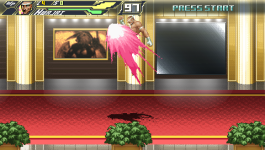
In the video, you can see that the character stops when attacking and only the effect is executed.

Is there a way to delay the character and the effect at the same time when the effect object is hitpause by attack?
 
  • Like
Reactions: NED

I think there is a part that is uncomfortable because my English is difficult.

In the video, you can see that the character stops when attacking and only the effect is executed.

Is there a way to delay the character and the effect at the same time when the effect object is hitpause by attack?
Yes, I understand the problem.
I think what @DD Tokki mean is he want to know if there is a way to stop/freeze the slash effect during Rugal kick when it hits.
-If the move don't hit, it works perfectly.
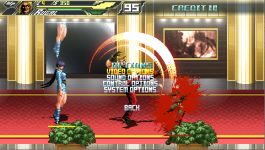
-If the move hits, only Rugal will pause. And the slash effect ingore the pause. <- The problem is here

He want to know if there is a script or code that allow the slash effect to pause when Rugal pauses (Hitshake/hitpause)

In Mugen, we have something to avoid it "ignorehitpause" statecontroller.
In Openbor, I don't know if something similar exists.
I'm the worst person to help about it, but I understand the visual problem.
 
@DD Tokki & @NED

spawnbind has the capacity to syncronize the bound entity to the "master" entitie's animation framerate, never tested for this tho, and i am hoping that it is not necessary for the animation "name " to match from Master to bound entity -

@O Ilusionista & @Bloodbane might have a a better grip on this - and if iam not mistaken @dantedevil had a similar problem with a mortal kombat effect a long while ago
 
Thanks for the explanation.
Due to the nature of the game, hitpause is used a lot.
I hope that the attack effect will remain in line with the character's movement.
I'm looking for a way, but so far I haven't been able to get good results.
 
bor - 0003.png

I can't think of a way right now, so I'm trying to unify the effect and the character's sprite.

This removes the translucency effect because it excludes the alpha value from the character itself, but the hitpause effect works just fine.

I still have separate sprites though, so I'd love to see some method or idea for a hitpause.
 
That's right. It's a hitpause, but it didn't come to mind.
If hitpause is triggered when an attack is attempted, the effect is not delayed and the animation ends first. The effect was called with spawnbind.
Offtopic question OP. How do you record your game play? it absolutely looks smooth and crisp?
 
C-like:
void spawn01(void vName, float fX, float fY, float fZ)
{
    //spawn01 (Generic spawner)
    //Damon Vaughn Caskey
    //07/06/2007
    //
    //Spawns entity next to caller.
    //
    //vName: Model name of entity to be spawned in.
    //fX: X location adjustment.
    //fZ: Y location adjustment.
      //fY: Z location adjustment.

    void self = getlocalvar("self"); //Get calling entity.
    void vSpawn; //Spawn object.
    int  iDirection = getentityproperty(self, "direction");

    clearspawnentry(); //Clear current spawn entry.
      setspawnentry("name", vName); //Acquire spawn entity by name.

    if (iDirection == 0){ //Is entity facing left?                 
          fX = -fX; //Reverse X direction to match facing.
    }

      fX = fX + getentityproperty(self, "x"); //Get X location and add adjustment.
      fY = fY + getentityproperty(self, "a"); //Get Y location and add adjustment.
      fZ = fZ + getentityproperty(self, "z"); //Get Z location and add adjustment.
    
    vSpawn = spawn(); //Spawn in entity.

    changeentityproperty(vSpawn, "position", fX, fZ, fY); //Set spawn location.
    changeentityproperty(vSpawn, "direction", iDirection); //Set direction.
    
    return vSpawn; //Return spawn.
}

void spawnbind(void Name, float dx, float dy, float dz, int iDir,int iBind)
{ // Spawn and bind other entity
 // [iDir]
 //  0 = No change. 
 //  1 = Same direction as target. 
 // -1 = Opposite direction as target. 
 //  2 = Always right.
 // -2 = Always left.
 // [iBind] 
 //  0 = No effect. 
 //  1 = Keep same animation as the target. 
 //  2 = Also keep same frame as the target. 
 //  4 = Kill the entity if the animation doesn't match.
 // You can combine those values for bindanimation, so it can be 6 which means 2 and 4.

   void self = getlocalvar("self");
   void Spawn;

   Spawn = spawn01(Name, dx, dy, 0);
   bindentity(Spawn, self, dx, dz, dy, iDir, iBind);
}

Use this code to spawnbind your effect but for iBind use 6 then the effect will animate in sync with the player. Please note all animation control is done from the player, no delays are needed for the effect just the player. Both animations frames have to match or the effect entity will be destroyed.

here is a example animation from my double dragon game.

the effect:
anim freespecial8 # moon kick
offset 57 109
frame none
frame none
frame none
frame data/chars/billy/effect_moon04.gif
frame data/chars/billy/effect_moon05.gif
frame none
@cmd killme
frame none

the player:
anim freespecial8 # moon kick
loop 0
delay 7
offset 57 109
bbox 50 39 31 69
frame data/chars/billy/moon01.gif
sound data/sounds/0_voice02.wav
frame data/chars/billy/moon02.gif
@cmd spawnbind2 "Billy_Effect" 0 0 1 1 6
frame data/chars/billy/moon03.gif
attack 37 9 95 111 12 1
dropv 5.5 1.2 0
hitflash BigFlash
hitfx data/sounds/beat2_se04.wav
frame data/chars/billy/moon04.gif
frame data/chars/billy/moon05.gif
attack 0 0 0 0
frame data/chars/billy/moon06.gif
frame data/chars/billy/moon07.gif
frame data/chars/billy/moon08.gif
frame data/chars/billy/moon09.gif
 
C-like:
void spawn01(void vName, float fX, float fY, float fZ)
{
    //spawn01 (Generic spawner)
    //Damon Vaughn Caskey
    //07/06/2007
    //
    //Spawns entity next to caller.
    //
    //vName: Model name of entity to be spawned in.
    //fX: X location adjustment.
    //fZ: Y location adjustment.
      //fY: Z location adjustment.

    void self = getlocalvar("self"); //Get calling entity.
    void vSpawn; //Spawn object.
    int  iDirection = getentityproperty(self, "direction");

    clearspawnentry(); //Clear current spawn entry.
      setspawnentry("name", vName); //Acquire spawn entity by name.

    if (iDirection == 0){ //Is entity facing left?                
          fX = -fX; //Reverse X direction to match facing.
    }

      fX = fX + getentityproperty(self, "x"); //Get X location and add adjustment.
      fY = fY + getentityproperty(self, "a"); //Get Y location and add adjustment.
      fZ = fZ + getentityproperty(self, "z"); //Get Z location and add adjustment.
   
    vSpawn = spawn(); //Spawn in entity.

    changeentityproperty(vSpawn, "position", fX, fZ, fY); //Set spawn location.
    changeentityproperty(vSpawn, "direction", iDirection); //Set direction.
   
    return vSpawn; //Return spawn.
}

void spawnbind(void Name, float dx, float dy, float dz, int iDir,int iBind)
{ // Spawn and bind other entity
 // [iDir]
 //  0 = No change.
 //  1 = Same direction as target.
 // -1 = Opposite direction as target.
 //  2 = Always right.
 // -2 = Always left.
 // [iBind]
 //  0 = No effect.
 //  1 = Keep same animation as the target.
 //  2 = Also keep same frame as the target.
 //  4 = Kill the entity if the animation doesn't match.
 // You can combine those values for bindanimation, so it can be 6 which means 2 and 4.

   void self = getlocalvar("self");
   void Spawn;

   Spawn = spawn01(Name, dx, dy, 0);
   bindentity(Spawn, self, dx, dz, dy, iDir, iBind);
}
Use this code to spawnbind your effect but for iBind use 6 then the effect will animate in sync with the player. Please note all animation control is done from the player, no delays are needed for the effect just the player. Both animations frames have to match or the effect entity will be destroyed.

here is a example animation from my double dragon game.

the effect:


the player:

It works fine. Thank you so much.
With this, the quality of the game has been further upgraded.
 
Back
Top Bottom