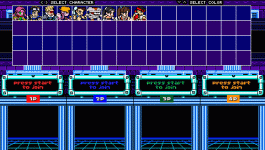
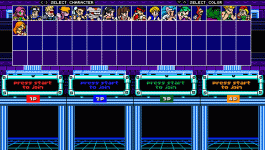
Solved Help at select Custom Screen

Question that is answered or resolved.

ZVitor

Active member
Hi guys, im doing test to allow cursor to move up and down at char selection, my plan is when press Down, instead of pallet change, move 20 times to right, when press UP, move 20 times to left (since current select have 20 chars per row)

So put it inside of main() of keyall.c

if(openborvariant("in_selectscreen"))
{
if(playerkeys(player, 0, "movedown") ){
changeplayerproperty(player, "newkeys", openborconstant("FLAG_MOVERIGHT"));
}
}
it works, instead of change pallet, move char to right one time, but i cant repeat it,
if i do:
if(openborvariant("in_selectscreen"))
{
if(playerkeys(player, 0, "movedown")){
int x = 0;
do{
changeplayerproperty(player, "newkeys", openborconstant("FLAG_MOVERIGHT"));
}while (x<=20);
}
}
or even
if(openborvariant("in_selectscreen"))
{
if(playerkeys(player, 0, "movedown")){
changeplayerproperty(player, "newkeys", openborconstant("FLAG_MOVERIGHT"));
}
}
cursor still only move one time, any ideia about how solve it?
 
Hi guys, im doing test to allow cursor to move up and down at char selection, my plan is when press Down, instead of pallet change, move 20 times to right, when press UP, move 20 times to left (since current select have 20 chars per row)

So put it inside of main() of keyall.c


it works, instead of change pallet, move char to right one time, but i cant repeat it,
if i do:

or even

cursor still only move one time, any ideia about how solve it?

@Hey @ZVitor, I am away from my desk so I can't type out the full solution, but I am afraid that's not going to work like you think. Just remapping the player commands won't magically make character selection behave like a grid. It's going to be more involved than that. Tagging @Bloodbane, as I believe he already has a grid solution. @Kratus might have one too he can show you.

DC
 
magggas's Double Dragon Reloaded has the select screen script. If you are player 1 that highlights Captain America first as the first player while nosame 1 is activated under specific game set in levels.txt, player 2 will highlight Iron Man. However, if you move to choose another character as player 1 while player 2 joins, player 2 will be highlighted as Captain America when player 2 joins. I tried testing with 2 players in @Kratus's SOR2X in the select screen where player 1 highlights any other character than Axel. Therefore, player 2 joins and highlights Axel. I have another module which I'm going to allow all directions to highlight characters like magggas's Double Dragon Reloaded and probably Kratus's SORX module. SOR2X / SORX has a jump button for toggling palettes. Maybe that's what you want, right? I think it's a similar one for DDR.

I have done in the character select in level, using @Bloodbane's script. From my own experience, it's quite doable to install it to your own module, but it's not very easy to get those related stuff into it. What I did was reference specific stuff by looking at specific folders and certain .txt files, as well as looking at models.txt (and levels.txt, I guess?) and those from update.c/updated.c, for transferring to my own module. Pay attention to the model/entity names, mostly player type ones.

 
@ZVitor
The best method is to use a fake stage, which is how Kratus's method works (I don't know about Bloodbane's method, but it should be similar).

Your code doesn't work because, internally, the engine loads the first Player entity and swaps models (like weapons) when it moves sideways. It creates an array with all Player entities and changes it over time. This is why some ondraw/update scripts only work on the first entity, and the engine determines "first" as the first entity you declare in models.txt (yes, the order matters). In fact, if you have ondraw code on the first character in the select window and switch to another one, the code remains active, even if the second player doesn't have it—something we discovered this week. Because the second player is actually a weapon of the first, on the selection screen.

I don't recall if you have direct access to this array—if I remember correctly, you don't. Otherwise, you should change the offset of this array.

In any case, the fake stage gives you much more freedom. The thing is: is not as easy as using a native select screen.
 
Thanks for clarifying how things work, since I can't create a repetition structure that repeats the character change several times, but I managed to do what I wanted by placing this control in the WAITING animation of each of them with global counter variables to make the loop.

So if press down, it quickly change char 22 times to right, and up it goes to left.
Figured chars does all WAITING anim before change, so changed it to delay 2 to everyone too.


void seleciona()
{
int player = getlocalvar("player");

if(getglobalvar("selectUP"+player) == NULL()){
setglobalvar("selectUP"+player, 0);
}
if(getglobalvar("selectDOWN"+player) == NULL()){
setglobalvar("selectDOWN"+player, 0);
}

if(getglobalvar("holdUP"+player) == 0 && getglobalvar("selectUP"+player) == 0 && playerkeys(player, 0, "moveup")){
setglobalvar("selectUP"+player, 22);
setglobalvar("holdUP"+player, 1);
}

if(!playerkeys(player, 0, "moveup")){
setglobalvar("holdUP"+player, 0);
}

if(getglobalvar("holdDOWN"+player) == 0 && getglobalvar("selectDOWN"+player) == 0 && playerkeys(player, 0, "movedown")){
setglobalvar("selectDOWN"+player, 22);
setglobalvar("holdDOWN"+player, 1);
}

if(!playerkeys(player, 0, "movedown")){
setglobalvar("holdDOWN"+player, 0);
}

if(getglobalvar("selectDOWN"+player) > 0){
setglobalvar("selectDOWN"+player, getglobalvar("selectDOWN"+player)-1);
changeplayerproperty(player, "newkeys", openborconstant("FLAG_MOVERIGHT"));

}
if(getglobalvar("selectUP"+player) > 0){
setglobalvar("selectUP"+player, getglobalvar("selectUP"+player)-1);
changeplayerproperty(player, "newkeys", openborconstant("FLAG_MOVELEFT"));

}
}
 
ZVitor, I've coded a workaround script to change character with Up or down in select screen years ago. It works but kinda unstable until I've added one line from your script.
The script is declared in WAITING animation :
C:
anim    waiting
@script
    if(frame>=1){
      void self = getlocalvar("self");
      int iPIndex = getentityproperty(self,"playerindex");
      void KUp = playerkeys(iPIndex, 0, "moveup");
      void KDown = playerkeys(iPIndex, 0, "movedown");

      if(KUp){
        changeentityproperty(self, "model", [HERO1], 1);
        changeplayerproperty(iPIndex, "newkeys", openborconstant("FLAG_MOVERIGHT"));
      } else if(KDown){
        changeentityproperty(self, "model", [HERO2], 1);
        changeplayerproperty(iPIndex, "newkeys", openborconstant("FLAG_MOVERIGHT"));
      }
    }
@end_script
...

What this script does is change the model then immediately changes to next player. Pressing Up changes to HERO1 while Down to HERO2. The next line changes to next player so pressing Up changes to player after HERO1 while Down to player after HERO2.
This script seems stable for me.

Your script solution sounds good. I'm going to try it sometime.
 
@Kratus might have one too he can show you
No problem buddy. Basically in my case I use 1 variable to change lines and 1 for the columns, then it changes the player name variable according to a predefined table.
For example, if line=1 and column=2 name=Galsia.

In the end, I confirm using the changeplayerproperty(pIndex, "name"), this is the main point of all the script. In the select screen, changing this property does not only change the name but also changes the defaultmodel (not only the model like weapon system).

Another point is about the event, in the v4 I use inputall.c because I can freely lock or redefine any key effect. This way you can for example define the special button to cycle palettes instead of confirming a character. In the v3 you can use the update.c event, which takes effect before the engine confirms a button press and gives the same effect as the inputall.c.

You can also improve it. In my case I don't change the native models, instead I hide them by changing their positions in the levels.txt and spawn a NPC type clone of each playable character. Then the code changes every model together with the player name variable, giving more freedom to change some other properties.

To cycle palettes you need to confirm it in the end using changeplayerproperty(pIndex, "colourmap") but for the NPC clone you can use "map" instead.


The best method is to use a fake stage, which is how Kratus's method works (I don't know about Bloodbane's method, but it should be similar).
Yeah, a fake stage is a good option too due to having a lot of freedom, but in the case of the SORX I'm using the native select screen.
 
Another point is about the event, in the v4 I use inputall.c because I can freely lock or redefine any key effect. This way you can for example define the special button to cycle palettes instead of confirming a character. In the v3 you can use the update.c event, which takes effect before the engine confirms a button press and gives the same effect as the inputall.c.
That would be great,
Thanks will try do it
 
Thanks for clarifying how things work, since I can't create a repetition structure that repeats the character change several times, but I managed to do what I wanted by placing this control in the WAITING animation of each of them with global counter variables to make the loop.

So if press down, it quickly change char 22 times to right, and up it goes to left.
Figured chars does all WAITING anim before change, so changed it to delay 2 to everyone too.
I am reading your code and I can't find the part where you change the models. Am I missing something?

What this script does is change the model then immediately changes to next player. Pressing Up changes to HERO1 while Down to HERO2. The next line changes to next player so pressing Up changes to player after HERO1 while Down to player after HERO2.
This script seems stable for me.
Nice, I have interest on this too.
But since I have (and I think its the same case for Zvitor) multiple select files - each stage has a different one - I think we will need to use some globalvar (or branches) to limit this, right?

For example, Tyris should not be selectable on this select by pressing down on Blink:
select2.gif

But on later stages, she should be:
select8.gif
 
I am reading your code and I can't find the part where you change the models. Am I missing something?
if(getglobalvar("selectUP"+player) > 0){
setglobalvar("selectUP"+player, getglobalvar("selectUP"+player)-1);
changeplayerproperty(player, "newkeys", openborconstant("FLAG_MOVELEFT"));
}

Before the line size is set to 22, here it reduces to -1, moves to the left and changes character, on the new character it does this again until it resets, it worked, but it is not a better solution than others presented here, and it had some problems if there were 2 or more players.
 
if(getglobalvar("selectUP"+player) > 0){
setglobalvar("selectUP"+player, getglobalvar("selectUP"+player)-1);
changeplayerproperty(player, "newkeys", openborconstant("FLAG_MOVELEFT"));
}

Before the line size is set to 22, here it reduces to -1, moves to the left and changes character, on the new character it does this again until it resets, it worked, but it is not a better solution than others presented here, and it had some problems if there were 2 or more players.
Yeah I got that you are setting a globalvar with the value, but I can't see where you are using this globalvar.
 
ZVitor, I've coded a workaround script to change character with Up or down in select screen years ago. It works but kinda unstable until I've added one line from your script.
The script is declared in WAITING animation :
C:
anim    waiting
@script
    if(frame>=1){
      void self = getlocalvar("self");
      int iPIndex = getentityproperty(self,"playerindex");
      void KUp = playerkeys(iPIndex, 0, "moveup");
      void KDown = playerkeys(iPIndex, 0, "movedown");

      if(KUp){
        changeentityproperty(self, "model", [HERO1], 1);
        changeplayerproperty(iPIndex, "newkeys", openborconstant("FLAG_MOVERIGHT"));
      } else if(KDown){
        changeentityproperty(self, "model", [HERO2], 1);
        changeplayerproperty(iPIndex, "newkeys", openborconstant("FLAG_MOVERIGHT"));
      }
    }
@end_script
...

What this script does is change the model then immediately changes to next player. Pressing Up changes to HERO1 while Down to HERO2. The next line changes to next player so pressing Up changes to player after HERO1 while Down to player after HERO2.
This script seems stable for me.

Your script solution sounds good. I'm going to try it sometime.
this code work with 2 or more players? works perfect to 1 player but with more it bugs, if i press up at player 1, all others move too
 
ZVitor, I've coded a workaround script to change character with Up or down in select screen years ago. It works but kinda unstable until I've added one line from your script.
The script is declared in WAITING animation :
C:
anim    waiting
@script
    if(frame>=1){
      void self = getlocalvar("self");
      int iPIndex = getentityproperty(self,"playerindex");
      void KUp = playerkeys(iPIndex, 0, "moveup");
      void KDown = playerkeys(iPIndex, 0, "movedown");

      if(KUp){
        changeentityproperty(self, "model", [HERO1], 1);
        changeplayerproperty(iPIndex, "newkeys", openborconstant("FLAG_MOVERIGHT"));
      } else if(KDown){
        changeentityproperty(self, "model", [HERO2], 1);
        changeplayerproperty(iPIndex, "newkeys", openborconstant("FLAG_MOVERIGHT"));
      }
    }
@end_script
...

What this script does is change the model then immediately changes to next player. Pressing Up changes to HERO1 while Down to HERO2. The next line changes to next player so pressing Up changes to player after HERO1 while Down to player after HERO2.
This script seems stable for me.

Your script solution sounds good. I'm going to try it sometime.
I am having an issue with getting the player index properly in this anim waiting.
No matter which player (1st, 2nd, etc..) is pressing the directions, the "playerindex" always returns 0 instead of
0 for player 1, 1 for player 2, 2 for player 3, etc..
Is this a bug or that's how it is?
Thank you
 
Back
Top Bottom