@MMK ,
a combination of techniques will yield results from basic to really impressive.
to optimize/save resources, there is a technique where youn split images into RGB and over lay them using transparency, in that way you reduce/limit the palette but make up for it using the trick
have not tested the rockt viper thing using sprites with no palette limit
but palette limits will make your backgrounds lool like this Dracula for the sega cd situation:
the script used in rocket viper could be expanded to multiple entities in different background planes, or even as a panel type entity if you wish.
example , you water effect for floor, and rocket viper script for trashcans, bushes, foreground objects, lamposts etc
but for walls and floors is best to invent or develop a script to mimic what mugen does so they can feature animated effects if they need to have them
example: balrog's stage animated floor
so far Openbor does floors in backgrounds as "3d" using a water effect value, if you make your panel transparent , a background layer works a the floor, but it only works well for certain stages & values have to be very specific on them to avoid weird visual behaviors.
@DCurrent developed a tutorial where background layers can feature animation so that is also available for "floors"
for walls tho, there are inline comands that can be fetured in sprite animations that can distort sprites (shoot cant remember the name), so the trick is to distort the sprites (vertical or horizontal) to match the scrolling. Rmeber now , its called DRAWMETHOD.
anyway , long story short , i wish that DRAWMETHOD on sprites/entities would/could have the same kind of controls that
FG layers had, that way any sprite could feature some of the water, repetiton and other effects.
vertical distortions tho, need the frame by frame DRAWMETHOD-type trick or scripting to work


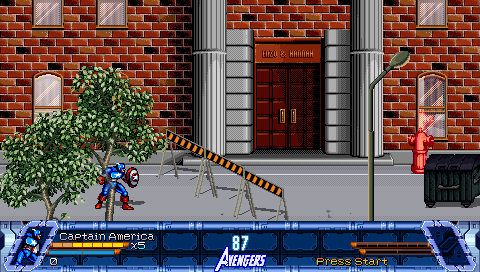

 I was looking into using this technique somewhere and accidentally came across OpenBOR. As a big fan of B'emUP games wanted to check if the engine can be used for this. I liked the OpenBor project a lot, and as you said a PopEye game would be cool. I think PopEye is also license free now.