You are using an out of date browser. It may not display this or other websites correctly.
You should upgrade or use an alternative browser.
You should upgrade or use an alternative browser.
In Progress A Tale of Vengeance Ver. 2.0
- Thread starter AlexDC22
- Start date
The project is currently under development.

AlexDC22
Well-known member
here added to the list of things to do xD
thats not including levels i have o still go though and make better.. but am about to start level 8.. so not to far
thanks for the advice DC.
thats not including levels i have o still go though and make better.. but am about to start level 8.. so not to far
thanks for the advice DC.
Code:
WIP:
get rid of the towel sling throws and add real grappling animation.
need to add new boss battle after geese.
check player getting juggled , jugglepoints 0  and jugglecost 100. and antigravity.
fix all level perspectives with shadows and assets.
populate level 5-1 and level 7-1 (new levels)
add anim follow to enemy attacks so theyre not just attacking air smfh.
fix sound fx to  stop playing on hit and change some hit sounds...only rugal and ryu have some of them done.
All cut scenes including intro, and level titles with correct spellings xD... unsure on which way ill do the cut scenes yet tho.
victory animations but cant get them to work smfh.
Pause menu guide, this has been a pain so am leaving it for last.
Possible extra characters for when vengeance party mode is unlocked with story integration. also itegrate unlocked characters from first game mode into story from the beginning.
DONE==Thinking of new lifebars to accommodate a 3 player mode
DONE==Looking at different font styles.
Want to be able to tell what color am choosing when i die and chose to continue, as it is the icons are only mapped to main character color,
probably an easy fix, just haven't looked into it yet.
am sure more will come to me as i keep at this, so much in my head... but making them work is a different story tho lol
O Ilusionista
Captain 100K
If I can give you an advice, listen to @DCurrent tip. The sooner you start to make the core mechanics of the scripted grab, the better.tho am trying to leave gameplay stuff for last since the juggle headache.
For example, take a look at my (unfinished) tutorial - my method requires you to make some required frames first (8 frames) + 2 animations : [TUTORIAL] Ilu's custom scripted Slam method
If you do this early in development, you will save you a lot of time and future headache, as you build the core stuff first so you can copy to there other characters and enemies.
I made PDC way before I've developed that tutorial and when I returned to that project to apply it, it was a tedious work.
So the sooner you do it, the better, trust us

And once you built the core foundation of the scripted slam, the sky is your limit. You can do pretty much any type of slam you need
Take a look at this short video - Hercules does all those throws with just 2 animations (I have a third on just to be the cherry on the cake, but I simply reuse the frames of the precious animations)
AlexDC22
Well-known member
oh but i do listen to the bor wizards xD i try to anyways.. but yeah that was rather sick brother.....am working on a bkg animation now and after that am jumping on on this...ive been gone a long time so i do trust you guys more than you know... and i appreciate all the feedback and tips and anything really that you folks suggest would yield better resultsIf I can give you an advice, listen to @DCurrent tip. The sooner you start to make the core mechanics of the scripted grab, the better.
For example, take a look at my (unfinished) tutorial - my method requires you to make some required frames first (8 frames) + 2 animations : [TUTORIAL] Ilu's custom scripted Slam method
If you do this early in development, you will save you a lot of time and future headache, as you build the core stuff first so you can copy to there other characters and enemies.
I made PDC way before I've developed that tutorial and when I returned to that project to apply it, it was a tedious work.
So the sooner you do it, the better, trust us
And once you built the core foundation of the scripted slam, the sky is your limit. You can do pretty much any type of slam you need
Take a look at this short video - Hercules does all those throws with just 2 animations (I have a third on just to be the cherry on the cake, but I simply reuse the frames of the precious animations)
for real thank you will dive into it next
AlexDC22
Well-known member
that animation didnt pan out cus my analality kicked in >_>
am diving in... but if a lot of grey hair start to pop up am holding @O Ilusionista and @DCurrent responsible
but first i need some food xD
am diving in... but if a lot of grey hair start to pop up am holding @O Ilusionista and @DCurrent responsible
but first i need some food xD
AlexDC22
Well-known member
@O Ilusionista sorry to tag you, but where can i ask questions about this? i ask cus i dont want to take a post spot since the tutorial is not done... and i have some questions sadly 
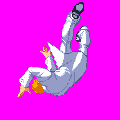
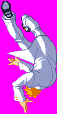
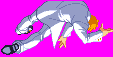
so i have max 4 to 5 fall sprites for most characters.. theyre standard ones i guess... in the tutorial youre making them do a 360... but i am confused as to which of the sprites as they seem to be mostly1 sprite (fall01 on here?)


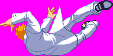
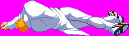 being rotated into multiple angles.
am just confused as to which sprotes and i know it sounds stupid but i realy am confused sadly :/
example him, he has 5 sprites.. unsure if all these are missing more sprites to their fall animation as i havent redownloaded many characters since i was leaving gameplay stuff for last.
i get the rotating of the sprites and how the offset has to work by actually going by the feet/ middle/ and head of the characters unlike regular offset settings.
anyways id appreciate as to how to proceed from here on out and where to ask questions without buggin the heck out of anyone
thanks
so i have max 4 to 5 fall sprites for most characters.. theyre standard ones i guess... in the tutorial youre making them do a 360... but i am confused as to which of the sprites as they seem to be mostly1 sprite (fall01 on here?)
being rotated into multiple angles.am just confused as to which sprotes and i know it sounds stupid but i realy am confused sadly :/
example him, he has 5 sprites.. unsure if all these are missing more sprites to their fall animation as i havent redownloaded many characters since i was leaving gameplay stuff for last.
i get the rotating of the sprites and how the offset has to work by actually going by the feet/ middle/ and head of the characters unlike regular offset settings.
anyways id appreciate as to how to proceed from here on out and where to ask questions without buggin the heck out of anyone
thanks

@O Ilusionista sorry to tag you, but where can i ask questions about this? i ask cus i dont want to take a post spot since the tutorial is not done... and i have some questions sadly
so i have max 4 to 5 fall sprites for most characters.. theyre standard ones i guess... in the tutorial youre making them do a 360... but i am confused as to which of the sprites as they seem to be mostly1 sprite (fall01 on here?)View attachment 9195View attachment 9196View attachment 9197View attachment 9198View attachment 9199 being rotated into multiple angles.
am just confused as to which sprotes and i know it sounds stupid but i realy am confused sadly :/
example him, he has 5 sprites.. unsure if all these are missing more sprites to their fall animation as i havent redownloaded many characters since i was leaving gameplay stuff for last.
i get the rotating of the sprites and how the offset has to work by actually going by the feet/ middle/ and head of the characters unlike regular offset settings.
anyways id appreciate as to how to proceed from here on out and where to ask questions without buggin the heck out of anyone
thanks
You can usually get away with using the sprites you have and just flipping them around to make the new ones you need for a 360' range. That's what the pros do. It's pretty rare to draw drawn custom sprites for being thrown unless it's for really special cases, like Blue Mary's bone breaks or the complex wresting moves in Aggressors of Dark Kombat.
For example, just flipping this one would make a reasonable sprite for the overhead stages of a throw:
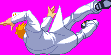

Also, while you don't have to know this, it sometimes helps to conceptualize. Throws in OpenBOR (most engines actually) are a lot like real life Pro Wrestling shows. The "victim" is actually doing most of the work. Entities don't bind other entities to themselves. They bind themselves to other entities (and if you think about it, this is logical way for it to work). The script basically tells the guy getting thrown "bind yourself to this position in relation to the guy throwing you, and put yourself in this pose".
HTH,
DC
AlexDC22
Well-known member
so to simplify things for a minute if i may... the tut says 8 sprites but it can be more but preferably not less correct?
also since lets say settle on 9 sprites.. like maybe 3 for each section of the offset.. feet/mid/head?
and sorry i hate to bother asking a lot..not my style, but lately these past few years ive come to grips with reality... am a geezer lol... anyways and after this sprite gathering ive no where to go as the tut is not finished... again apologies for the many ??? and thank you
EDIT: also am not used to tagging folks cus i dont want to be a burden, so i dont know when and when not to tag specially staff members.
also since lets say settle on 9 sprites.. like maybe 3 for each section of the offset.. feet/mid/head?
and sorry i hate to bother asking a lot..not my style, but lately these past few years ive come to grips with reality... am a geezer lol... anyways and after this sprite gathering ive no where to go as the tut is not finished... again apologies for the many ??? and thank you
EDIT: also am not used to tagging folks cus i dont want to be a burden, so i dont know when and when not to tag specially staff members.
so to simplify things for a minute if i may... the tut says 8 sprites but it can be more but preferably not less correct?
You got it!
also since lets say settle on 9 sprites.. like maybe 3 for each section of the offset.. feet/mid/head?
That's just a question of how far you're willing to go work wise.
EDIT: also am not used to tagging folks cus i dont want to be a burden, so i dont know when and when not to tag specially staff members.
Tagging is a GOOD thing. Don't hesitate. On the rest, I'll need to post more later, about to head out the door for some training.
DC
AlexDC22
Well-known member
You got it!
That's just a question of how far you're willing to go work wise.
Tagging is a GOOD thing. Don't hesitate. On the rest, I'll need to post more later, about to head out the door for some training.
DC
thanks brother and yes am willing, just have to get the hang of it and or know how to set them up...as soon as i get one ready then the rest will be a cakewalk..kinda ike when kratus showed me the trick for enemies to block..as soon as i got one set i quickly did the rest..same with the jumpframe and its dust animations xd... thank you again and be safe with your trainingYou got it!
That's just a question of how far you're willing to go work wise.
Tagging is a GOOD thing. Don't hesitate. On the rest, I'll need to post more later, about to head out the door for some training.
DC

maxman
Well-known member
Beautiful select screen, Alex. Great work.
You take a look at this which I guided @Grit with what sprites to use, but also, you can create a visual concept by putting which sprites you want for both throwers and targets to interact together. Throw and get thrown.
By the way, you don't really have to use drawmethod for rotating sprites on some frames to the slams. It's just my own take which I will remove it later. (Otherwise, I wouldn't.) Having some of those sprites flipped for getting thrown is better.
I have a tutorial file which somebody made this tutorial for slams and throws, but some of the info are missing. I don't know if you want it since some parts of info are missing.
You take a look at this which I guided @Grit with what sprites to use, but also, you can create a visual concept by putting which sprites you want for both throwers and targets to interact together. Throw and get thrown.

slamstart is used for grabs, while slamstart2 is used for non-grabs. Like what machok mentioned about the use of slamstart in a grab state (anim grabforward for pressing forward + attacks if anim grab exists), you need anim grab for just... grabbing, and anim grabforward (grabbackward, optional). You can use slamstart2 like slamstart, but the only difference is it "grabs" in a non-grab state. It's like performing an attack, but you start the grab in action. Mr. Q uses slamstart2 in his UDD. I use slamstart2 too for my SF because there's no reason to have a grab state.
Remember to use both...
Remember to use both...

By the way, you don't really have to use drawmethod for rotating sprites on some frames to the slams. It's just my own take which I will remove it later. (Otherwise, I wouldn't.) Having some of those sprites flipped for getting thrown is better.
I have a tutorial file which somebody made this tutorial for slams and throws, but some of the info are missing. I don't know if you want it since some parts of info are missing.
AlexDC22
Well-known member
thank you brother... ill take any help i can get i dont discriminate against help xDBeautiful select screen, Alex. Great work.
You take a look at this which I guided @Grit with what sprites to use, but also, you can create a visual concept by putting which sprites you want for both throwers and targets to interact together. Throw and get thrown.
slamstart is used for grabs, while slamstart2 is used for non-grabs. Like what machok mentioned about the use of slamstart in a grab state (anim grabforward for pressing forward + attacks if anim grab exists), you need anim grab for just... grabbing, and anim grabforward (grabbackward, optional). You can use slamstart2 like slamstart, but the only difference is it "grabs" in a non-grab state. It's like performing an attack, but you start the grab in action. Mr. Q uses slamstart2 in his UDD. I use slamstart2 too for my SF because there's no reason to have a grab state.
Remember to use both...
By the way, you don't really have to use drawmethod for rotating sprites on some frames to the slams. It's just my own take which I will remove it later. (Otherwise, I wouldn't.) Having some of those sprites flipped for getting thrown is better.
I have a tutorial file which somebody made this tutorial for slams and throws, but some of the info are missing. I don't know if you want it since some parts of info are missing.
as long as it doesnt confuse more and is along the same lines then hell yeah
and thank you about the select screen.. its all due thanks to bloodbane and his magical script lol
also i since redid the select screen ill post another video soon...this one might be it but i tend to go through a few iterations cus yeah.. am picky af lol
AlexDC22
Well-known member
kinda interested in this part "I do 90% of the throws using only ONE animation." lolIf I can give you an advice, listen to @DCurrent tip. The sooner you start to make the core mechanics of the scripted grab, the better.
For example, take a look at my (unfinished) tutorial - my method requires you to make some required frames first (8 frames) + 2 animations : [TUTORIAL] Ilu's custom scripted Slam method
If you do this early in development, you will save you a lot of time and future headache, as you build the core stuff first so you can copy to there other characters and enemies.
I made PDC way before I've developed that tutorial and when I returned to that project to apply it, it was a tedious work.
So the sooner you do it, the better, trust us
And once you built the core foundation of the scripted slam, the sky is your limit. You can do pretty much any type of slam you need
Take a look at this short video - Hercules does all those throws with just 2 animations (I have a third on just to be the cherry on the cake, but I simply reuse the frames of the precious animations)
grabbed he game and i know or i think i know that the scripts needed are in grabscript_complete.c, but unsure as to which ones besides the
slamstart and slamstart2...
after that is it different than what maxman posted on the link that he helped grit with?
sorry for the many questions, but that 90% with only one animation just sounds to good lol
that and i dont want to get confused if they are different and since your tut is not finished... but i still want to do whats best even if its a bit harder.. i just need to get at least 1 done and the rest should fall into place for the most part i believe... thanks
maxman
Well-known member
It's the same slamstart function. The only difference is a given knockdown value which he put here.
Example:
slamstart ---> grab first with anim grab before performing slamstart with different animation
slamstart2 ---> just grab it
C:
void slamstart(int iDrop)
{ // Slam Starter
// Use finish after using this
   void self = getlocalvar("self");
   void target = getlocalvar("Target" + self);

   if(target==NULL())
   {
     target = getentityproperty(self, "grabbing");
     setlocalvar("Target" + self, target);
   }
   if(target!=NULL())
   {
     damageentity(target, self, 0, iDrop, openborconstant("ATK_NORMAL7")); // Slam Starter
   }
}
Example:
Code:
anim    grabforward
    loop    0
    delay    20
    offset    68 96
    fastattack    1
        @script
    if(frame==5)
    {
           int SFX1 = loadsample("data/chars/captain/at2.wav");
           int SFX2 = loadsample("data/chars/captain/at3.wav");
           void vSelf = getlocalvar("self");
                 int r = rand()%30;
                 if(r > 0){
               playsample(SFX1, 0, 120, 120, 100, 0);
                 }
                 if(r <= 0){
               playsample(SFX2, 0, 120, 120, 100, 0);
                 }
        }
    @end_script
    @cmd    slamstart 1
    @cmd    position 0 20 0 -1 0
    sound    data/sounds/grab.wav
    frame    data/chars/captain/bgrab1.gif
    delay    8
    @cmd    position 0 0 0 1 0
    frame    data/chars/captain/bgrab2.gif
    @cmd    position 0 -10 0 1 1
    frame    data/chars/captain/bgrab2.gif
    @cmd    position 5 -7 48 -1 0
    frame    data/chars/captain/bgrab3.gif
    delay    8
    @cmd    position 7 0 63 -1 0
    frame    data/chars/captain/grab06.gif
    @cmd    position 10 10 50 -1 0
    @cmd    depost 0
    @cmd    throw 25 2 6 0.5 0 0
    frame    data/chars/captain/grab07.gif
    delay    30
    @cmd    clearL
frame data/chars/captain/bgrab5.gifI'm not sure what you mean by "90% of the throws in one animation" but look at this in fall7 animation. I put the slammed/thrown/get-hit ones in one fall animation, more than 8 frames. The last frames are not done in mine since it needs work too, though some parts for some specific characters are done.kinda interested in this part "I do 90% of the throws using only ONE animation." lol
grabbed he game and i know or i think i know that the scripts needed are in grabscript_complete.c, but unsure as to which ones besides the
slamstart and slamstart2...
Code:
anim    fall7 #thrown
    delay    1000
#=======RYU==========
#--------Initial throw
    offset    30 93
    bbox 0 0 0 0
    frame    data/chars/ryu/0500000010.gif    #0 - pain1-2
    offset    31 89
    bbox 0 0 0 0
    frame    data/chars/ryu/0501000010.gif    #1 - pain2-1
#------Punch or forward throw---------
    offset 80 85
    bbox 0 0 0 0
    frame    data/chars/ryu/0507000010.gif    #2
    offset    19 81
    bbox 0 0 0 0
    frame    data/chars/ryu/0501000120.gif    #3
    offset    21 78
    bbox 0 0 0 0
    frame    data/chars/ryu/0503000040.gif    #4
#------Kick or back throw---------------
    offset    23 80
    bbox 0 0 0 0
    frame    data/chars/ryu/0501000020.gif    #5
#-----Tossed-----------------
    bbox 0 0 0 0
    frame    data/chars/ryu/0503100010.gif    #6
    offset 38 43
    bbox 0 0 0 0
    frame    data/chars/ryu/0504000020.gif    #7
#======KEN======
    offset 97 25
    bbox 0 0 0 0
    frame    data/chars/ryu/0507000020.gif    #8
    offset 30 25
    frame    data/chars/ryu/0503200020.gif    #9
    offset    26 50
    bbox 0 0 0 0
    frame    data/chars/ryu/0501000120.gif    #10
#=====CHUN-LI=====
    offset    43 81
    bbox 0 0 0 0
    frame    data/chars/ryu/0500000020.gif    #11
    offset    44 60
    bbox 0 0 0 0
    frame    data/chars/ryu/0503000000.gif    #12
#----------------
    offset    25 95
    bbox 0 0 0 0
    frame    data/chars/ryu/0500000000.gif    #13
    offset    43 97
    bbox 11 10 60 90
    frame    data/chars/ryu/0500000020.gif    #14 - have this bbox in just only one
#=====ZANGIEF=====
#---Atomic Buster
    offset    31 80
    bbox 0 0 0 0
    frame    data/chars/ryu/0501000000.gif    #15
    offset 31 90
    frame    data/chars/ryu/zangi00.gif    #16
    offset 22 84
    frame    data/chars/ryu/0503000050.gif    #17
#=====DHALSIM=====
#======JOE======
#=====GUILE=====
#=====BOXER=====

#=====CLAW=====
#=====SAGAT======
#=====DICTATOR=====
    offset    20 79
    bbox 0 0 0 0
    frame    data/chars/ryu/0501000030.gif
    offset    14 83
    frame    data/chars/ryu/0501000120.gif
    offset    44 84
    frame    data/chars/ryu/0503000000.gif
    offset    43 36
    frame    data/chars/ryu/0503000020.gif
    frame    data/chars/ryu/0503000040.gif
    frame    data/chars/ryu/0503000050.gif
    frame    data/chars/ryu/0504000000.gif
    frame    data/chars/ryu/0504000020.gif
    frame    data/chars/ryu/0504000021.gif
    frame    data/chars/ryu/0504000030.gif
    frame    data/chars/ryu/0504100010.gif
    frame    data/chars/ryu/0506000000.gif
    frame    data/chars/ryu/0507000000.gif
    frame    data/chars/ryu/0507000001.gif
    frame    data/chars/ryu/0507000002.gif
    frame    data/chars/ryu/0507000010.gif
    frame    data/chars/ryu/0507000020.gif
slamstart ---> grab first with anim grab before performing slamstart with different animation
slamstart2 ---> just grab it
AlexDC22
Well-known member
that 90% is his claim to fame in his unfinished tutorial xDIt's the same slamstart function. The only difference is a given knockdown value which he put here.
C:void slamstart(int iDrop) { // Slam Starter // Use finish after using this void self = getlocalvar("self"); void target = getlocalvar("Target" + self); if(target==NULL()) { target = getentityproperty(self, "grabbing"); setlocalvar("Target" + self, target); } if(target!=NULL()) { damageentity(target, self, 0, iDrop, openborconstant("ATK_NORMAL7")); // Slam Starter } }
Example:
Code:anim grabforward loop 0 delay 20 offset 68 96 fastattack 1 @script if(frame==5) { int SFX1 = loadsample("data/chars/captain/at2.wav"); int SFX2 = loadsample("data/chars/captain/at3.wav"); void vSelf = getlocalvar("self"); int r = rand()%30; if(r > 0){ playsample(SFX1, 0, 120, 120, 100, 0); } if(r <= 0){ playsample(SFX2, 0, 120, 120, 100, 0); } } @end_script @cmd slamstart 1 @cmd position 0 20 0 -1 0 sound data/sounds/grab.wav frame data/chars/captain/bgrab1.gif delay 8 @cmd position 0 0 0 1 0 frame data/chars/captain/bgrab2.gif @cmd position 0 -10 0 1 1 frame data/chars/captain/bgrab2.gif @cmd position 5 -7 48 -1 0 frame data/chars/captain/bgrab3.gif delay 8 @cmd position 7 0 63 -1 0 frame data/chars/captain/grab06.gif @cmd position 10 10 50 -1 0 @cmd depost 0 @cmd throw 25 2 6 0.5 0 0 frame data/chars/captain/grab07.gif delay 30 @cmd clearL frame data/chars/captain/bgrab5.gif
I'm not sure what you mean by "90% of the throws in one animation" but look at this in fall7 animation. I put the slammed/thrown/get-hit ones in one fall animation, more than 8 frames. The last frames are not done in mine since it needs work too, though some parts for some specific characters are done.
Code:anim fall7 #thrown delay 1000 #=======RYU========== #--------Initial throw offset 30 93 bbox 0 0 0 0 frame data/chars/ryu/0500000010.gif #0 - pain1-2 offset 31 89 bbox 0 0 0 0 frame data/chars/ryu/0501000010.gif #1 - pain2-1 #------Punch or forward throw--------- offset 80 85 bbox 0 0 0 0 frame data/chars/ryu/0507000010.gif #2 offset 19 81 bbox 0 0 0 0 frame data/chars/ryu/0501000120.gif #3 offset 21 78 bbox 0 0 0 0 frame data/chars/ryu/0503000040.gif #4 #------Kick or back throw--------------- offset 23 80 bbox 0 0 0 0 frame data/chars/ryu/0501000020.gif #5 #-----Tossed----------------- bbox 0 0 0 0 frame data/chars/ryu/0503100010.gif #6 offset 38 43 bbox 0 0 0 0 frame data/chars/ryu/0504000020.gif #7 #======KEN====== offset 97 25 bbox 0 0 0 0 frame data/chars/ryu/0507000020.gif #8 offset 30 25 frame data/chars/ryu/0503200020.gif #9 offset 26 50 bbox 0 0 0 0 frame data/chars/ryu/0501000120.gif #10 #=====CHUN-LI===== offset 43 81 bbox 0 0 0 0 frame data/chars/ryu/0500000020.gif #11 offset 44 60 bbox 0 0 0 0 frame data/chars/ryu/0503000000.gif #12 #---------------- offset 25 95 bbox 0 0 0 0 frame data/chars/ryu/0500000000.gif #13 offset 43 97 bbox 11 10 60 90 frame data/chars/ryu/0500000020.gif #14 - have this bbox in just only one #=====ZANGIEF===== #---Atomic Buster offset 31 80 bbox 0 0 0 0 frame data/chars/ryu/0501000000.gif #15 offset 31 90 frame data/chars/ryu/zangi00.gif #16 offset 22 84 frame data/chars/ryu/0503000050.gif #17 #=====DHALSIM===== #======JOE====== #=====GUILE===== #=====BOXER===== #=====CLAW===== #=====SAGAT====== #=====DICTATOR===== offset 20 79 bbox 0 0 0 0 frame data/chars/ryu/0501000030.gif offset 14 83 frame data/chars/ryu/0501000120.gif offset 44 84 frame data/chars/ryu/0503000000.gif offset 43 36 frame data/chars/ryu/0503000020.gif frame data/chars/ryu/0503000040.gif frame data/chars/ryu/0503000050.gif frame data/chars/ryu/0504000000.gif frame data/chars/ryu/0504000020.gif frame data/chars/ryu/0504000021.gif frame data/chars/ryu/0504000030.gif frame data/chars/ryu/0504100010.gif frame data/chars/ryu/0506000000.gif frame data/chars/ryu/0507000000.gif frame data/chars/ryu/0507000001.gif frame data/chars/ryu/0507000002.gif frame data/chars/ryu/0507000010.gif frame data/chars/ryu/0507000020.gif
slamstart ---> grab first with anim grab before performing slamstart with different animation
slamstart2 ---> just grab it
i am confused about the anim fall 7?do we need the rest in between? and why the other fighters names there? thanks
ok gotta get me some sprites and start the trial of Alex The Broken mhuahahaha...dont mock my game of thrones name
maxman
Well-known member
so are anim grabbackward and forward the new throw mechanics for throwing forward and backwards?
GRABFORWARD {players}
- Optional.
- When you've grabbed another character, you can press forward and attack to use this attack up to two times. Just like GRABATTACK except for the input.
GRABFORWARD2 {players}
- Optional. If not defined, defaults to ATTACK3.
- When you've grabbed another character and used GRABFORWARD twice, you can press forward and attack to use this attack.
- You can't use this early by pressing jump and forward.
Example:GRABBACKWARD {players}
- Optional.
- When you've grabbed another character, you can press back and attack to use this attack up to two times. Just like GRABATTACK except for the input.
- Since it has same command as THROW, don't use them both to avoid confusion!
Code:
anim grabattack
    offset 140 188
    delay 10
    attack 155 122 34 36 8 0 0 0 0 0
    frame data/chars/heroes/KOF_2K3_Terry_Sprite.7z/121_1.png

anim grabattack2
    offset 140 188
    delay 6
    bbox 124 90 46 98
    frame data/chars/heroes/KOF_2K3_Terry_Sprite.7z/93_0.png
    bbox 124 115 46 73
    move 3
    delay 3
    frame data/chars/heroes/KOF_2K3_Terry_Sprite.7z/93_1.png
    frame data/chars/heroes/KOF_2K3_Terry_Sprite.7z/93_1.png
    bbox 123 107 47 80
    delay 6
    move 0
    frame data/chars/heroes/KOF_2K3_Terry_Sprite.7z/93_2.png
    bbox 128 90 42 98
    attack 155 64 38 66 11 1 0 0 0 0
    frame data/chars/heroes/KOF_2K3_Terry_Sprite.7z/93_3.png
    frame data/chars/heroes/KOF_2K3_Terry_Sprite.7z/93_4.png
    attack 0
    frame data/chars/heroes/KOF_2K3_Terry_Sprite.7z/93_5.png
    frame data/chars/heroes/KOF_2K3_Terry_Sprite.7z/93_6.png
    frame data/chars/heroes/KOF_2K3_Terry_Sprite.7z/93_8.png


anim grabbackward
    offset 140 188
    delay 9
    flipframe 0
    @cmd anti
    @cmd slamstart
    @cmd position 0 -28 31 0 1
    frame data/chars/heroes/KOF_2K3_Terry_Sprite.7z/209_1.png
    @cmd position 1 -8 67 0 1
    frame data/chars/heroes/KOF_2K3_Terry_Sprite.7z/209_2.png
    @cmd position 2 4 64 0 1
    frame data/chars/heroes/KOF_2K3_Terry_Sprite.7z/209_3.png
    @cmd depost 0
    @cmd throw 10 1 3 2.2 0 -1 #throw {damage}{type} {x} {y} {z} {direction}
    frame data/chars/heroes/KOF_2K3_Terry_Sprite.7z/209_4.png

anim grabforward
    offset 140 188
    #delay 4
    #@cmd    anti
    #attackone 1
    #frame data/chars/heroes/KOF_2K3_Terry_Sprite.7z/209_1.png
    delay 16
    @cmd slamstart
    @cmd position 0 -28 31 0 1
    frame data/chars/heroes/KOF_2K3_Terry_Sprite.7z/209_1.png
    @cmd position 1 -8 67 0 1
    frame data/chars/heroes/KOF_2K3_Terry_Sprite.7z/209_2.png
    @cmd position 2 4 52 0 1
    frame data/chars/heroes/KOF_2K3_Terry_Sprite.7z/209_3.png
    @cmd depost 0
    @cmd throw 10 1 3 2.2 0 -1 #throw {damage}{type} {x} {y} {z} {direction}
    frame data/chars/heroes/KOF_2K3_Terry_Sprite.7z/209_4.png

anim grab
    offset 140 188
    delay 24
    cancel 0 0 0 a2 freespecial18 #H
    frame data/chars/heroes/KOF_2K3_Terry_Sprite.7z/131_4.png
    #frame data/chars/heroes/KOF_2K3_Terry_Sprite.7z/131_5.png
AlexDC22
Well-known member
so grab just to grab and thats used with grabforward... now backwards i dont understand the non grab state stuff..now ryu has his regular over shoulder throw and also his backwards leg toss... am i to assume that the toss is for the backwards?Example:
Code:anim grabattack offset 140 188 delay 10 attack 155 122 34 36 8 0 0 0 0 0 frame data/chars/heroes/KOF_2K3_Terry_Sprite.7z/121_1.png anim grabattack2 offset 140 188 delay 6 bbox 124 90 46 98 frame data/chars/heroes/KOF_2K3_Terry_Sprite.7z/93_0.png bbox 124 115 46 73 move 3 delay 3 frame data/chars/heroes/KOF_2K3_Terry_Sprite.7z/93_1.png frame data/chars/heroes/KOF_2K3_Terry_Sprite.7z/93_1.png bbox 123 107 47 80 delay 6 move 0 frame data/chars/heroes/KOF_2K3_Terry_Sprite.7z/93_2.png bbox 128 90 42 98 attack 155 64 38 66 11 1 0 0 0 0 frame data/chars/heroes/KOF_2K3_Terry_Sprite.7z/93_3.png frame data/chars/heroes/KOF_2K3_Terry_Sprite.7z/93_4.png attack 0 frame data/chars/heroes/KOF_2K3_Terry_Sprite.7z/93_5.png frame data/chars/heroes/KOF_2K3_Terry_Sprite.7z/93_6.png frame data/chars/heroes/KOF_2K3_Terry_Sprite.7z/93_8.png anim grabbackward offset 140 188 delay 9 flipframe 0 @cmd anti @cmd slamstart @cmd position 0 -28 31 0 1 frame data/chars/heroes/KOF_2K3_Terry_Sprite.7z/209_1.png @cmd position 1 -8 67 0 1 frame data/chars/heroes/KOF_2K3_Terry_Sprite.7z/209_2.png @cmd position 2 4 64 0 1 frame data/chars/heroes/KOF_2K3_Terry_Sprite.7z/209_3.png @cmd depost 0 @cmd throw 10 1 3 2.2 0 -1 #throw {damage}{type} {x} {y} {z} {direction} frame data/chars/heroes/KOF_2K3_Terry_Sprite.7z/209_4.png anim grabforward offset 140 188 #delay 4 #@cmd anti #attackone 1 #frame data/chars/heroes/KOF_2K3_Terry_Sprite.7z/209_1.png delay 16 @cmd slamstart @cmd position 0 -28 31 0 1 frame data/chars/heroes/KOF_2K3_Terry_Sprite.7z/209_1.png @cmd position 1 -8 67 0 1 frame data/chars/heroes/KOF_2K3_Terry_Sprite.7z/209_2.png @cmd position 2 4 52 0 1 frame data/chars/heroes/KOF_2K3_Terry_Sprite.7z/209_3.png @cmd depost 0 @cmd throw 10 1 3 2.2 0 -1 #throw {damage}{type} {x} {y} {z} {direction} frame data/chars/heroes/KOF_2K3_Terry_Sprite.7z/209_4.png anim grab offset 140 188 delay 24 cancel 0 0 0 a2 freespecial18 #H frame data/chars/heroes/KOF_2K3_Terry_Sprite.7z/131_4.png #frame data/chars/heroes/KOF_2K3_Terry_Sprite.7z/131_5.png
i have to go through that again cus i have no clue what any of those @cmd do lol and where to place them, just like the enemy stuff..gonna be a long ride :/
thanks